Free Web Design Scope of Work Template [Docs / DOCX]
Details matter in website design.
You need to know even the littlest details, like the number of pages, the design style and color the client wants, and the functionality they expect.
If somehow, you or the client don't communicate these details clearly, you’re bound to end up like this user on Reddit:
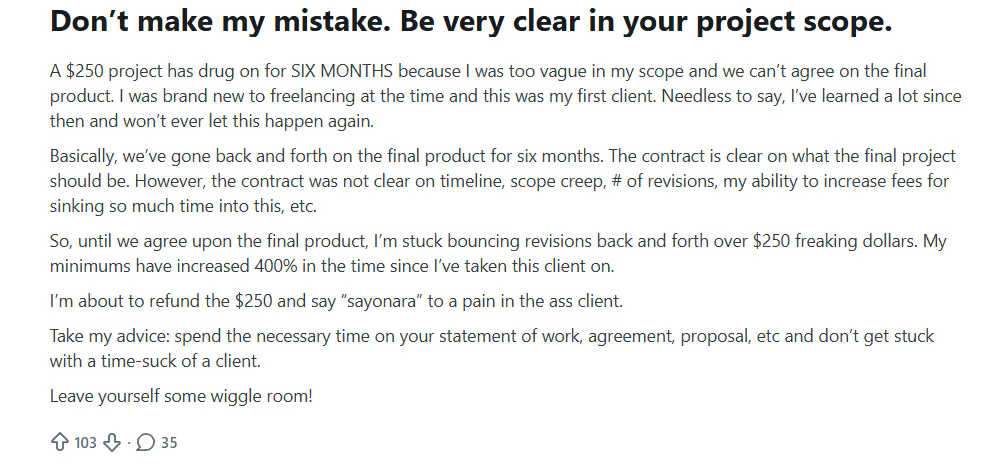
According to him,
“The contract is clear on what the final project should be. However, the contract was not clear on timeline, scope creep, # of revisions, my ability to increase fees for sinking so much time into this, etc.”
In the end, he had to refund the money, even after he spent so much time on revisions and scope creep.
This other user didn't refund the money, but he says he's been on the job for a whole year:
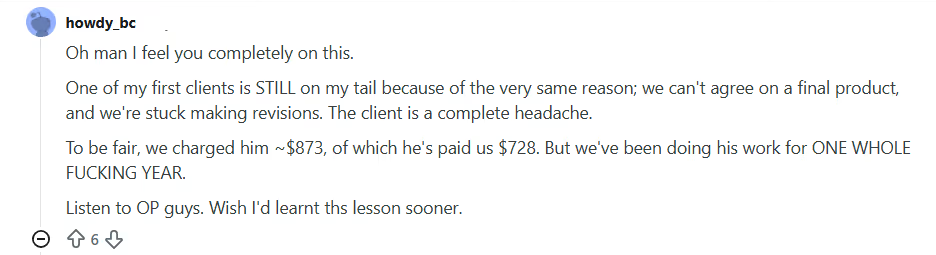
As advised, the only way to set your project terms and ensure your clients stick to them is through a notarized project scope.
In this article, I'll show you how to do that. I’ll also create a template that you can use to draft your project scope.
What Is a Website Design Scope of Work?
A website design scope of work is a foundational document that outlines a project’s boundaries, deliverables, goals, and constraints specific to web design.
Here's one from us:
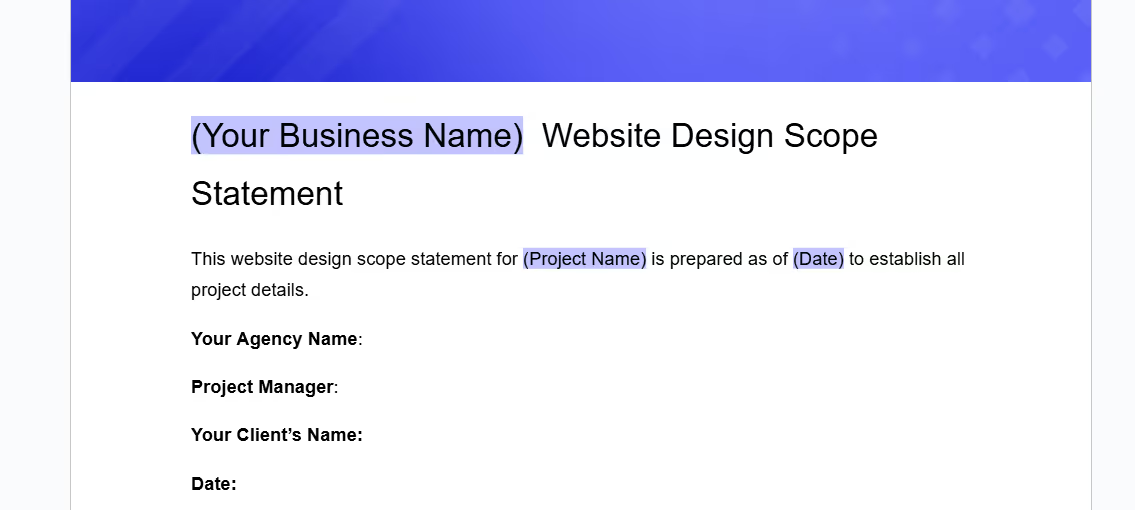
It helps agencies and clients define what’s included, like the number of pages, design elements, interactivity, and functionality (e-commerce or forms), and what’s not.
It helps ensure that both the design team and the client understand the project’s scope, reducing misunderstandings and the risk of scope creep.
Why You Need a Website Design Scope
Your website design scope sets mutual expectations between you and your client. These are some other reasons why you need it:
- It clarifies design and functional elements:
Web design has many nuances that your clients may not even understand.
A well detailed scope specifies and explains these details, so your clients are aligned with what you mean, and there won't be confusion down the line.
- It helps you avoid scope creep.
Some clients may request additional features that were not part of the original agreement, like changes to the design after approval, and this could drag the project out longer than agreed.
A clear web design scope maps out what you’ll offer and what they should expect, and you can charge for any other requests after what you’ve agreed on.
- It improves communication between you and your clients:
A website design scope is a rulebook that both parties can refer to.
It specifies who approves what, when things are due, and how feedback should be provided.
If the client requests additional features or design changes beyond the agreed-upon scope, you can refer to the document to manage them professionally.
Creating Your Website Design Scope
Creating a website design scope involves outlining every detail of the project, from planning to delivery.
Here’s how to structure your website design scope for maximum clarity and success:
- Create a List of Design Tasks:
List all the tasks involved in website design, including user research, wireframing, mockups, UI/UX design, content integration, client feedback loops, and the final design approval.
Make sure you add the technical requirements (say SEO optimization, mobile optimization, and e-commerce setup) too.
Then, break these tasks down into actionable milestones to make it easier for both parties to track the project.
- Define Assumptions:
Assumptions are expectations that your team and the client agree upon.
For example, assume the client will provide all content (text, images, videos) before design work starts or that access to third-party tools (such as hosting, analytics, or CMS) will be provided.
Write these assumptions down so both parties know their responsibilities and you can reduce unnecessary delays caused by missing assets.
- Out of Scope:
Out-of-scope are tasks not included in the project.
For example, if the client requests extra pages beyond the agreed-upon five-page design or asks for advanced e-commerce features like subscription models or multi-currency support, outline these as out of scope.
Add the number of revisions you'll take clearly, too, and specify that any additional work will incur extra cost.
- Include a Website Design Timeline:
Develop a detailed project timeline that includes key milestones such as initial concept design, client review periods, revisions, and final approval.
Add the deadlines for the deliverables you’ve listed, and point out dates for client feedback. For example, your timeline for a client may look like this:
- Week 1: Initial design concept
- Week 2: Client feedback……
- Week 6: Mock-ups.
A timeline helps you stay on track with when you’ll deliver.
- Add Design Constraints:
Write out any constraints the project may face, like budget, technical limitations, or resources available.
For example, if the website needs to be mobile-first or must integrate with an existing CRM system or payment gateway, specify these technical details upfront.
Constraints also include design elements like brand guidelines, custom fonts, or image resolution that you need to adhere to. This way, clients know what is impossible and won't expect it.
- Outline Website Design Deliverables:
Be clear about what the client will receive upon completion of the project.
This could include design mockups, final HTML/CSS files, interactive prototypes, a finalized CMS setup (if applicable), and any other documentation or training materials.
A good tip is to also add any brand guidelines, style guides, or user manuals when you're doing the final hand-off, so your clients can easily navigate the site, too.
- Approval Process & Feedback:
State the approval stages in the design process.
For example, define when the client will approve the initial design, when they will give feedback, and when final approval is required.
You should also clarify how feedback will be given, whether through an online feedback tool, email, or in-person meetings. A structured approval process keeps everyone on schedule.
- Post-Launch Support:
Indicate whether the project includes post-launch services like bug fixes, performance monitoring, or content updates.
If it does, write the duration of the post-launch support. Would you be doing it for a full month, or will the additional support only be available for a fee?
This will help you and your client avoid confusion when the website is live.
How To Use Our Free Website Design
Here's how to customize our free project scope statement template to fit your agency's needs:
- Download the template from our website.
- Edit the text to add your business name and logo.
- Fill in all highlighted spaces and italicized words with your information
- Add the specific web design services you'll offer your client
- Review it with your team members.
Conclusion
A website design scope outlines the project's tasks, deliverables, and expectations from the start. It tells your client everything they need to know, to manage their expectations and also make sure you don't become a victim of scope creep.
With ManyRequests, you can manage this process (creating the scope, sharing it with the client, and obtaining approvals) in a single, organized platform. Sign up for a 14-day free trial without your credit card details to see how it works.

.svg)