Basecamp vs Teams vs ManyRequests: Which Tool Works for Productized Agencies?
Basecamp vs Teams comparison for agencies. See features, pricing, and why many agencies choose client portal software instead.

Adetola Rachael Iyanuoluwa
Most comparison posts describe features. This one explains what happens to your agency when you pick the wrong tool.
Before we compare any tools, let's agree on what your productized agency really needs. So, you're running a recurring-based agency where your clients pay monthly retainer or subscription to access your service.
You need (correct me if I'm wrong, but I know I'm not):
Now, let's see how Basecamp, Teams, and ManyRequests handles this list.
Basecamp is a project management tool that helps recurring service agencies organize chats, tasks, files, and schedules into projects, with an emphasis on asynchronous work over constant meetings.
Let's look at some of its features:
Basecamp lets you add unlimited clients to projects at no additional charge.
If you manage 30 retainer clients, you don't have to pay for any of them, you only have to pay for your internal team members, which is great, because it keeps cost predictable for subscription-based agencies.
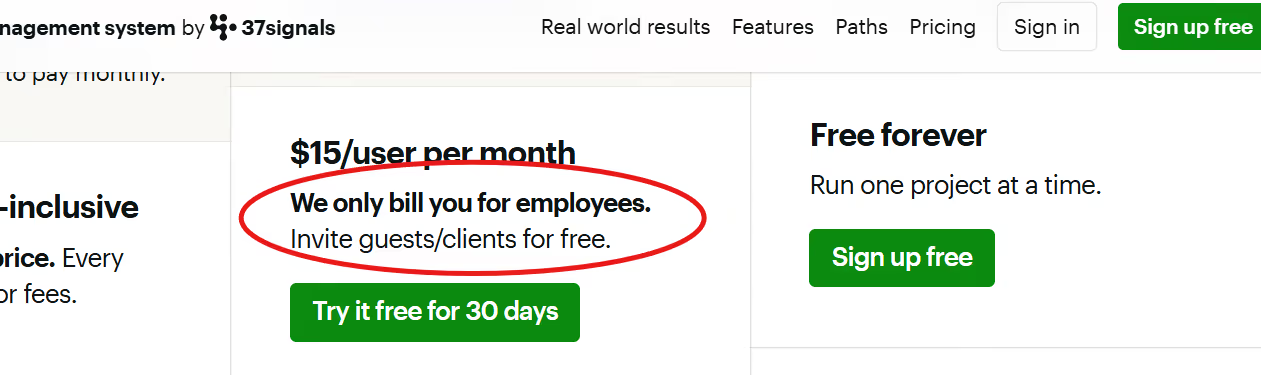
Your clients can view project statuses, comment on tasks, and upload files without you paying for their access.
The only downside is that your clients see the same interface your team does. There's no branded portal, no custom domain, no way to create a white-labeled experience that feels like an extension of your agency.
Basecamp provides message boards for each project your team handles. You can post work updates, ask questions, and send requests through this board.
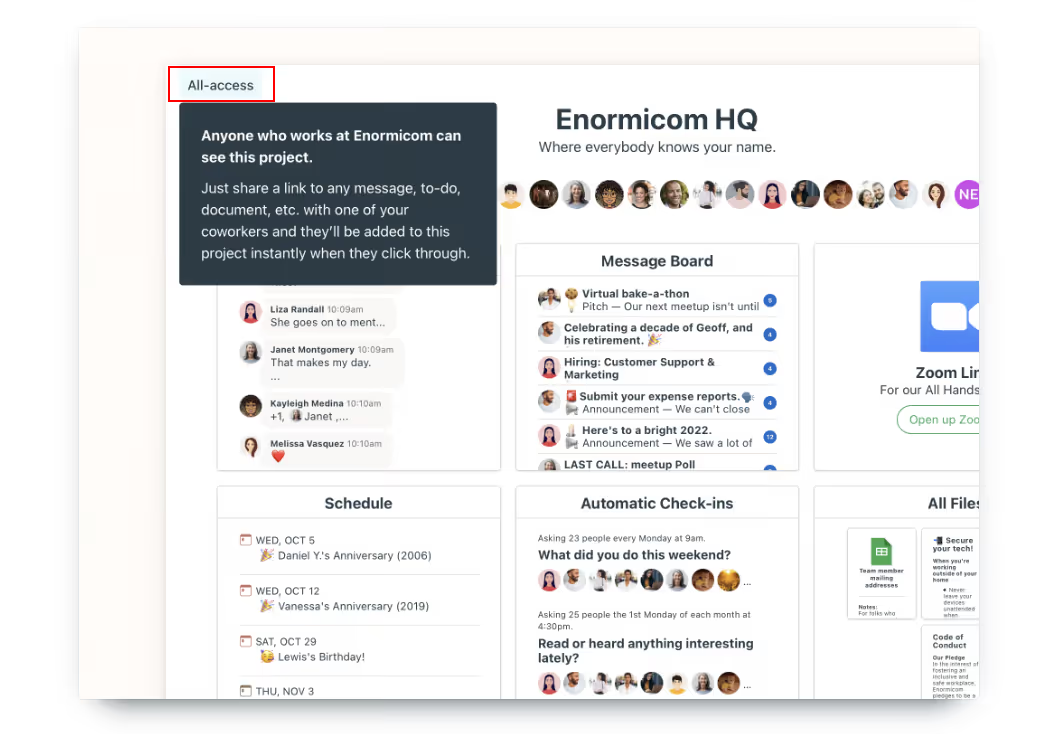
But really, this is a baseline feature for any project management tool.
Creative agencies need to be able to do more than communicate with their team and clients. They should be able to send design documents for proofing without leaving the platform, at the very least.
Basecamp also has no structured request intake, and clients are able to make work requests wherever they want, because there's no client portal.
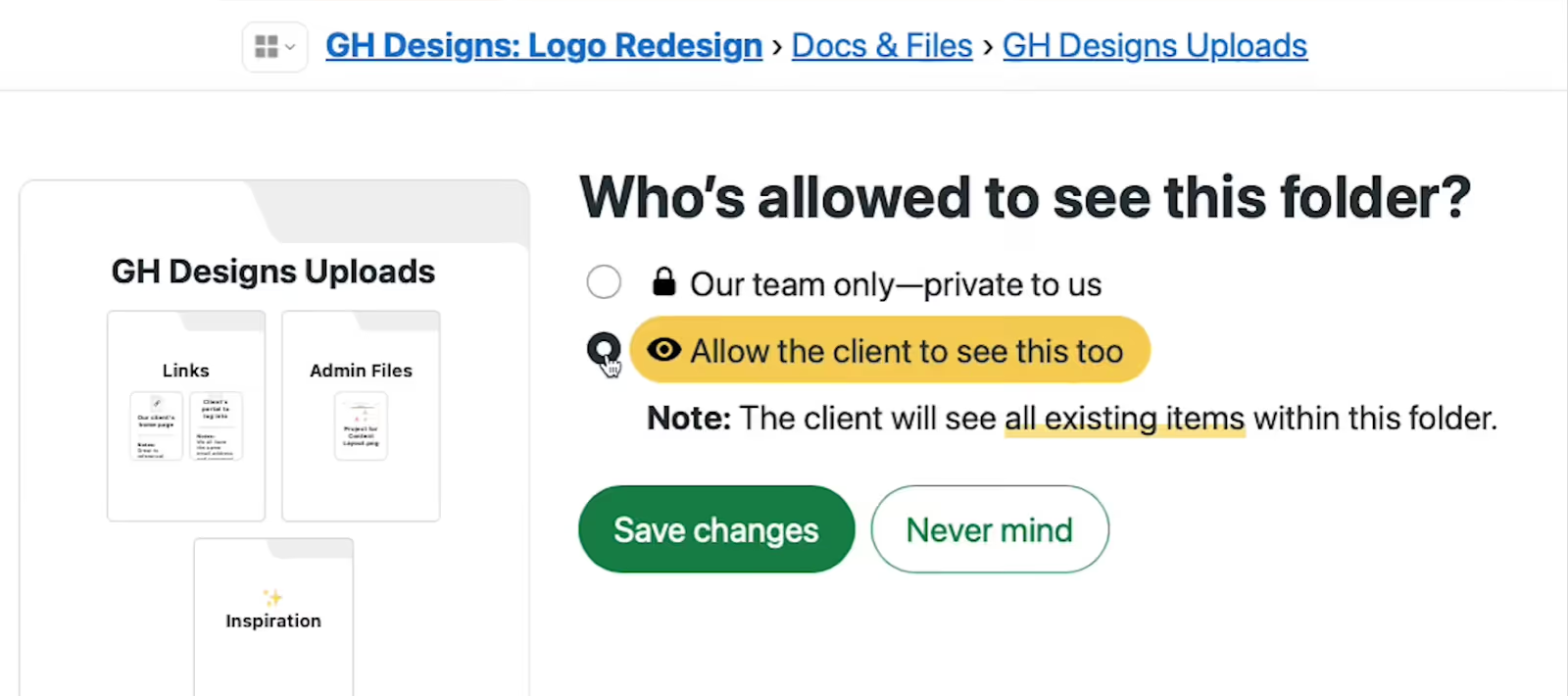
You have the option to choose whether the client can see a particular document or not, which is great, but it can be a hassle when you have to do it for every folder you open.
Basecamp's to-do lists let you break work into tasks, assign them to team members, and set due dates.
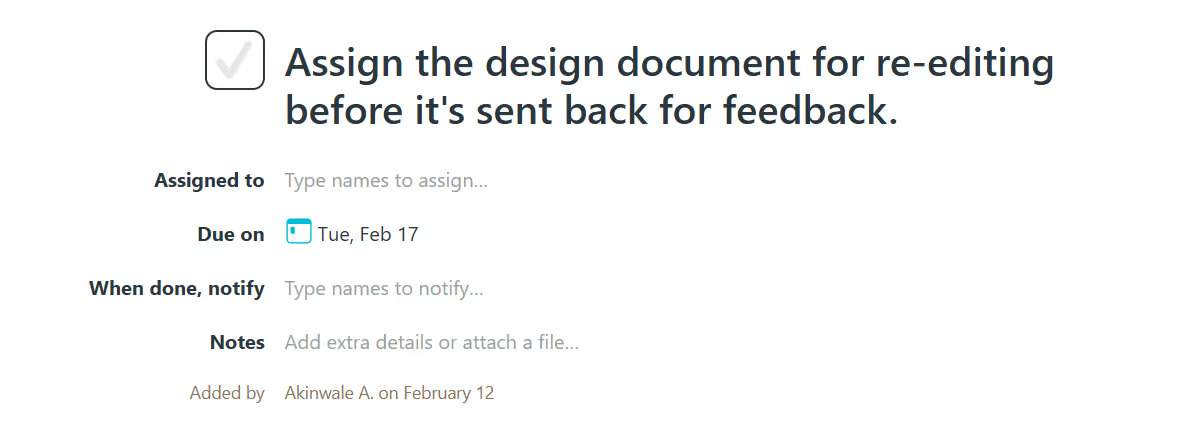
You can create separate lists for different phases, depending on what stage the project you're handling is at, or if there are dependencies that need to be approved before other team members can start working on the project.
You can store files inside projects and organize them by upload dates. When your client logs in, they can see these files (unless you don't want them to), upload new project assets, and receive deliverables.
Everyone can see the latest versions, and even if you need the old version of saved files, Basecamp stores multiple versions of the same file, so you can go back if needed.
The issue here, though, is that when a client uploads a logo or you share a design mock-up file, there's no way to annotate directly on that file. They still have to give feedback in the comments below the files, which takes away the specific that you need in an annotation tool.
Basecamp's interface is clean and simple, which makes it easy to learn. That said, there are a few things to be wary of:
Basecamp doesn’t have a time tracking feature by default (until you pay for the add-on), billing or invoicing features, or project profitability tracking. If you run a subscription agency, you’ll have to pay for a billing tool like QuickBooks separately. You’ll also have to manually track time (unless you pay for Basecamp’s timesheet add-on separately), create and send invoices, and still struggle with getting paid.
You also can't even know if the client's work is profitable unless you export your data to a spreadsheet.
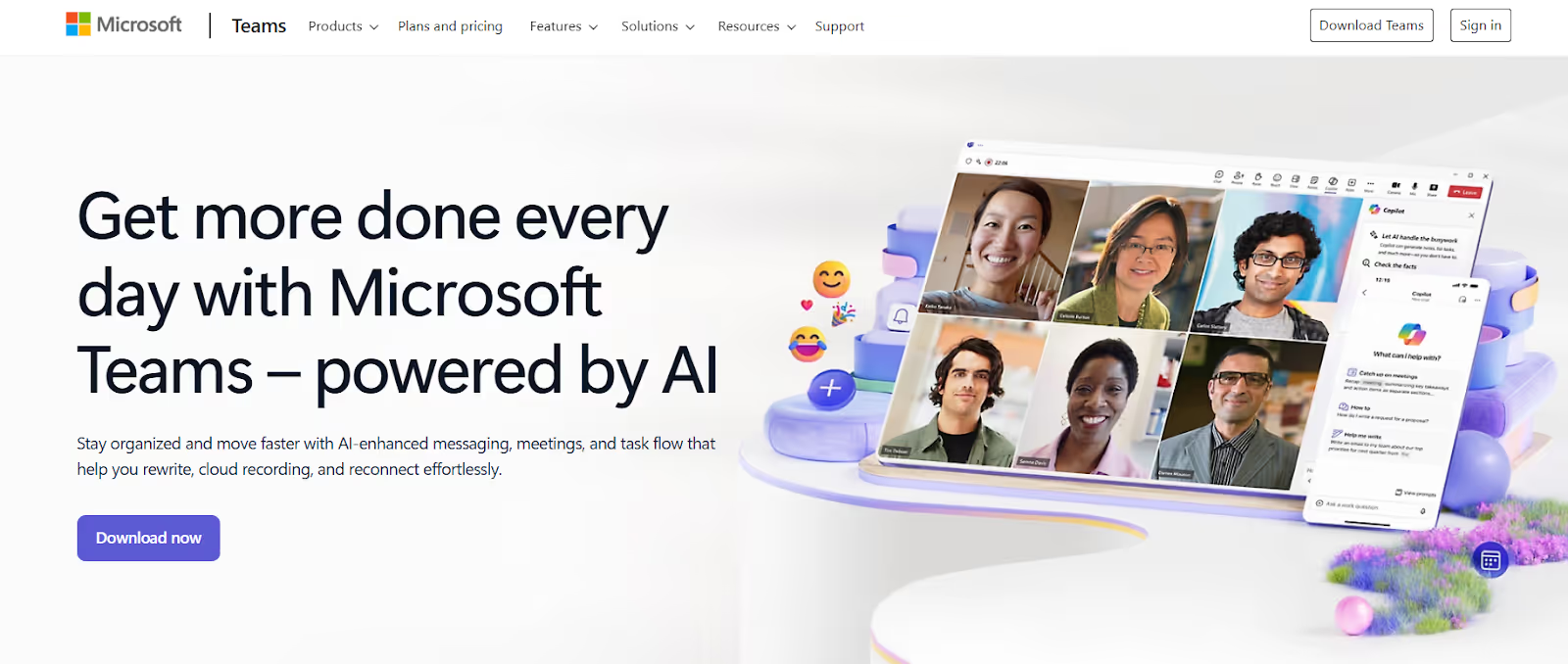
Teams is a communication platform built into the Microsoft 365 suite. It combines chat, video meetings, file storage, and task management in one workspace.
If you already use Microsoft products like Outlook, Word, and Excel, Teams connects with these apps easily.
For productized agencies, the Microsoft Teams project management tool handles internal collaboration well. You can chat with your team, hop on video calls, and share files without leaving the platform.
But it stops short of what you actually need for client-facing projects, like request intake forms, or visual design proofing.
Let's look at some of its features:
Teams is excellent at real-time communication.
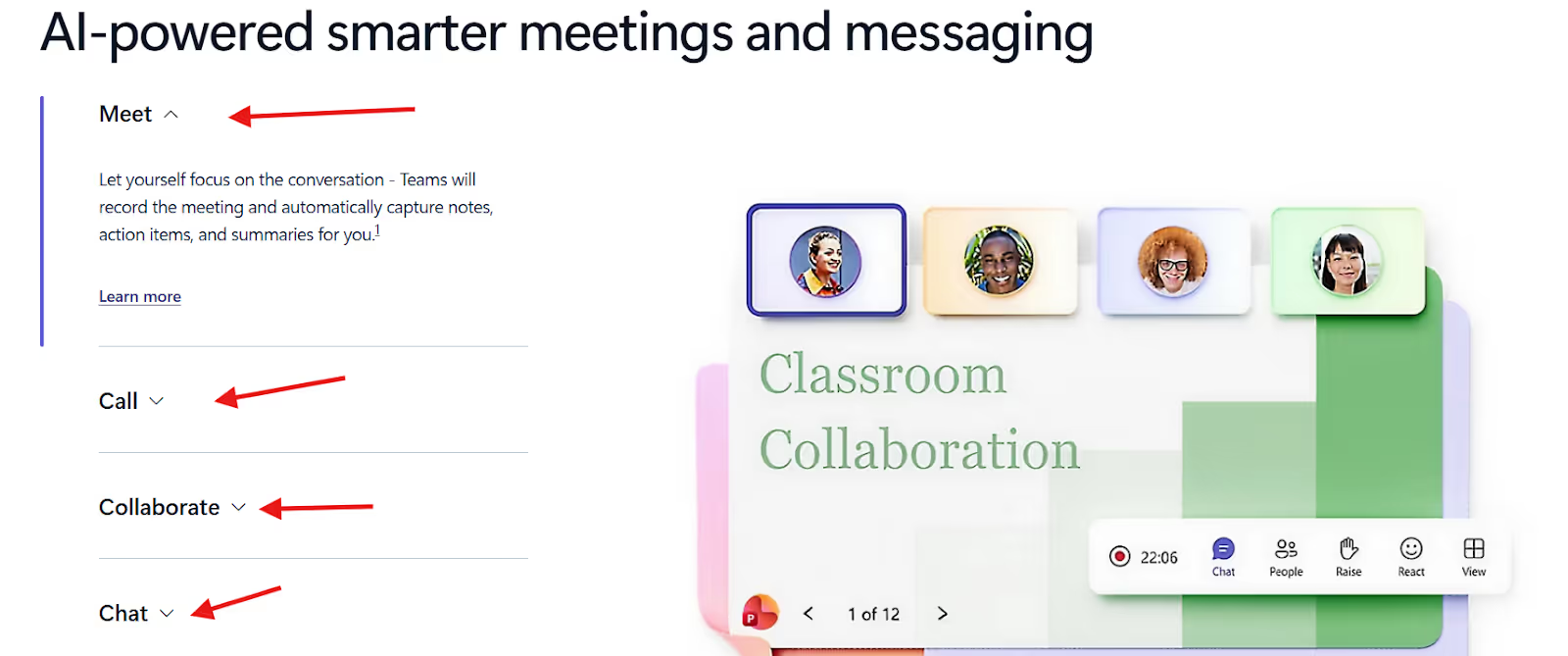
You can start video calls with up to 300 participants (or more on higher plans), share your screen, record meetings, and get AI-generated transcripts.
The chat feature lets you create channels for different projects or topics, @mention team members, and organize conversations through threads.
It is reliable for internal project management activities .
Your team can jump on a quick call to resolve a blocker and share files with the client, but if you're a productized service agency, who needs to communicate with your clients more often than a quick call, Teams might not be the one for you.
Why, you say?
There's no client portal where clients can log in to submit requests, track progress, or approve deliverables.
If your client needs to send in assets for a new project, you’d have to invite them as guests to your Teams workspace, which means that they can see your internal structure and team conversations. If you don't want that, you’d have to manage permission every single time. Now imagine if you have to do this every time one of your retainer clients sends in a new task.
Teams stores files in SharePoint, Microsoft's cloud storage system. Every channel gets its own folder, and files sync automatically with OneDrive.
You can co-edit Word docs, Excel sheets, and PowerPoint slides in real time with your team. Teams also saves older versions of files, so all you need to do is roll back changes to get version history if you need it.
But organizing these files is chaotic.
Files are stored in separate SharePoint libraries tied to individual Teams and channels, which means that if you’re working on different projects in different channels for one client, the files get scattered across all the channels.
This makes it harder to find all assets for a client when you need it.
There's also no visual proofing. When a client needs to review a design, you're back to email attachments or third-party tools like Figma or Loom. Teams doesn't allow clients to annotate images or leave timestamped video feedback directly on files.
Teams integrates with Microsoft Planner, a Kanban-style task board where you can create tasks, assign them to team members, set due dates, and track progress.
You can add Planner as a tab in any Teams channel, which keeps tasks visible alongside your conversations.
But Teams’ Planner is basic. There's no Gantt chart view, no task dependencies, and no native way to track time spent on tasks. For productized agencies that need to know if a designer spent 3 hours or 8 hours on a request, you’d have to manually log your time or subscribe to a time tracking tool to achieve that.
You also can't tie tasks to client budgets, billable hours, or profitability. Planner shows you what's done, not whether you made money doing it.
If your team already uses Microsoft 365, Teams pulls everything together.
You can open Word docs, Excel sheets, and PowerPoint presentations directly in Teams without switching apps. Calendar events sync from Outlook, and emails can be forwarded into Teams channels.
For agencies deep in the Microsoft ecosystem, this integration will save you time. You don't have to constantly toggle between apps.
But if you're not a Microsoft power user already, the platform can become a liability. Teams doesn’t play as nicely with non-Microsoft tools. You can integrate apps like Asana, Trello, or Slack through third-party connectors, but it's clunky and often requires IT setup.
Teams has zero features for billing clients. There's no way to generate invoices, accept payments, or track billable hours natively.
If you're a productized-service agency that needs to tie delivery to payment, collect recurring fees, or show clients how their monthly retainer was spent, you'll need to add Stripe, QuickBooks, Harvest, or another billing tool.
Teams’ interface is clean if you're used to Microsoft products, but it can be overwhelming if you're not.
To top it all, there's no client portal, no branded experience, and no request management. You can't create intake forms for clients to submit work. This means that you can't manage your clients well or even handle creative projects to the best capacity.
Basecamp and Teams can help productized agencies to a point, but they leave critical gaps.
Basecamp organizes projects well but has no time tracking (unless you pay extra), billing features, or visual proofing for design feedback.
Teams handles internal collaboration but offers no client portal, no request intake, and no way to bill clients or track profitability.
These tools were not built to help structured service agencies manage recurring client requests, track billable hours, approve designs with visual markups, or even generate invoices.
ManyRequests does all of this, and more.
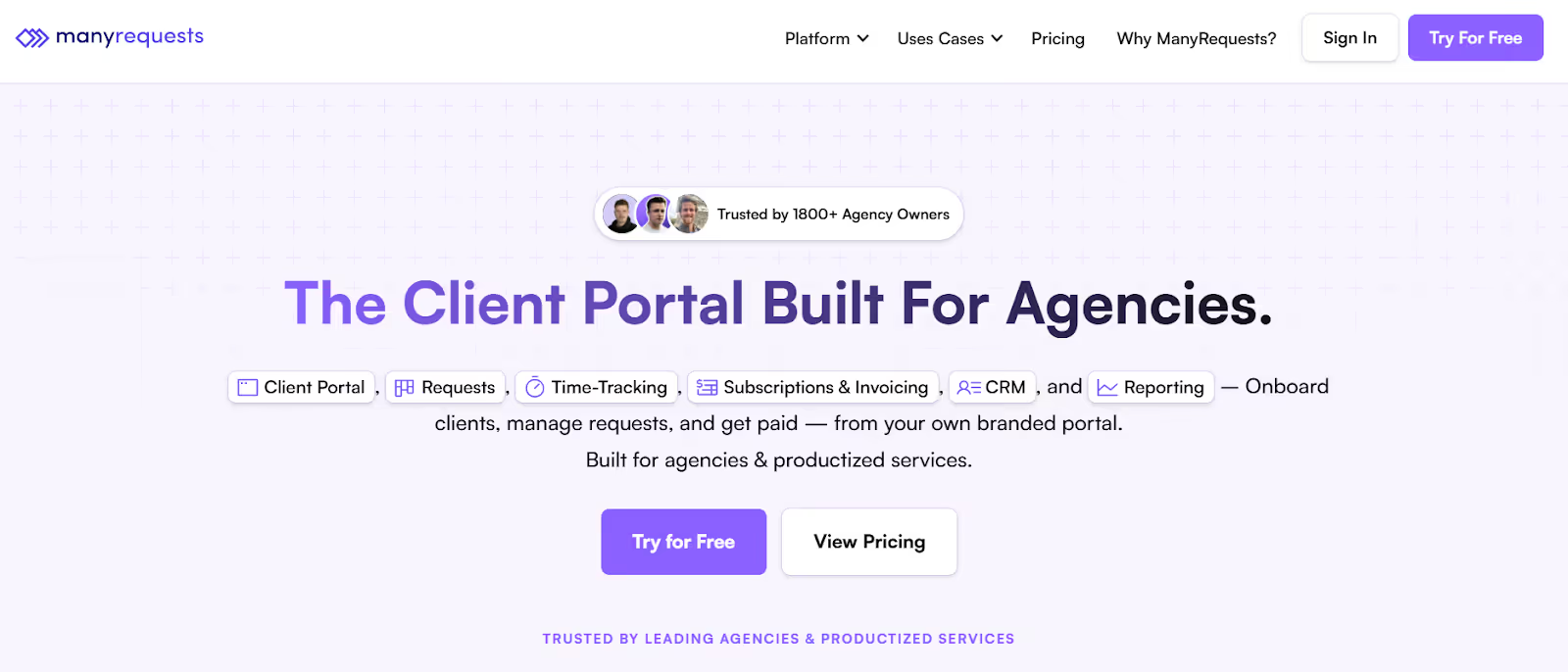
ManyRequests is an all-in-one client portal and project management platform built specifically for productized agencies.
It consolidates every step of your delivery workflow, from when a client submits a request to when they pay your invoice, into one branded platform.
This means you can handle client onboarding, request management, design proofing, time tracking, billing, and payment without leaving ManyRequests or duct-taping five different tools together.
Let's review some of its features:
ManyRequests provides a fully branded client portal where your clients log in, submit requests, track progress, view files, approve deliverables, and manage invoices.
You can fully customized the platform with your own logo,

your domain, brand colors, and the overall feel of your agency.
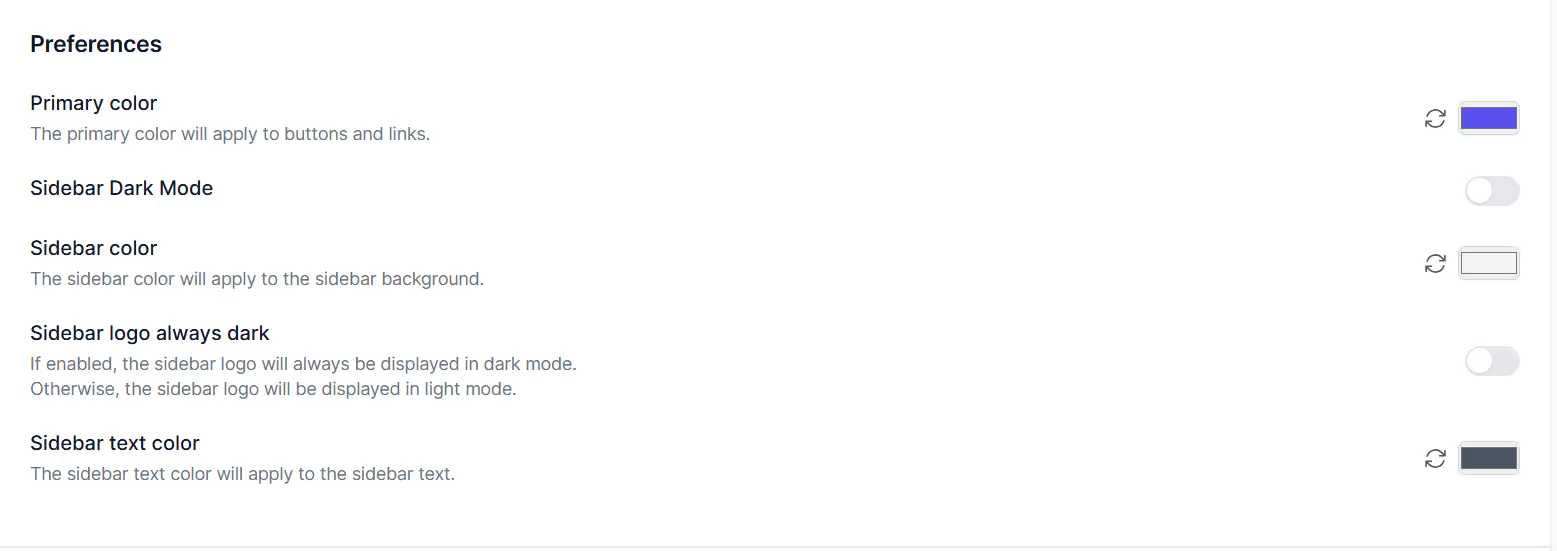
For example, this is what the ManyRequests platform looks like:
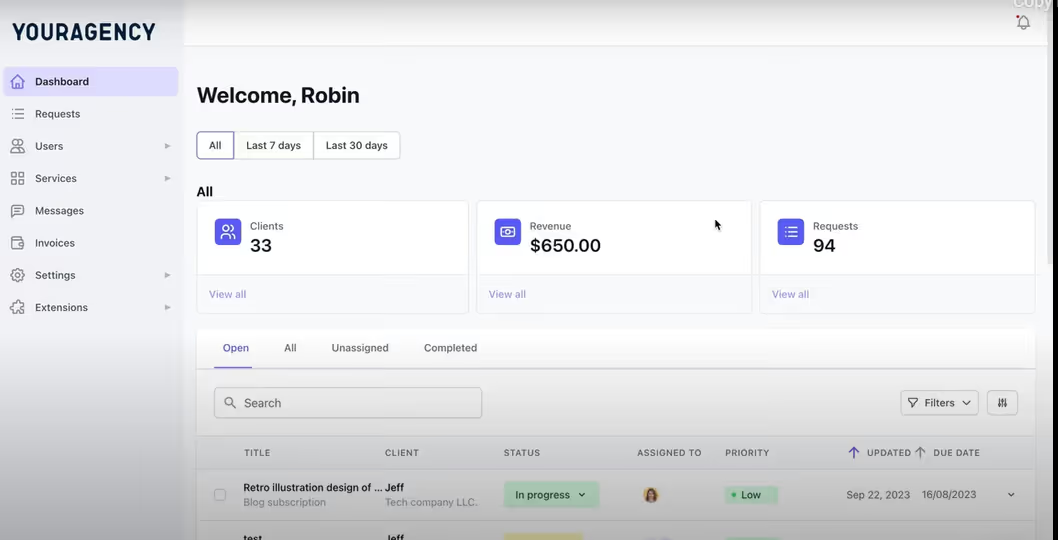
And this is what it looks like after a rebrand from one of our clients, Prontto:
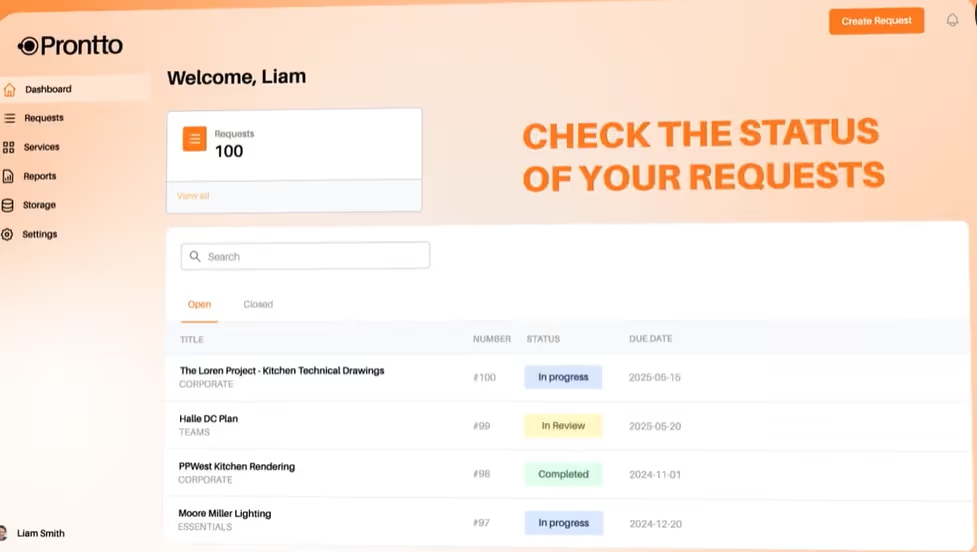
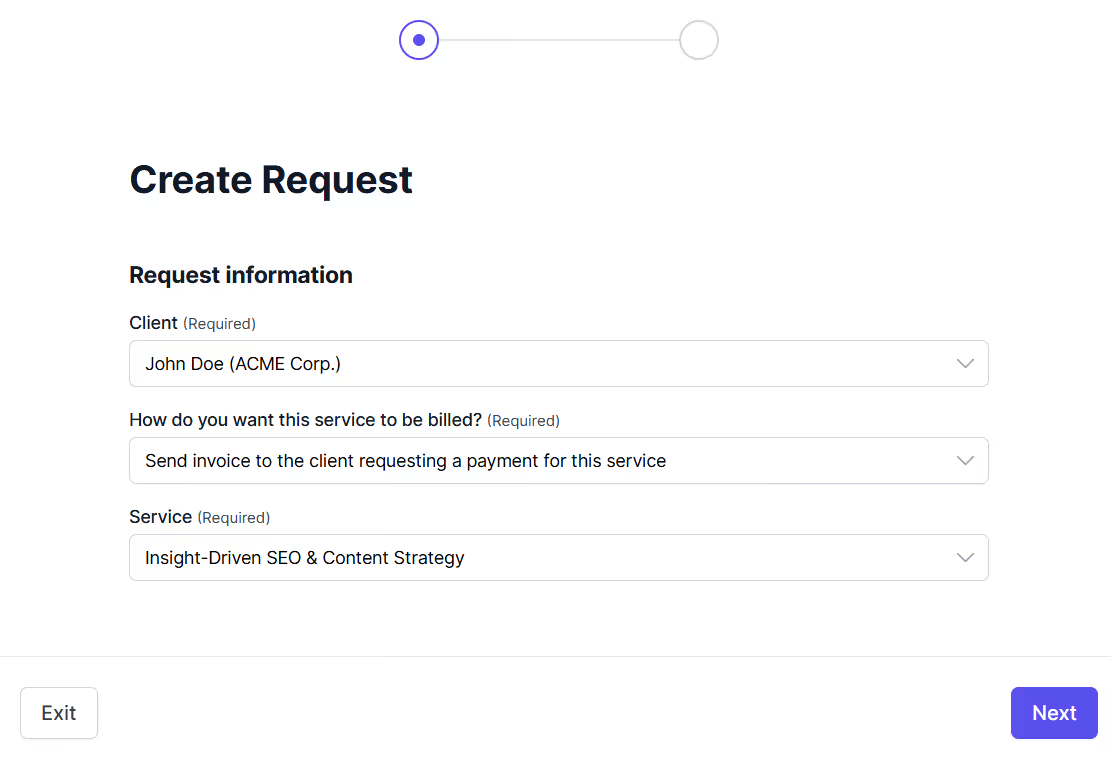
Your clients can submit work requests directly from their portal with ManyRequests’ custom request forms.
When they create a request, ManyRequests shows them a structured intake form that asks for project details like the type of design they need, their preferred deadline, project assets, reference links, and anything else you want to collect upfront.
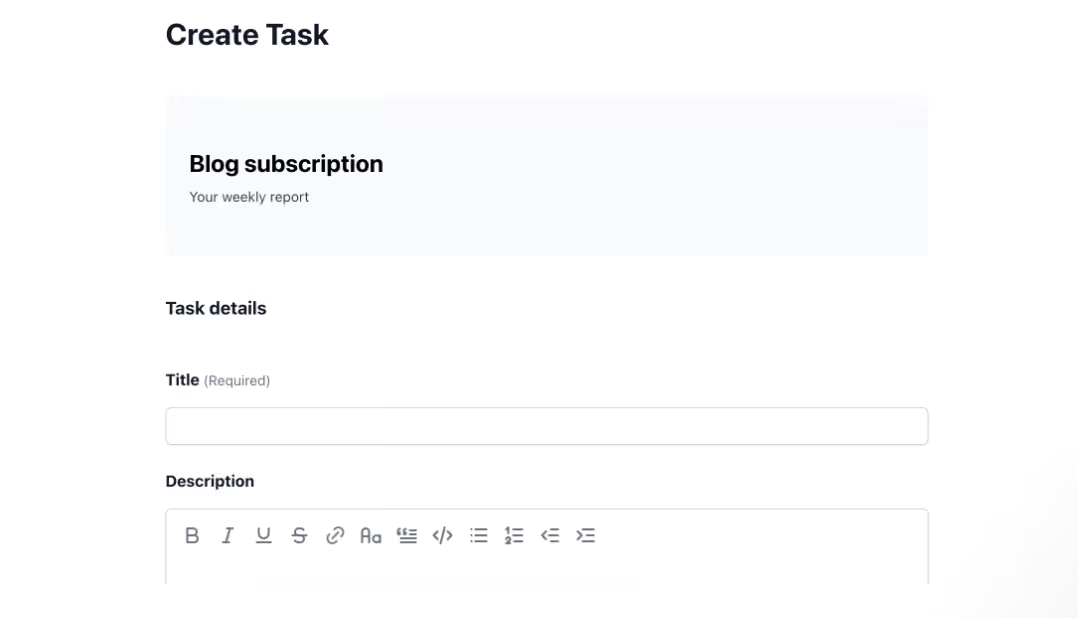
Once they submit the form, the request automatically appears in your internal dashboard, where you can review it, assign it to a team member, and move it through your workflow stages.
You can also create requests from your end if a client reaches out via email or Slack. Just fill out the form, and the client sees it in their portal immediately.
Requests move through customizable stages like To Do, In Progress, Pending Response, Completed, Closed, etc…
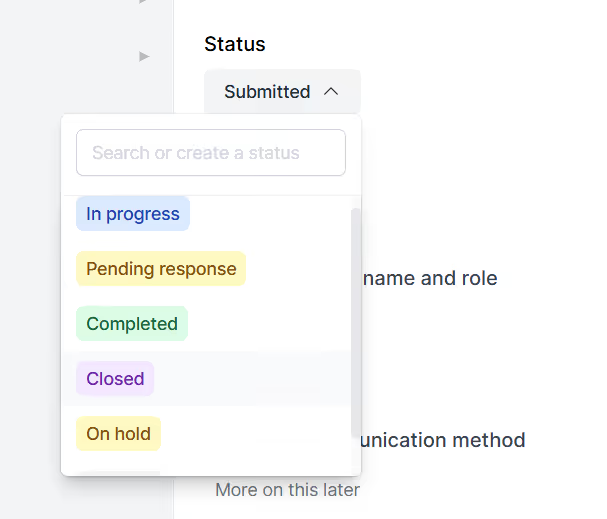
You define the stages based on how your agency works, and clients can see exactly where their request is at any time.
Your clients can click directly on design files in their portal to leave feedback with visual markup. You don't have to pay for another proofing tool to get design feedback from your client.
ManyRequests provides an annotation feature that makes design approval easier for your agency.
When your team uploads a design for review, the client can annotate the image by clicking on specific areas and adding comments. Each annotation gets a numbered marker, and all feedback is threaded to that exact spot on the file.
Here's an example of an annotated design:
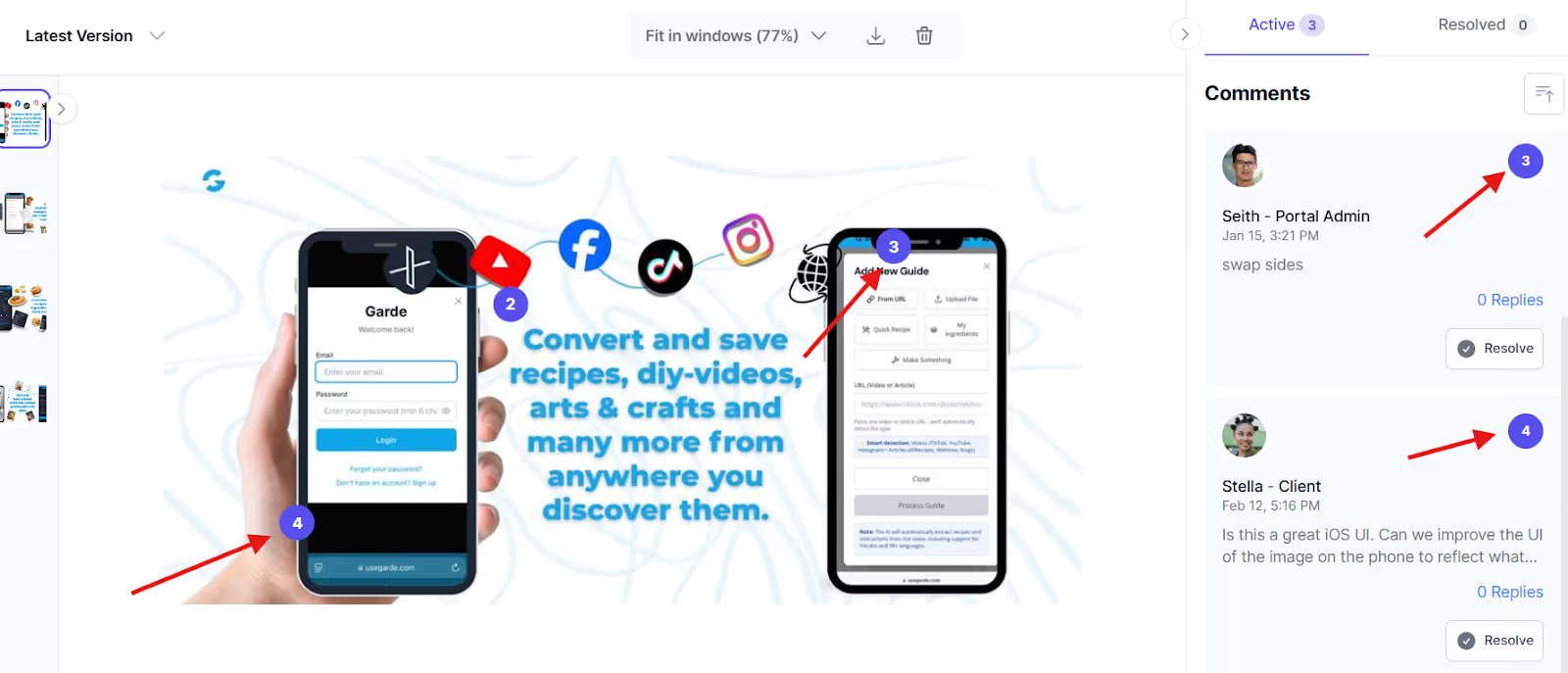
Your designer sees exactly what needs to change, where it needs to change, and why.
This feature allows for more context.
ManyRequests stores every revision and comment in the cloud and ties it to the request, so you can reference past feedback if a client asks for something they previously rejected.
Your team can start a timer when they begin working on a request. The timer runs in the background and logs every minute your team spends on a project until they stop it.
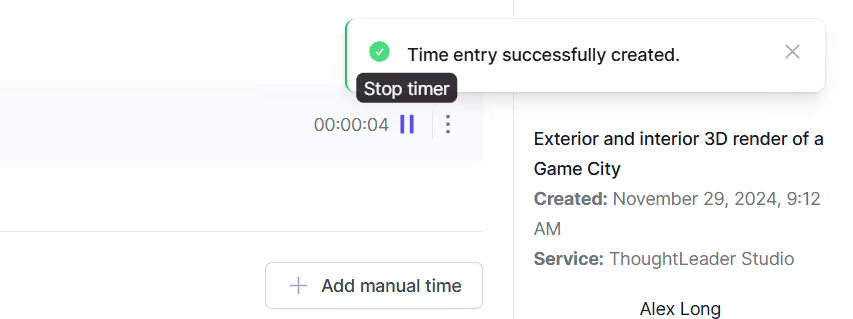
They can also add time manually if they forget to start the timer or finish work offline.
ManyRequests logs tracked time directly into detailed reports that show:
The icing on the cake is that ManyRequests offers this feature on all plans, so you don’t have to pay extra or integrate with a third-party apps like Toggl to track time.
ManyRequests connects directly to Stripe, so you can generate invoices, accept payments, and automate recurring billing all from the same platform where you deliver work.
If you work on hourly contracts, ManyRequests automatically calculates billable earnings based on tracked time and your preset hourly rates. You generate an invoice from the time logs and send it to the client with one click.
If you run a productized service or subscription model, you can create a service catalog where clients browse your offerings, see pricing, and purchase directly from their portal.
Here's an example of a service catalog:
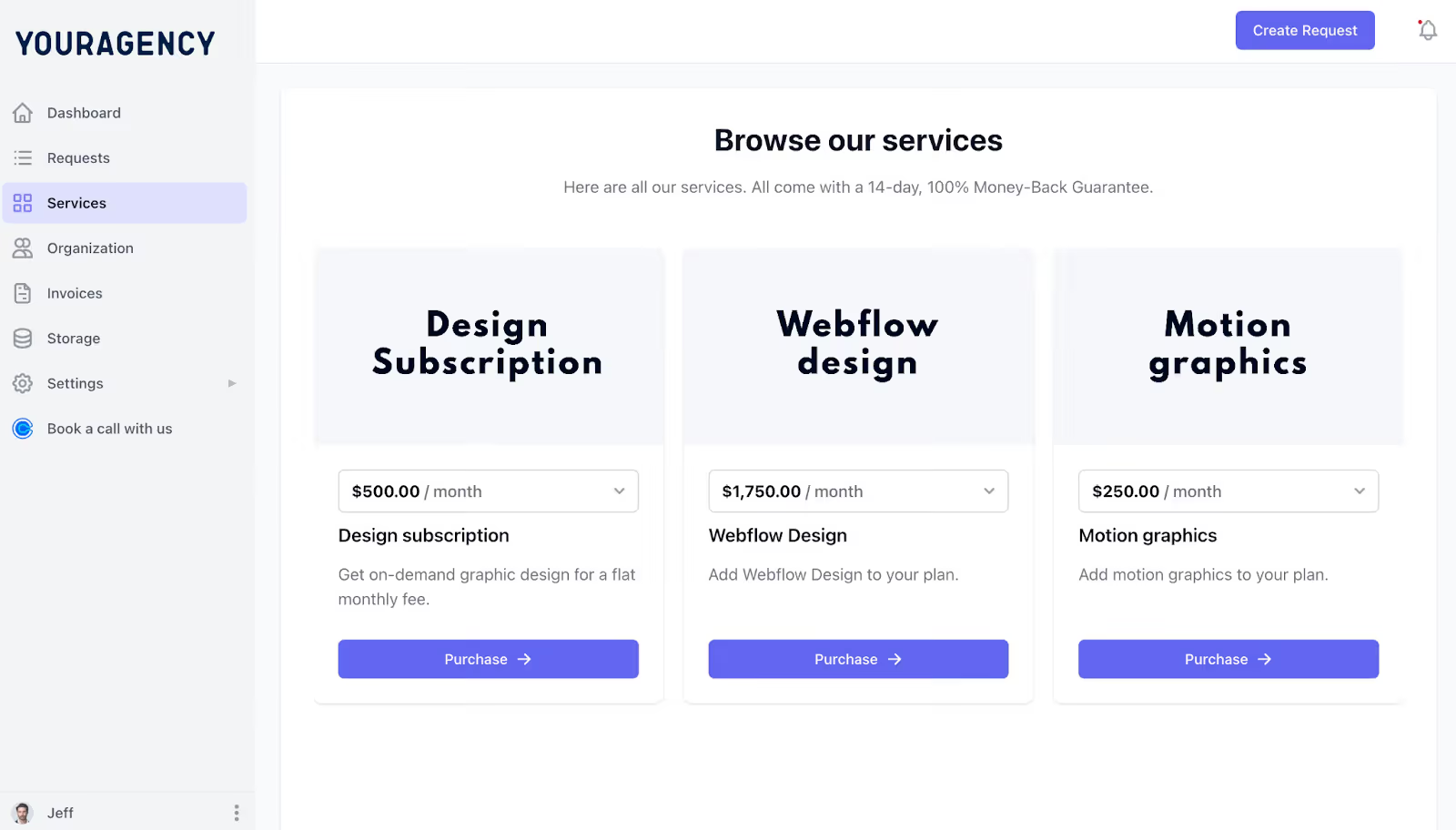
When your client clicks on one of these services, ManyRequests directs them to a checkout page where they can pay upfront and submit requests immediately.
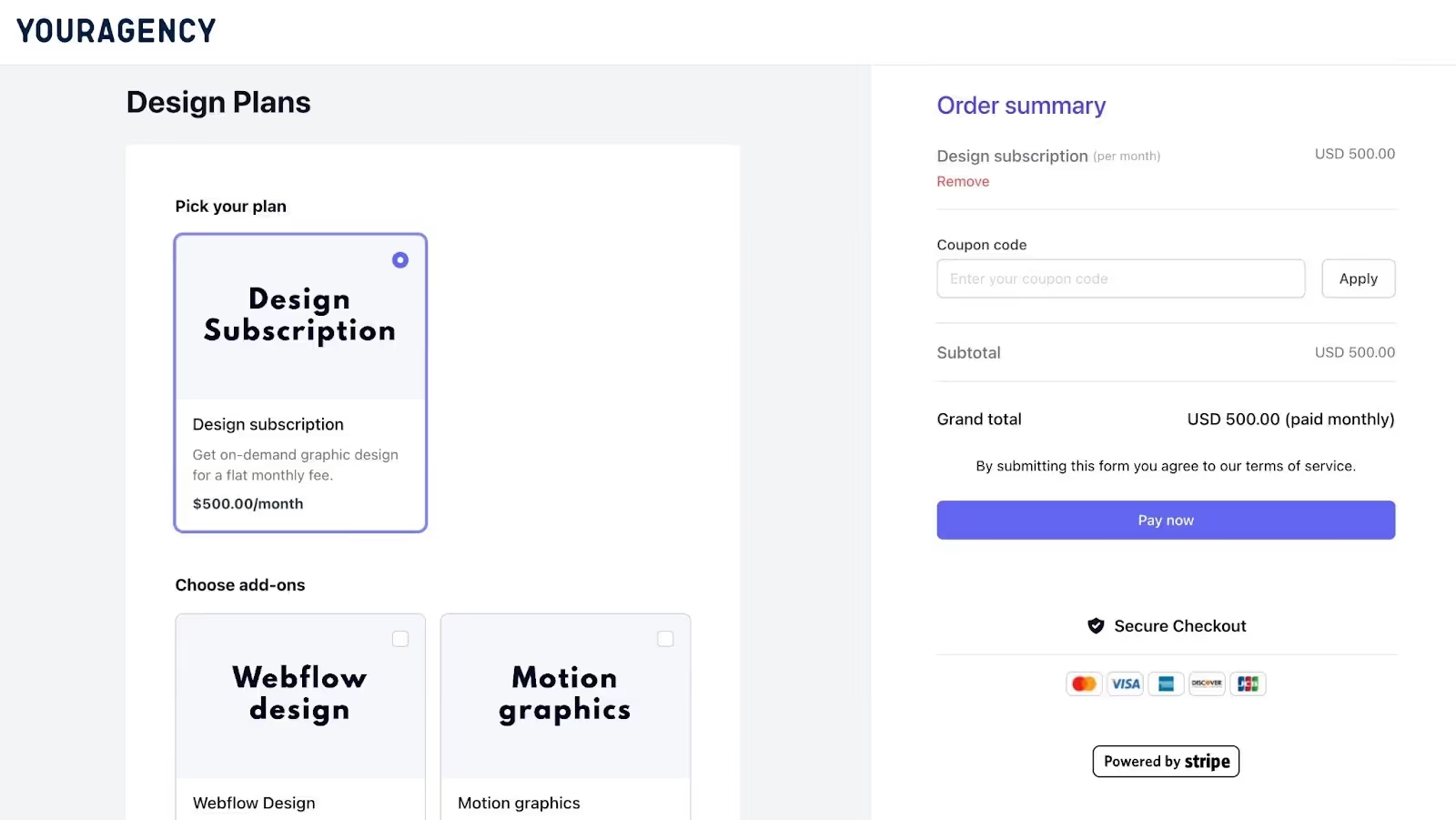
Recurring subscriptions renew automatically, and clients can upgrade, downgrade, or pause their subscription from their portal without emailing you.
You also get financial reporting that shows:
This helps you know if your client is actually profitable or if you’re losing money on the retainer.
ManyRequests is built for client-facing subscription work. If you only handle internal projects and never interact with clients, or if you run a traditional project-based agency that doesn't do recurring work, the platform might feel like overkill.
It's designed around the assumption that your agency delivers ongoing services, manages client requests regularly, and needs a polished client experience. If that's not your model, you should consider simpler tools.
ManyRequests pricing starts at:
Core: $59/month (annually)
Pro: $99/month (annually)
You can sign up for a 14-day free trial to test the platform and see if it fits your workflow.
If you use Basecamp or Teams, there's a high chance your workflow looks like this:
That's at least five separate tools that you’d need to configure client information into. Let's not even mention how confusing this would be for your team members.
When a client asks for a status update, someone has to manually check and reply. When the month ends, someone still has to manually reconcile time logs and project completion.
With ManyRequests, it's a lot simpler.
You don't even have to leave the platform. It's that good.
Basecamp and Teams are good tools for what they were built to do.
Basecamp keeps internal teams organized without the noise of constant meetings. Teams keeps Microsoft-heavy organizations connected.
But if you're running a productized agency that delivers recurring work to clients, you'll end up paying for other tools to fill the gap.
ManyRequests is built for subscription-based agencies. If you deliver recurring work to clients and want one system that handles intake to invoicing. You can sign up for our 14-day free trial (no need for your credit card details) to see how it works.
1. See how ManyRequests works in real life. Start a free trial and experience how productized agencies centralize requests, reduce chaos, and streamline delivery, without changing their entire workflow.
2. Read our Implementation Guide to launch smoothly with your team and clients.
3. Follow us on LinkedIn and YouTube for practical agency growth strategies
4. Check out The Productize Blueprint to learn how to turn your services into a scalable, productized offer.
Adetola Rachael Iyanuoluwa is a B2B SaaS writer and content marketer with 4+ years of experience creating SEO, human-focused content. She writes in-depth how-to guides and comparison articles content that help SaaS companies grow organic traffic and turn readers into customers. At ManyRequests, she produces practical, well-researched content that helps agencies and service businesses streamline operations and scale sustainably.

