Best White Label Client Portal Software for Productized Agencies [2026]
Compare the best white label client portal software for productized agencies, including billing, requests, onboarding, and branded delivery.

Peace Akinwale

An agency owner in the r/agency subreddit asked what tools others were using. Most of the replies were from people who strung three or more tools together.
Someone said they use ClickUp with Front for ticketing and Everhour for time tracking. An agency owner who had spent a decade! cycling through Asana, Jira, Notion, Linear, and ClickUp said they've "never had the right project software, which is quite sad, there's definitely some kind of gap."

I reviewed six white label client portal software options agencies are using in 2026 to show you how they’re different. Here's what separates the ones that work from the ones that just look the part.
A lot of said “client portal software” lets you upload a logo and call it "branded," but that’s just a coat of paint. A custom branded client portal that works for your agency needs to clear six criteria:
ManyRequests clears all six criteria on a single plan. Try it free for 14 days.
Of the six tools reviewed, ManyRequests is the only one that clears all six criteria even on the base plan. See how it works.
Best for: Productized service agencies delivering recurring or subscription-based work
ManyRequests is an all-in-one white label client portal, project management, and CRM built for productized service agencies. It has features like the service catalog, request queue, brief intake forms, and automated invoicing in a dashboard. It also allows multi-language and multi-currency support if you have clients across countries.
ManyRequests has a truly branded experience; in fact, our users often show off their portals in social ads because they look like an expensive, proprietary software. Here’s an example on Magier’s YouTube.
1. Service catalog and self-serve checkout: ManyRequests lets you create a catalog of all your services with descriptions and preferred pricing structure (hourly, per project, or quarterly).

Prospects land on your checkout page, pick a plan, and pay upfront (if that’s your pricing model). See what that looks like in this demo.
2. Request management and intake forms: With ManyRequests, clients can submit requests through customizable forms with conditional logic. The form adapts based on their answers, so clients can't submit a video project without uploading the footage. Your team manages requests in Kanban, list, queue, or calendar views, and an auto-assignment feature can route new requests to the right team member.
ManyRequests also has a workload view that shows who's at capacity so you can reassign their tasks.
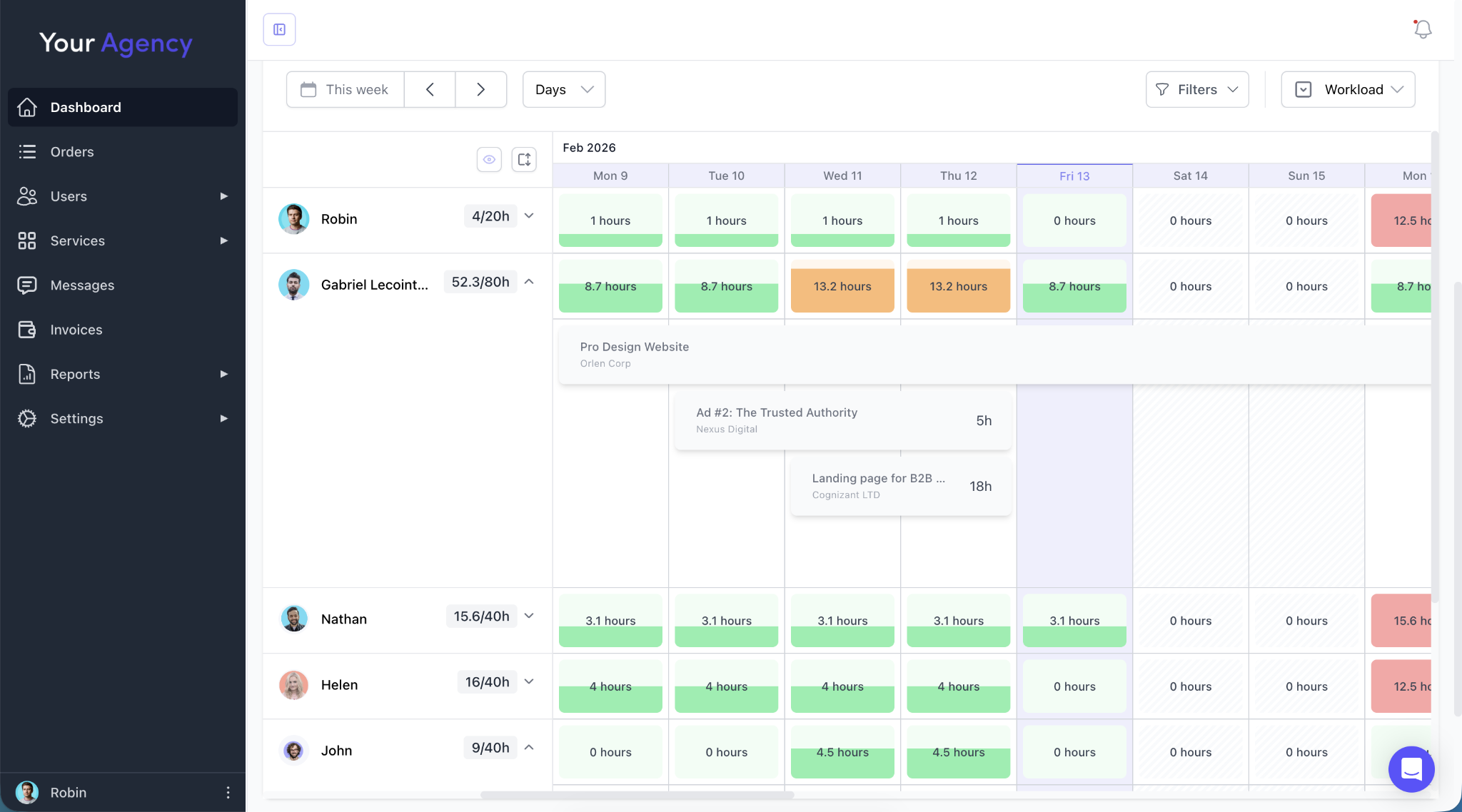
Clients can also submit requests by emailing a dedicated workspace address. It’ll convert into a task in your portal, which is a compromise for clients who don’t want to “learn” or log into your portal.

If you want, clients can also set deadlines in the request form, so your PM has that context while assigning tasks.

3. Time tracking that connects to billing: Log time against a project and convert it to an invoice without any manual tweaking. Once you create an hourly service, clients see the hours spent and get invoiced automatically; no email updates or reconciliation needed.
4. Native billing: Subscriptions, one-off invoices, hourly retainers, credit-based services, and per-request pricing are all processed through Stripe with zero ManyRequests transaction fee. Clients can also pause, resume, or switch their package (if you allow them — it’s good for retention, especially when they’re on a budget).
5. Design feedback and proofing: If you’re a design agency, you know the value of markup features in a client portal. With ManyRequests, clients can annotate images, PDFs, GIFs, and videos so you can see where they want you to revise without asking for more context into what they need via email.

6. Reporting: ManyRequests has dashboards that cover MRR, time tracked (by client and team member), delivery performance (response times, turnaround, overdue tasks), and client satisfaction scores. You can see whether a client account is profitable without a spreadsheet.
1. ManyRequests scales with your agency without rebuilding your ops: Magier, a design agency, grew to 50+ clients and $1M ARR using ManyRequests. Maximilian Fleitmann, co-founder, says ManyRequests "handles our customer service workflows from top to bottom and is fundamental to our daily operations." Benjamin Williams, founder of 55 KNOTS, a 40-person creative agency that has used ManyRequests for 3+ years, calls it "the backbone of our business."
2. ManyRequests’ service catalog turns your website into a checkout page: Hatchly, a UK agency, used to spend significant time on calls and proposals with unpredictable close rates. After building their service catalog on ManyRequests, clients pick a plan and pay directly with no need for a call, proposal, or follow-up. HeyDesign, which serves 75+ SaaS brands, says "there's no negotiations or proposals needed. Prospective clients just order directly from our website,” which can make sales easier for you.
3. ManyRequests’ design proofing cuts revision cycles from days to hours: Clients annotate images, PDFs, and GIFs directly on the file, so feedback is pinned to the exact spot rather than buried in an email thread. MGS Global Group, a 50+ person architecture firm working with Michael Kors, Hyatt, and Hilton, uses ManyRequests' proofing tool so clients and architects can annotate files directly in the platform. UpDesigners, a UK agency with 25 designers, says it saves them time on every revision cycle.
4. ManyRequests’ time tracking gives you real profitability data, per client: VideoTaxi, a content agency, migrated their entire historical time-tracking data to ManyRequests and now runs weekly performance reports on their production team. CEO Isobel Kerr-Newell says it gives them "full visibility into profitability, making it easier to solve operational bottlenecks." UpDesigners' account manager Emma Flavell adds they’re “able to easily track designer performance and also see capacity and profitability thanks to having everything in one place."
5. You see your team’s workload and every project’s status in one view: According to Gail Sagun, General Manager at MGS Global Group, it “allows us to plan effectively and ensure projects are completed in a timely manner."
See how ManyRequests handles these in practice.
Start a 14-day free trial, no credit card required.

Best for: Best for small agencies that are comfortable managing billing separately through Stripe.
Assembly (formerly Copilot) is a client portal software designed for service-based businesses to centralize client interactions through messaging, file sharing, forms, contracts, and billing.
1. White-labeled client portals: You can create professional, branded portals that use your logo, colors, and a custom domain to provide a unified experience.
2. Integrated billing and payments: The platform allows a comprehensive billing suite that supports one-time invoices, automated recurring subscriptions, and direct ACH or credit card payments.
3. AI-Powered CRM and assistant: Assembly includes an AI Assistant that can summarize long conversation threads and pull relevant client context before meetings to save your team time.
4. Contract management and eSignatures: You can send professional agreements and legally binding contracts directly through the portal for clients to sign electronically.
1. Everything client-related lives in one place: Amanda G., a designer and photographer, says Assembly eliminates constant tool-switching by giving each client their own branded portal for messages, invoices, files, and forms.
2. It's fast to set up and easy to use from day one: Armarni W. says they had everything configured in a single day with no learning curve. Rebecca D. notes the interface is clean and intuitive enough to reduce friction in daily work.
3. It's flexible: Jamie H. highlights Assembly's deep customization and third-party integrations, while Steven B. points to a robust API that lets developers extend functionality (available at the $189/m plan).
1. The messaging system has real functional gaps: Rebecca D., a business analyst, points out that messages don't sync across internal users, so her team shares a single account to avoid seeing false unread counts. In practice, that means no accountability for who read a message, who responded, and what slipped through. Noah S. adds that the messaging section is the weakest part of the platform overall.

2. Automations fail silently and without explanation: Rebecca D. further adds that several automations, particularly those involving tag updates, break without surfacing a clear error message, making it difficult to diagnose or fix the issue.
3. Forms and workflows lack conditional logic: Armarni W., an account manager, says the inability to build conditional forms means creating a separate question for every possible scenario, which quickly becomes cumbersome. They also note that workflows can't be triggered conditionally based on which service a client selects, which limits how tailored the onboarding experience can be.

Best for: Budget-conscious agencies who can invest time learning a feature-dense system
SuiteDash is a business management platform to consolidate your tech stack into a single, white-labeled environment. It also has features such as the CRM, invoicing, project management, contracts, email marketing, support tickets, and appointment scheduling. That breadth is both the product's biggest selling point and its main friction.
1. Fully white-labeled client portals: You can brand the portal with your logo, colors, and custom URL to provide a professional login experience for your clients. Every client gets a private, secure space where they can access their files, messages, and invoices.
2. Comprehensive CRM and sales pipelines: The built-in CRM allows you to track unlimited contacts and manage potential deals through customizable pipelines. You can automate lead capture through forms and move prospects through different stages till they become paying clients.
3. Integrated billing and proposals: You can create professional estimates and dynamic proposals that clients can sign digitally using integrated e-signatures. Once accepted, these can automatically trigger invoices for one-time payments or recurring subscriptions via Stripe and PayPal.
4. Advanced workflow automation (FLOWs): SuiteDash has an automation engine that triggers complex sequences like automatically creating a project or assigning tasks when a contract is signed. These "FLOWs" help streamline repetitive manual work across onboarding, billing, and project delivery.
5. Project and task management: SuiteDash includes built-in project tools that allow you to assign tasks, set deadlines, and track progress using Kanban boards or list views.
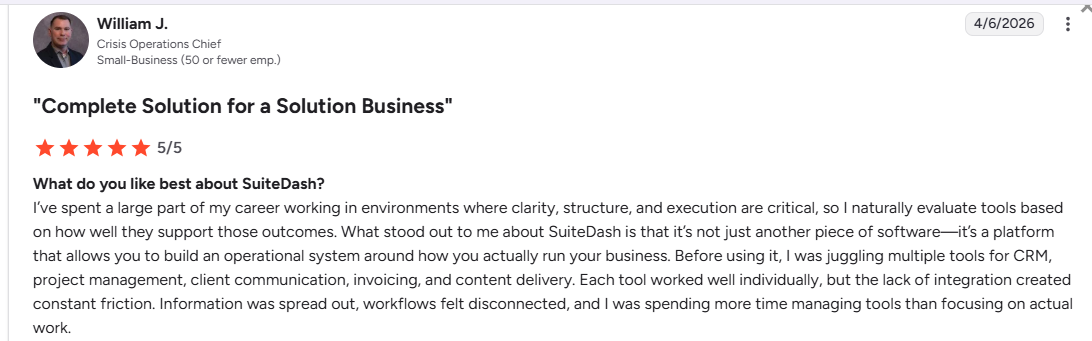
1. It replaces an entire tool stack: William J., a crisis operations chief, says SuiteDash eliminated constant friction from juggling separate tools for CRM, project management, client communication, invoicing, and content delivery, and he has one system to see everything happening across his business.
2. It adapts to how you work: Richard I., a treasurer, says the platform's biggest strength is being able to customize it to his needs "instead of having to fit to the working of the tool itself."
3. The platform goes well beyond client portals: Moreno G, a wellness advocate, says he enjoys the integrated LMS and uses it while onboarding new hires, training the team, and keeping clients aligned on new content.
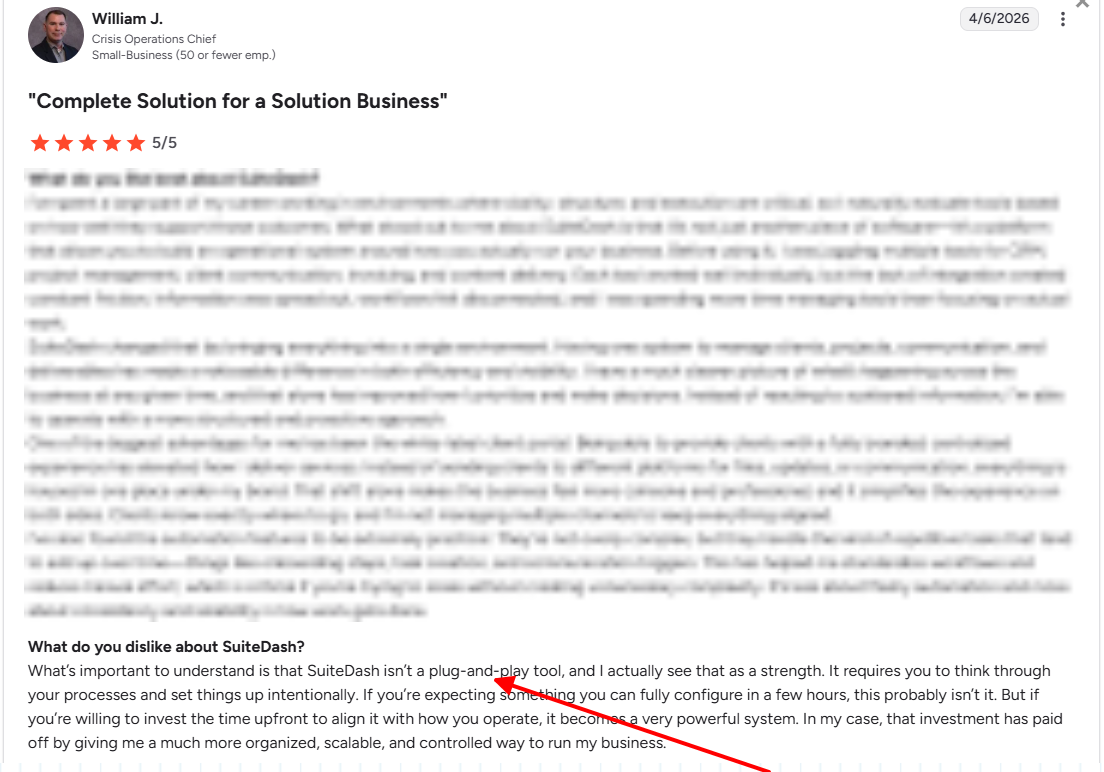
1. The learning curve is the most consistent complaint across every review: Richard I., who left a glowing review, wrote that the flexibility means you are designing your own user experience with SuiteDash as the framework, and that takes real upfront thinking and time. Benjamin H., also a small business owner, calls the breadth of possibilities "a bit overwhelming in the beginning." The extremely complex setup time appeared in every review, even when the overall rating was positive.
2. There is no public-facing service catalog: ManyRequests allows you to create a public-facing "storefront" where potential clients can browse your service packages and prices. SuiteDash has a very limited service catalog that is primarily used internally for invoices and proposals; you cannot showcase it as a public menu for self-checkout.
3. Order-to-onboarding requires manual configuration: When a client pays, SuiteDash doesn't automatically create their project, set up their portal, or trigger onboarding tasks; you build that sequence yourself through FLOWs, which users say can take weeks to configure correctly. If you're running a productized service where purchase should trigger delivery immediately, that gap costs you time on every new client.
4. No dedicated client request system: SuiteDash manages work through a general task and project system. So if you run a subscription service where every request joins a queue first, you’ll need to configure that workflow manually, and it won't be as clean as a purpose-built request pipeline in ManyRequests.
5. Clients can't submit requests by email: If a client prefers emails instead of logging into the portal, their request lives in your inbox. There's no mechanism to turn an email into a trackable, assignable record automatically, which create a parallel workflow you have to manage separately.

Best for: Best for agencies selling fixed-rate packages or retainers
Wayfront (formerly Service Provider Pro) is a white label agency portal and billing platform built for productized service agencies.
1. Integrated checkout and productized billing: The platform functions like a Shopify for services; it allows you to create custom order forms with one-time or recurring subscription options. When a client pays, the system automatically creates their account and triggers the necessary onboarding workflows.
2. Unified client portal and CRM: Clients get a professional, white-labeled dashboard where they can track order progress, access deliverables, and manage their own team members' access. Internally, the CRM centralizes all client interactions, payments, and project data so your team has full context without switching tools.
3. Customizable onboarding flows: You can build step-by-step onboarding sequences through a drag-and-drop block editor that guides new clients through intake forms immediately after payment. If you're not comfortable with low-code tools, this takes longer to configure — and until it's set up correctly, you can't collect project information or set due dates automatically at the point of purchase.
4. Built-in helpdesk and messaging: Wayfront has a dedicated helpdesk module that keeps all client communication organized by specific orders. That structure can work against you though, as Jason M., a user, notes, it gets difficult to get a clear view of which orders belong to which client or follow a full conversation thread when a client has multiple active projects running at the same time.

1. It's built for productized services: Christian T., a marketing consultant, says they’re able to use Wayfront to manage their daily activities.
2. Custom checkout forms handle packaging, pricing, and agreements in one flow: Vick A., an ops manager, says the custom checkout forms let them build packages with agreements included, which makes the entire sales-to-onboarding handoff happen inside one tool. Christian T., the marketing consultant, says he specifically switched from Harvest to make subscriptions and onboarding "seamless and automated."
3. Support is fast and consistently praised: Mosab A., a lead dev in the marketing industry says customer service is "fast and very helpful all the time." For a platform where setup matters, responsive support is a meaningful differentiator.
1. Client messaging is siloed inside individual orders, not threaded by client: Jason M., who gave a 5 star review, says conversations are locked within specific orders, which makes it impossible to get a clear view of which orders belong to which clients or follow a full communication thread. If you manage multiple active projects per client at a time, you, your team, and the client have to navigate to different project chat boxes. That could be a friction long-term.
2. Automation depth is limited for complex workflows: Mariam R., a content manager, says more built-in automations would improve the experience. Conditional routing, multi-step onboarding sequences, and status-triggered actions all require workarounds that agencies running high-volume or tiered services will feel quickly.
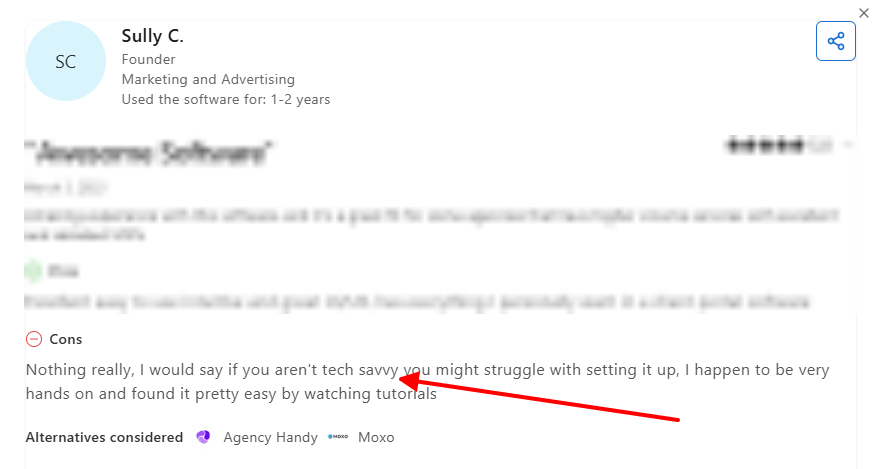
3. Setup requires some technical confidence: Sully C., an agency owner, notes that if you're not tech-savvy, you might struggle with configuration. The tutorials help, but you’ll experience real friction if you’re expecting a plug-and-play tool.

Best for: agencies who prefer client collaboration and knowledge portals (like Notion)
FuseBase is a collaborative workspace that combines the flexible document editing of Notion with professional, white-labeled client portals. It allows your team to manage internal projects and wikis in one space while instantly sharing polished, branded project updates and files with clients through a secure, no-code hub.
1. Block-based knowledge base and document editor: The platform uses a Notion-style block editor that supports nested pages, tables, embedded media, and rich formatting. You can organize internal SOPs and project wikis alongside the client-facing content you deliver.
2. White-label client portals with magic link access: You can create multiple client workspaces with passwordless access. Full white-labeling with a custom domain is gated behind the Advanced plan at $399/month though.
3. Customizable AI agents: You can build AI assistants trained on your docs (SOPs, project files, client FAQs) to answer client questions directly inside their portal. This can guide clients through every stage of onboarding.
4. Integrated project management inside client pages: Task lists, Kanban boards, and project tracking can be embedded directly into client-facing portal pages, giving clients real-time visibility into progress.
1. FuseBase manages internal projects and client delivery in one workspace, so your team isn't switching between a back-office tool and a separate client-facing system.
2. The white-label portal looks like a custom-built product: Vincent D., a distribution lead, says CSS and HTML customization lets him match each client's brand, which "builds trust and transparency." Another user says it’s "almost like a personalized website with a login." However, you need the $399/m tier to unlock the full white-labeling option.
3. Clients can access their portal through a passwordless invite link (no signup or login screen needed). Note that their account needs to be configured on your end before you share the link.
4. The AI agents can be trained on your SOPs and client FAQs to answer questions directly inside the portal, reducing the back-and-forth during onboarding.
Cons of FuseBase: What real users say
1. Advanced features have a real learning curve: Patrick J. says that despite easy basic setup, he has been using FuseBase for over a year and is still discovering features. Prabhu G. says the client portal specifically takes "a huge amount of time to learn." For agencies that need to be up and running quickly, it will take you more time than planned to get started.

2. FuseBase has no service catalog: Prospects can't browse your packages and pay directly through the portal, so you'll need a separate checkout tool like Stripe or LemonSqueezy and a Zapier workflow to connect a purchase to a portal invite. If your model relies on purchase triggering onboarding automatically, that's an extra integration you'll have to maintain.
3. Time tracking doesn't connect to billing: FuseBase has built-in time tracking with a billable toggle per task, but there's no direct path to create invoices from tracked time. You'll manually export QuickBooks via Zapier for every hourly retainer.
4. FuseBase has no advanced resource planning or Gantt views: Agencies that manage capacity across multiple projects and team members will need a separate tool to handle what a full project management system would cover.

Best for: Agencies that want a no-code, custom-branded portal
Softr is a no-code app builder that allows you to turn your Airtable or Google Sheets or HubSpot data into professional client portals and internal tools.
1. Data-driven portals: The platform acts as a front-end interface for your existing spreadsheets, automatically generating pages, lists, and charts based on your Airtable data.
2. Granular user permissions: You can define specific "user groups" to ensure that different clients or team members only see the data relevant to them when they log in. For example, Client A will only see their specific project records and invoices, even though all client data lives in the same master spreadsheet.
3. Drag-and-drop block builder: Softr has over 100 pre-built "blocks" such as user profiles, search bars, and payment forms that you can drag onto a page to build your app without writing any code. This makes it incredibly fast to go from a simple idea to a functional, custom-branded portal in a matter of hours.
4. Integrated payments and memberships: You can easily connect your Stripe account to sell subscriptions or one-time products directly through your portal. It also features built-in logic for gated content, allowing you to create "members-only" areas or tiered access levels based on a user's subscription status.
1. Setup is faster than most no-code tools: Some users had a fully functional client portal working in a week with 'extremely minimal prior coding experience.' Pooja B. says the transition from idea to working product is 'incredibly fast,' and the tutorial videos made initial configuration straightforward.
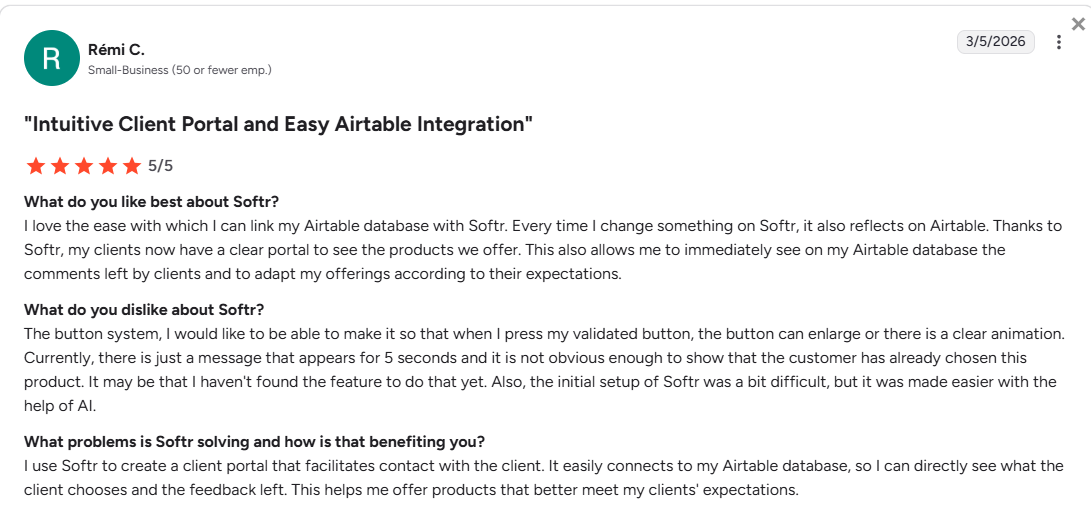
2. The Airtable integration is seamless: Rémi C., a small business owner, says every change made in Softr reflects immediately in Airtable, and client comments left in the portal show up directly in the backend database. This helps track business activities in Airtable easily.
3. User permissions and access control works well: the user group system lets you assign specific pages and data to specific clients based on conditions in your database — with a magic link login. This way, you can conditionally hide content and control what each user sees.
1. The UI customization is "probably the biggest frustration," says a small business owner. You can only tweak so much, and getting things to look exactly right requires custom CSS. Guillaume F., a lead software engineer, says the DOM structure makes modifications difficult, frequently forcing him to rewrite entire components from scratch. Logan M. adds that static and dynamic blocks render at different widths on the same page, breaking the design. If you have zero coding experience, Softr will frustrate you before it helps you.
2. Custom code has a serious security gap: Guillaume F. says there's no way to store secrets for custom code inside Softr, which means API keys and credentials get hardcoded in client-side code. If your portal connects to external services or handles sensitive client data, there’s a risk of exposure.

3. Per-client data isolation is always manual: Mohamed B. says visibility and access checks for different clients sharing the same page are 'always manual' — there's no automatic enforcement that Client A only sees their own data. For agencies with a growing client list, you’d have to manually configure the system to isolate your client data.
4. Softr is a building platform, not a ready-made agency tool: A request queue, intake forms, a service catalog with self-checkout, subscription billing, and time tracking tied to invoices all require manual configuration. That setup can take weeks, and when the components break, the fix is on you.
Every white label client portal software on this list does something well. None of them does everything, not without a workaround or some form of friction. Of course, if you commit to even the most complex tool, it will work for you. But at what cost?
ManyRequests is the only white label client portal software on this list built specifically for productized agencies. Your service catalog, request queue, intake forms, billing, design proofing, and reporting all live in one custom branded client portal. Start your 14-day free trial to see how it keeps your operation in one place.
It’s a platform that lets you host a client hub under your brand and domain, completely scrubbing the software vendor’s identity. Real white-labeling means your clients see your logo, colors, and URL across every touchpoint including emails and invoices.
For productized agencies, ManyRequests is the top pick for white label agency portal software. At $79/mo on the Pro plan (paid annually), you get a built-in CRM, customizable service catalog, one-off and recurring billing pricing flexibility, task management, and a fully branded client portal. You can also start with the Core plan at $39/month (paid annually). Try it free for 14 days.
No, full white-labeling is always a paid feature. SuiteDash starts at $19/month but requires some complex manual setup that users say can take weeks to configure. ManyRequests starts at $39/month and works out of the box as a fully branded client portal.
On ManyRequests Pro, the vendor is invisible. Clients only see your domain and receive emails from your address. On lower-tier plans for most products, they can see.
Yes, it centralizes everything in one secure spot, whereas email scatters files and decisions across messy threads. If your clients don’t want to use a portal, ManyRequests has a middle ground where they can email a dedicated address that automatically turns their message into a trackable, organized request inside your portal. Try ManyRequests free for 14 days.
1. See how ManyRequests works in real life. Start a free trial and experience how productized agencies centralize requests, reduce chaos, and streamline delivery, without changing their entire workflow.
2. Read our Implementation Guide to launch smoothly with your team and clients.
3. Follow us on LinkedIn and YouTube for practical agency growth strategies
4. Check out The Productize Blueprint to learn how to turn your services into a scalable, productized offer.
Peace Akinwale is a B2B SaaS content writer and strategist who creates BOFU content and how-to articles that drive measurable growth for software companies and agencies. Over six years, he's worked with clients like Marker.io, Pangea.ai, Spicy Margarita agency, and HigherVisibility to turn technical topics into content that converts, and has helped a client achieve 233% organic traffic growth within six months of taking over their blog.

