5 Best Operations Management Software for Productized Agencies [2026]
Compare the best operations management software for productized agencies. See which tools handle client requests, billing, project delivery, and operations.

Peace Akinwale

The best operations management software for creative agencies covers the internal layer (task management, team coordination, project tracking) and the client-facing layer (request intake, billing, client portals, and feedback).
But if you search "best operations management software," you’ll get a shortlist of project management platforms to organize internal tasks. These tools help you track tasks and coordinate handoffs between teams but they don’t have client portals, design proofing tools, or even a time tracking feature that automatically turns to invoices.
This means that you’ll need a tool to write invoices, take feedback via email or Slack and deal with long, confusing email threads like the below, and also manually transfer context from email to your operations management software because they’re in separate apps.
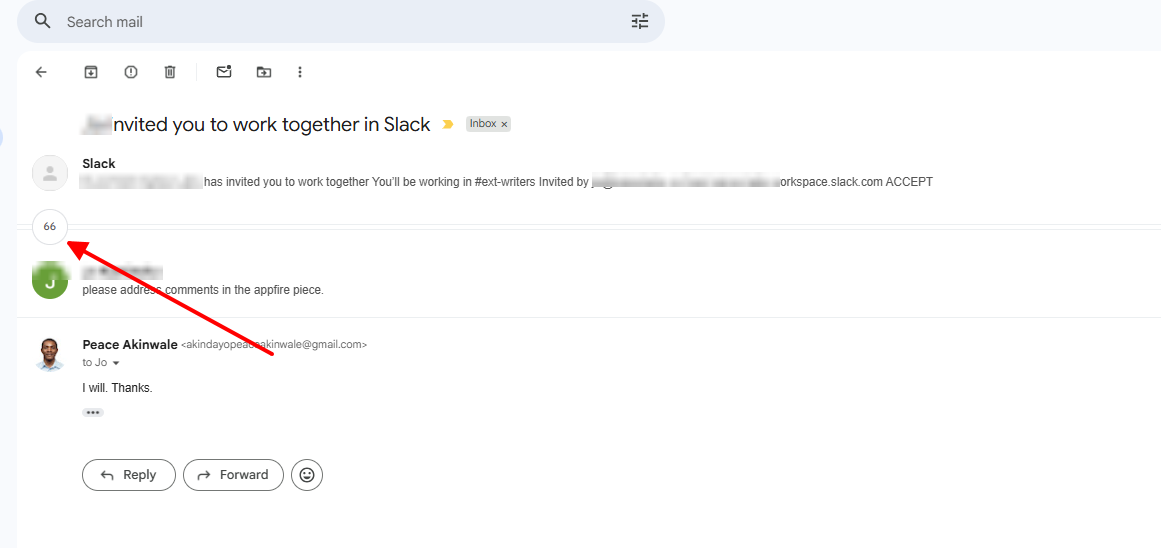
Creative agencies running subscription or retainers need one platform where clients submit requests, track progress, and pay. It should also be the same place where your team submits work and logs time (if your services are hourly) so you can easily convert to invoices. This roundup evaluates the five tools that come closest, and shows where each one falls short for productized agencies.
These are the six criteria to decide the best operations management tool for your creative agency:
Given this, ManyRequests is the only tool on this list that checks all the criteria above, and we’ll show how.
The best operations management tool at a glance:
ManyRequests is an operations platform built for productized agencies. ManyRequests is also the only tool on this list that helps you communicate with clients and your team (and also manage all tasks) within a branded portal.
This is important because while other agencies accumulate tools as they grow, by duct-taping Asana or ClickUp for tasks, Stripe for billing, Google Drive to submit tasks, email or Slack for collaboration and feedback, ManyRequests takes all that away and keeps it in one place. How it works:
When a client logs into your workspace, they see your branding where other apps like ClickUp’s logo would have shown. This way, ManyRequests doesn't appear anywhere in the client's experience and the portal is under your custom URL.

Inside the portal, clients have a complete view of their active requests and their current status, communication history with your team, and their list of invoices. For agencies running retainers or recurring services, this replaces the steady stream of "where are we on the logo?" and "can you resend that invoice from March?" emails. The information is there when clients need it, without involving your team.
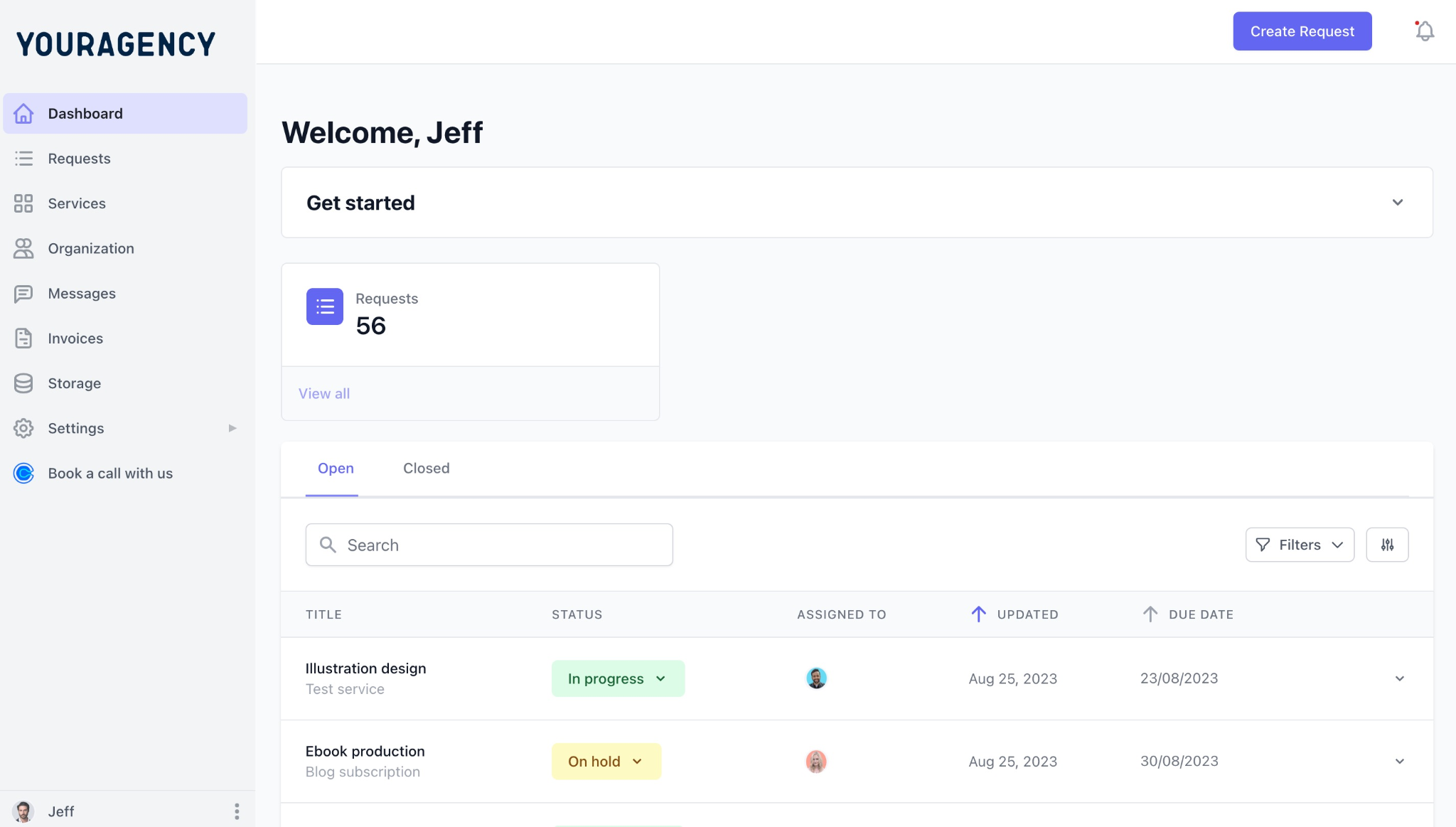
New clients get onboarded directly into the portal. You can configure the intake flow (the information they fill out, the services they see, and what the confirmation looks like) so the client experience from first contact is consistent with your brand rather than a patchwork of tools.
ManyRequests also has a service catalog to turn your services into a browsable, checkout-ready UI (no more messy forms or separate payment links).
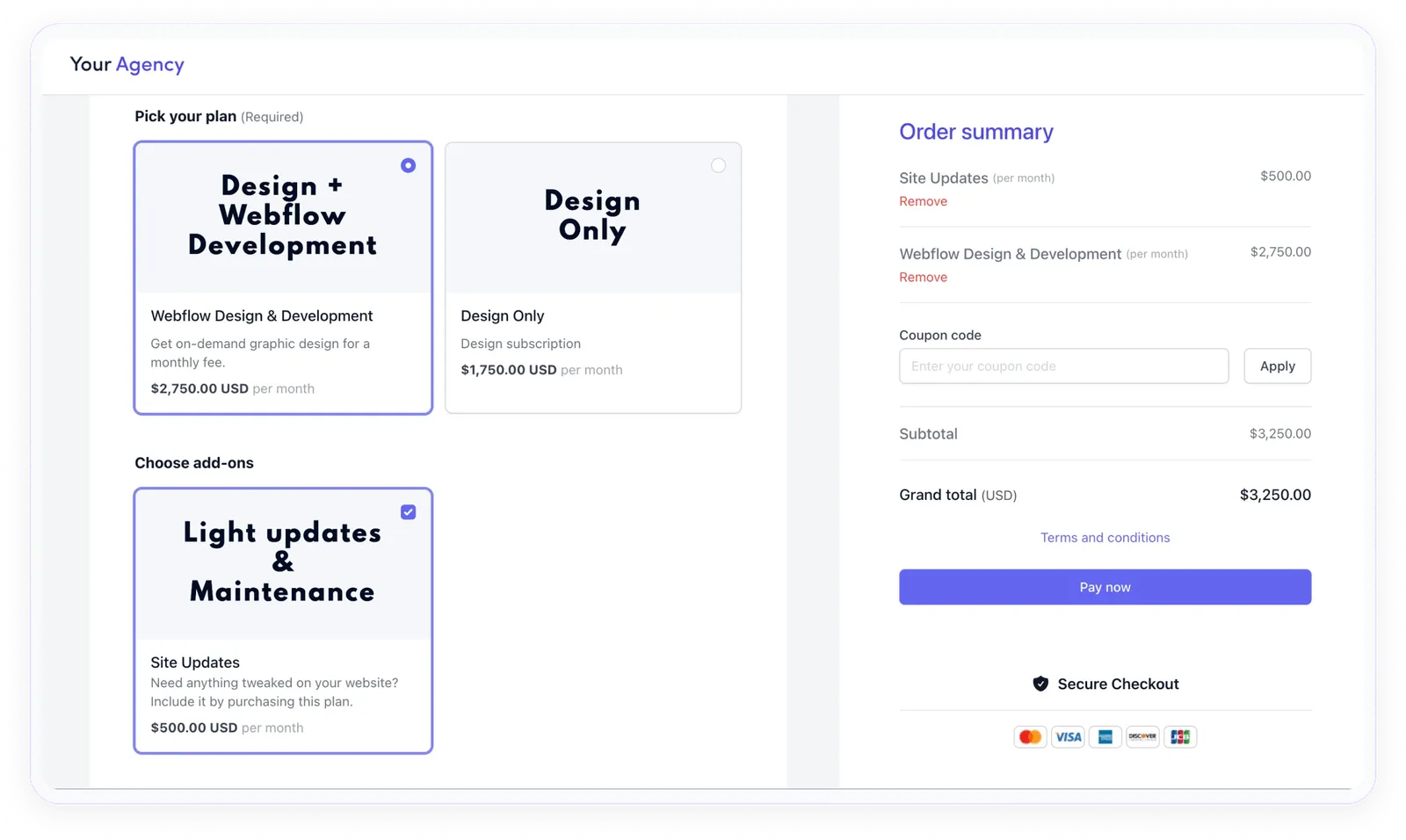
If you'd prefer they pay after the service, you can structure your service catalog in a way that only invoices them after a task is marked as complete.
You choose how to package services: fixed-scope, hourly, subscription, or even offer upsells and free trials. That flexibility lets you cater to one-off and long-term clients from one catalog.
Hatchly, a UK-based design subscription agency, made this switch with ManyRequests. Before, founder Will Griffiths described the old model as "time-consuming and stressful with no revenue predictability." After, clients purchased subscription plans directly from Hatchly's pricing page. No call required.
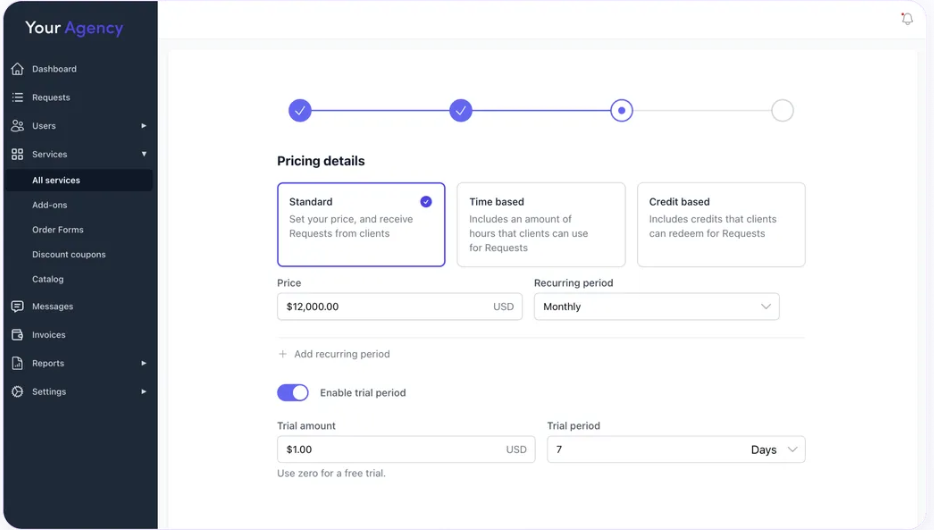
Once a client buys a service, ManyRequests triggers the next steps automatically.
When your client submits the intake form, ManyRequests creates a request instantly and tags it by service type and client. You assign it to the right team member, set a due date and priority, and the assignee can start work with all the details they need.
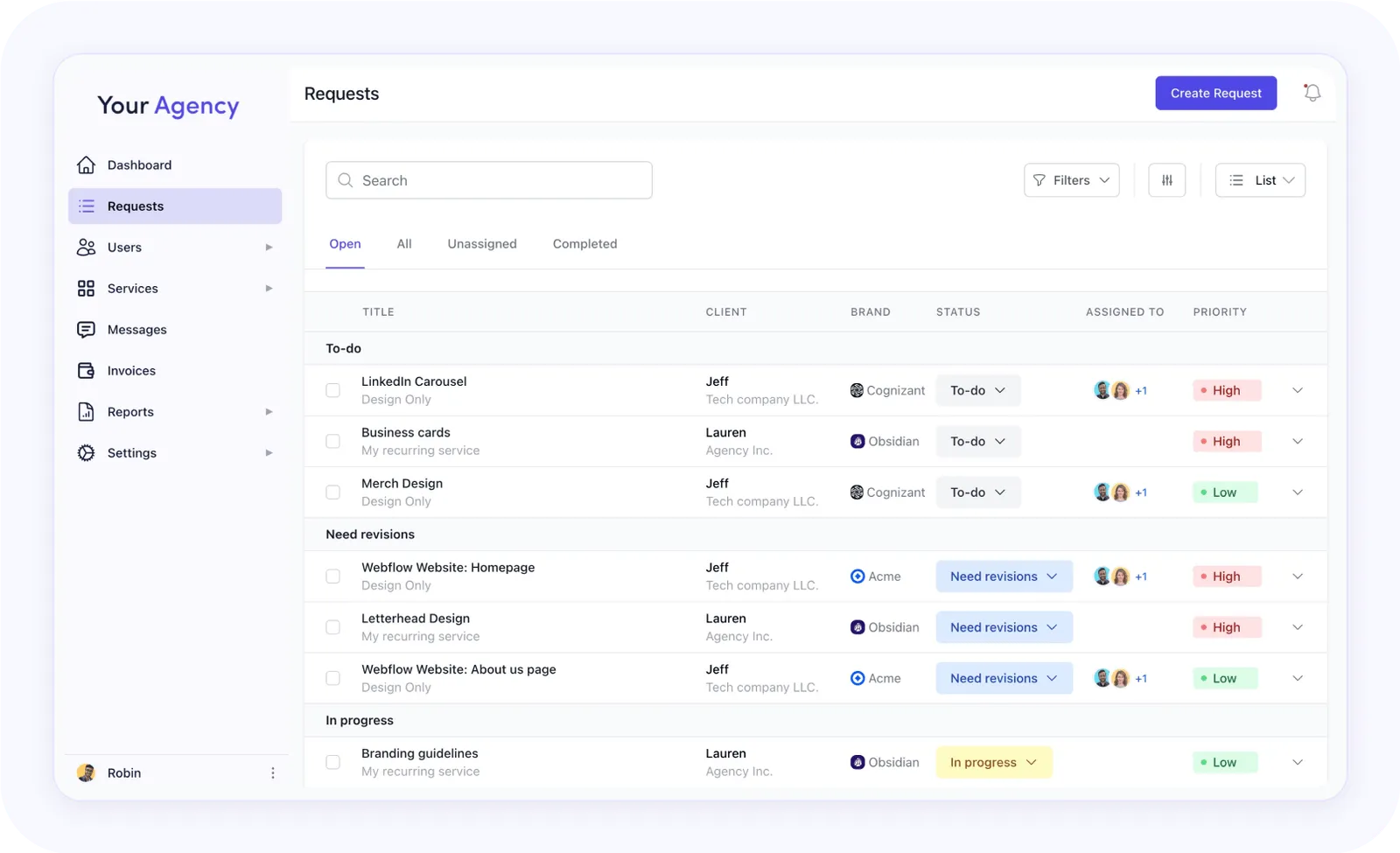
The feedback and revision stage is where a lot of agencies struggle with email clutter and miscommunication. In ManyRequests, clients click on the exact part of the design that needs a change and leave their comment there, directly on the file.
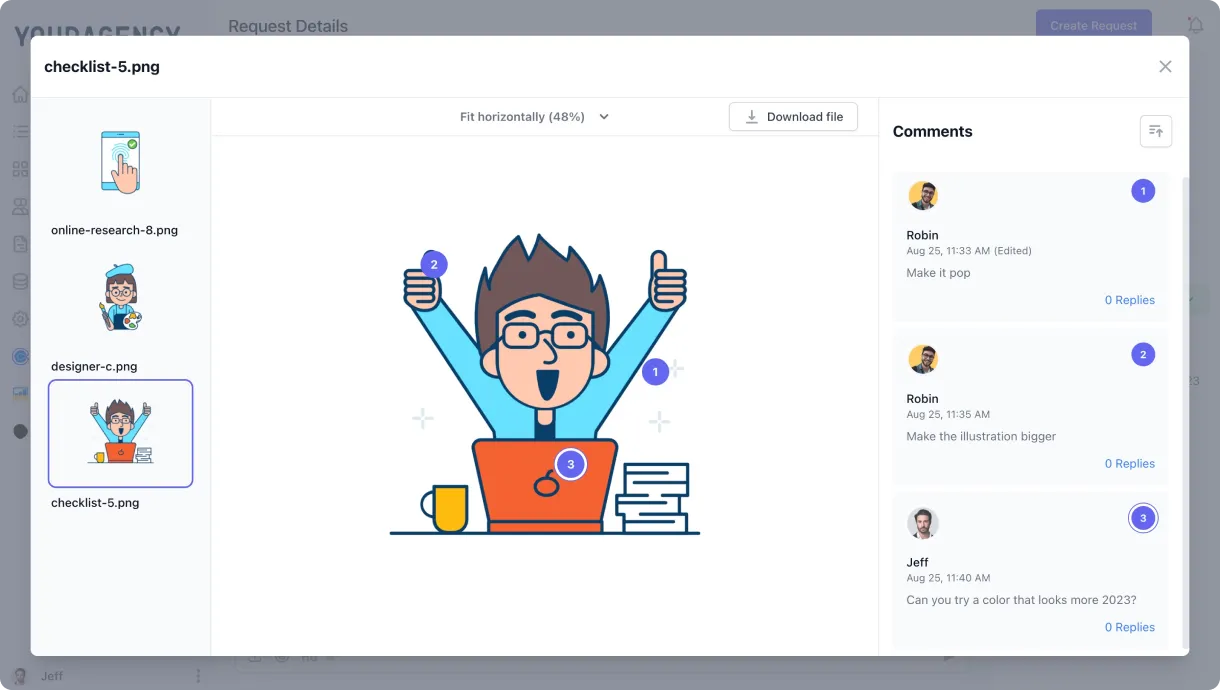
Every comment is pinned to a specific element, so your team sees exactly what to fix without needing a follow-up. If a client wants to explain something verbally, they can record a short Loom or Vimeo clip, embedded directly in the request thread.

Many operations management software track time but can't convert it to invoices. ClickUp's time tracking records hours, for example, but doesn't export them as an invoice. Your team re-enters the data into a separate billing app, which adds more admin work.
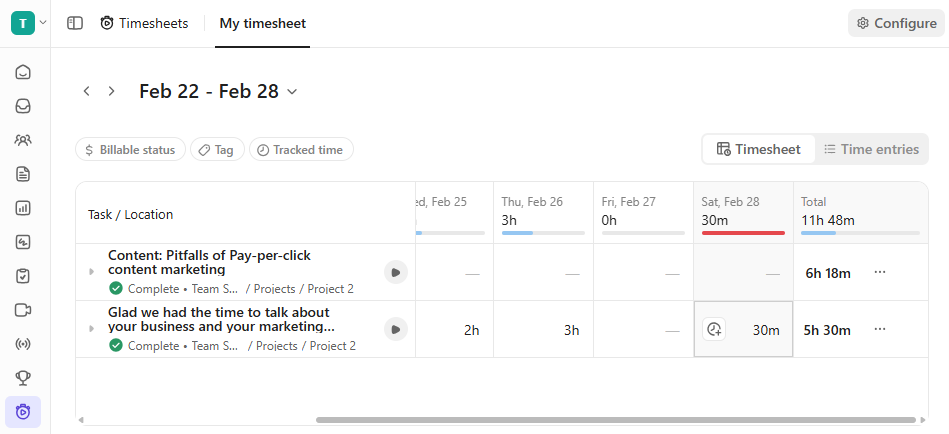
With ManyRequests, time entries go straight into client invoices. For retainer clients with monthly hour caps, ManyRequests alerts your team when a project is approaching the limit, before the conversation about whether the hours they paid for will cover it.
ManyRequests handles the internal side alongside the client-facing side. You can use the auto-assignment feature to route new requests to the right team member based on rules you set. You can also track deadlines, task status, and internal notes in one UI.
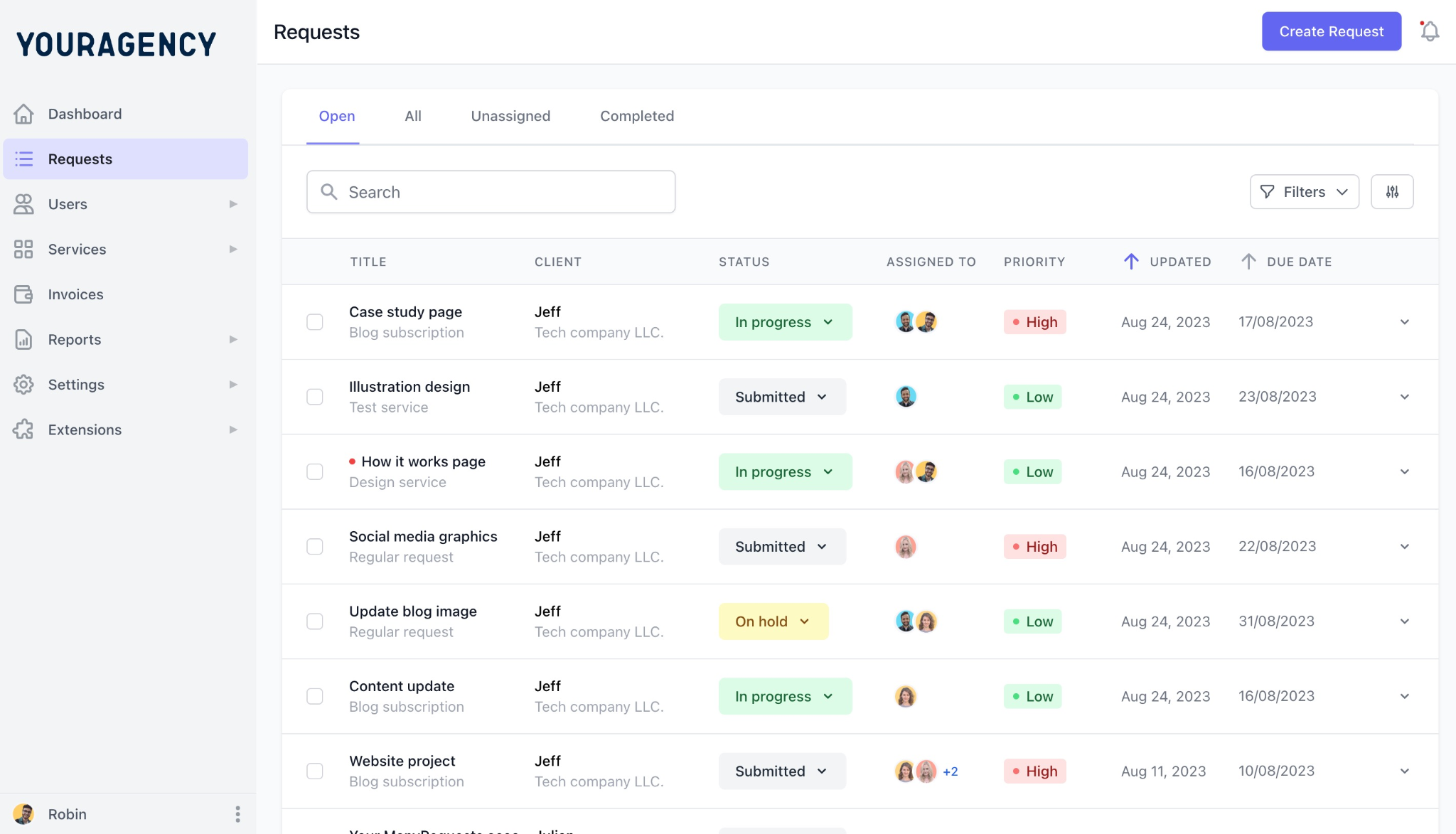
You can assign tasks based on workload and see who’s working on what in real time.
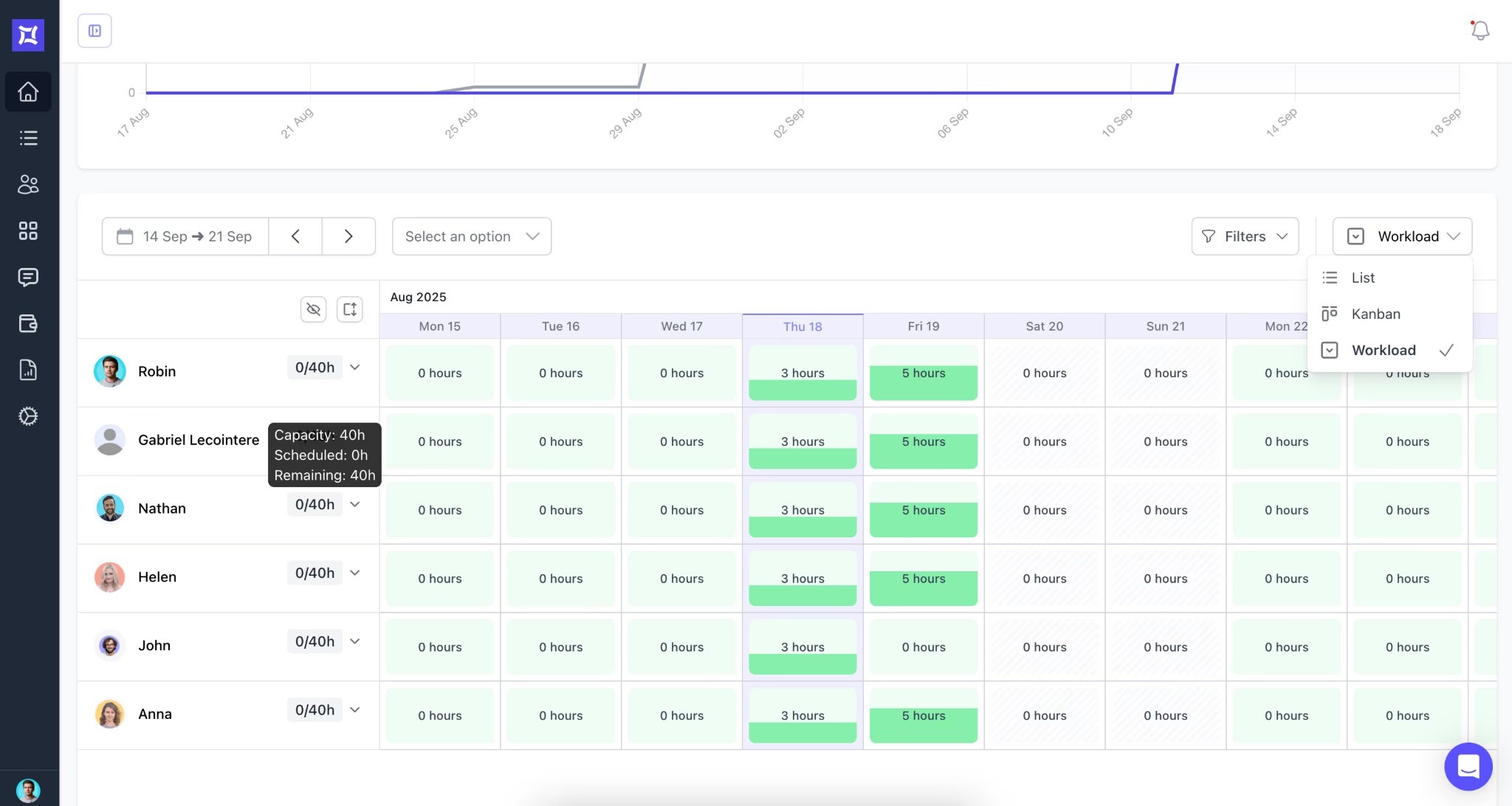
ManyRequests also integrates with Zapier for custom automations and Slack for team notifications. If your team works in Slack, ManyRequests routes project alerts and status changes there without pulling your team into another tab.
ManyRequests removes the need for a separate invoicing or time-tracking tool. Invoices are created automatically when a task or milestone is marked complete. You don’t have to send reminders manually, either. The platform takes care of that for you.
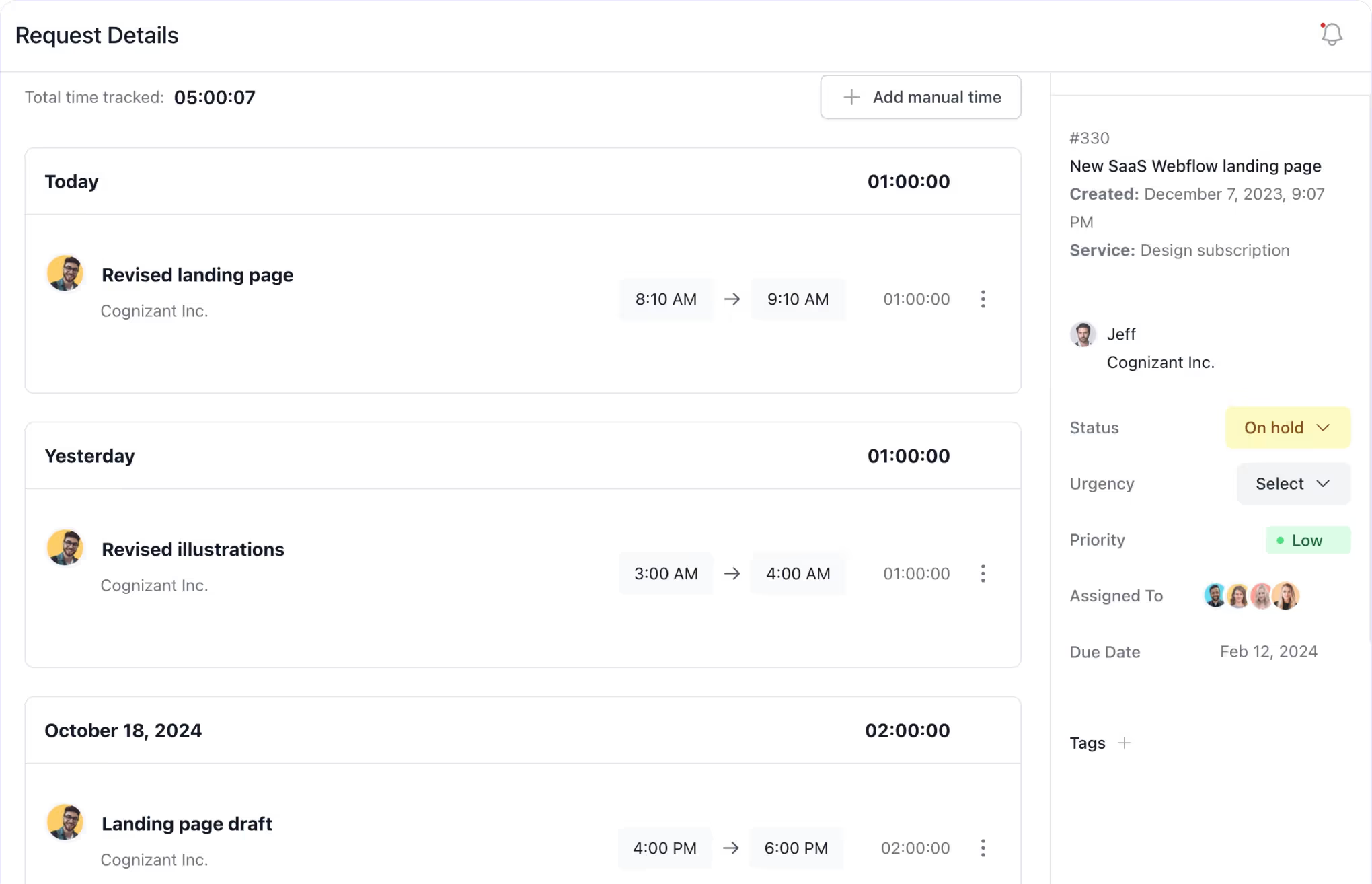
VideoTaxi, a New Zealand-based content production agency with 15 video editors and scriptwriters, recovered 20+ hours per month after moving time tracking into ManyRequests. According to the Head of production Bruce Knoetze, "Clients love the visibility too."
No limit on client accounts, unlike Airtable, which charges $120 per portal for 15 clients.
Here’s what a new user says about ManyRequests:
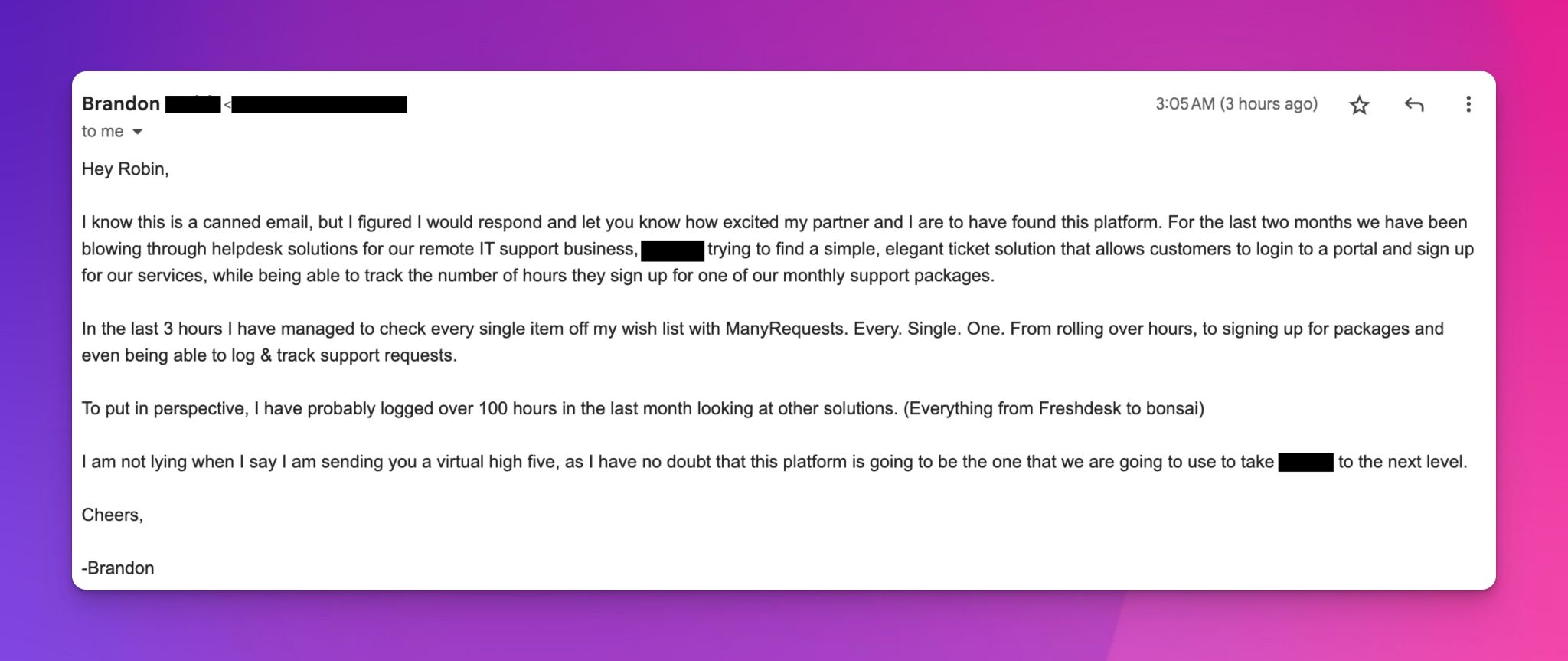
“I know this is a canned email, but I figured I would respond and let you know how excited my partner and I are to have found this platform. For the last two months we have been blowing through helpdesk solutions for our remote IT support business, [...] trying to find a simple, elegant ticket solution that allows customers to login to a portal and sign up for our services, while being able to track the number of hours they sign up for one of our monthly support packages.
In the last 3 hours I have managed to check every single item off my wish list with ManyRequests. Every. Single. One. From rolling over hours, to signing up for packages and even being able to log & track support requests.
To put in perspective, I have probably logged over 100 hours in the last month looking at other solutions. (Everything from Freshdesk to bonsai)
I am not lying when I say I am sending you a virtual high five, as I have no doubt that this platform is going to be the one that we are going to use to take [...] to the next level.”
Sign up for a 14-day free trial now. No credit card required.
ClickUp is a strong internal task manager. You can build workflow templates, write briefs, chat with your team, and track time without leaving the platform. The standout feature is how you highlight any text in a doc and turn it into a task, which is useful when a brief comes in and you need to assign edits on the fly.
Power and flexibility are ClickUp's pitch. But that flexibility has a setup cost. Configuring workflows that fit a productized agency takes real time: spaces, lists, custom fields, automations, and views all need configuration. Many agencies hire ClickUp consultants for the initial build, which adds to the upfront investment.
The bigger issue for productized agencies is the client-facing layer. ClickUp doesn't have a white-label client portal. Clients can be invited as guests to shared dashboards, but they see the ClickUp interface.
There's no service catalog, subscription billing feature, and no checkout page. You can patch those in through integrations, but that means more tools to subscribe to and maintain.
We've written more about where ClickUp creates friction for creative agencies.
Pricing:
Monday.com is a visual-first project management platform with color-coded boards, timelines, and automation. Teams use it for content production pipelines, campaign planning, and internal task tracking.
You can customize columns to reflect due dates, status, owners, or time estimates, and the drag-and-drop interface is faster to learn than ClickUp's for most users.
Monday doesn't have a client portal layer. Clients can be invited as guests to specific boards, but you can't brand the experience or add a service catalog.
There's no subscription billing feature as well. Basically, Monday solves the internal half of the operations problem and leaves the client-facing half for the agency to assemble separately. It's a good fit for agencies focused on internal workflow visibility. For productized agencies that need clients submitting requests, managing subscriptions, and paying from one place, it's incomplete and you’ll need a client portal.
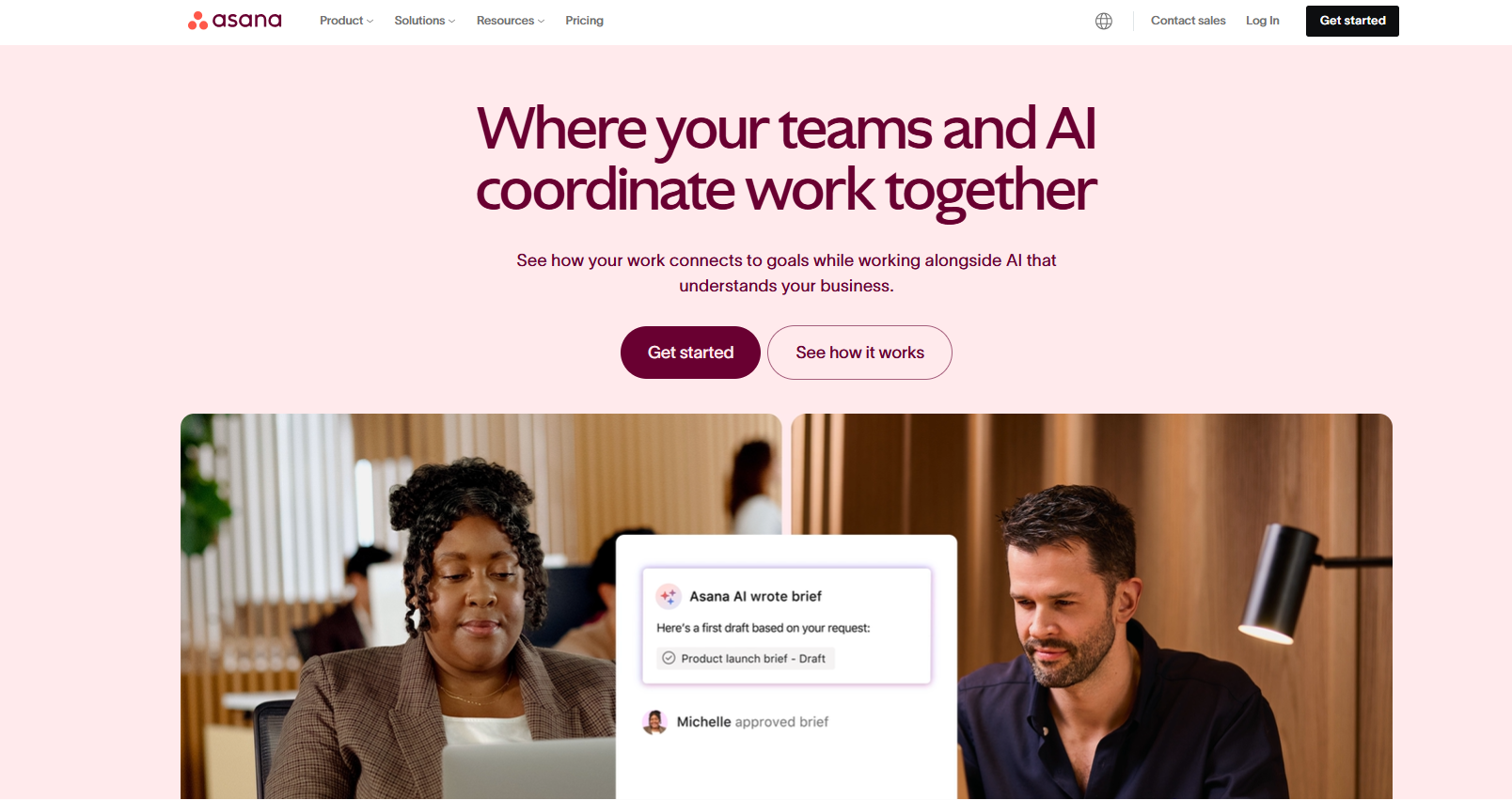
Asana is an operations management software built around breaking projects into tasks and tracking ownership. You can build reusable templates for onboarding, campaign launches or repeat client engagements. Its timeline view helps visualize project schedules, and teams can comment on tasks, attach files, and mark tasks as approved.
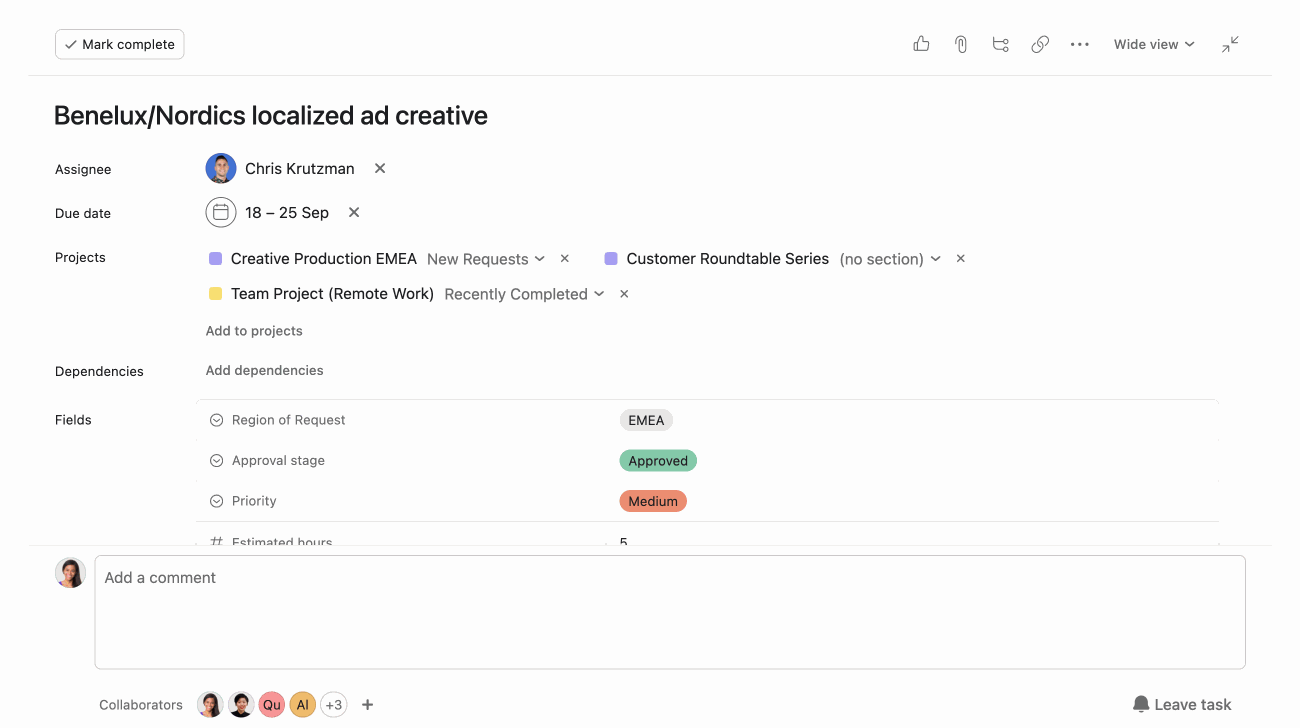
Asana has proofing for images and PDFs, which puts it slightly ahead of Monday on the creative review layer. Internal collaboration is strong too via templated workflows, dependency management and capacity views for agencies running multiple repeatable processes.
But like Monday and ClickUp, clients can only be invited as guests. There's no branded portal, service catalog, or subscription billing feature. Clients sign up and pay through your existing process, not a custom checkout page built into the platform. If you run monthly retainers, delivery and revenue live in separate systems. That means every billing cycle requires manual reconciliation, which adds to your admin time.
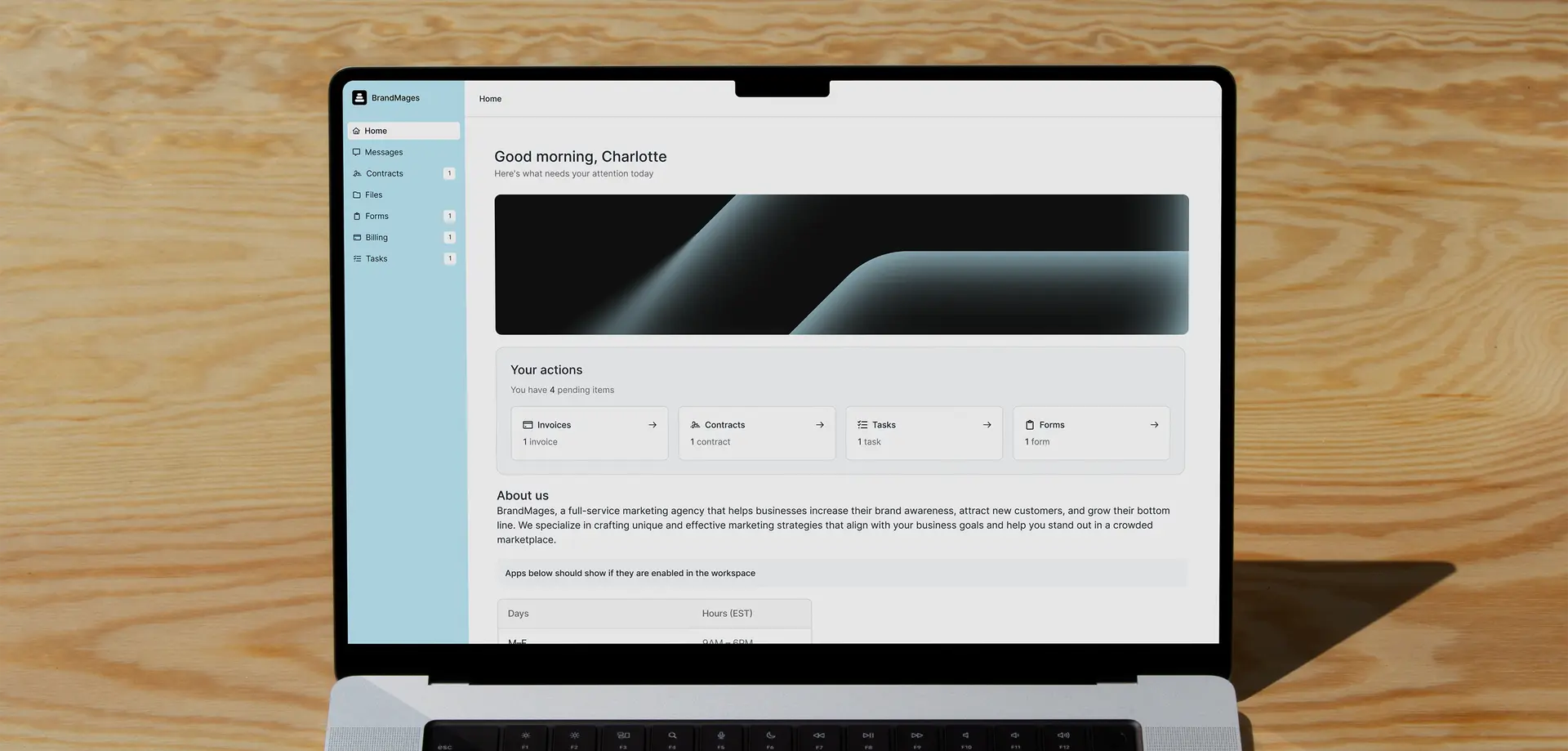
Assembly is a client portal with billing, proposals, e-signatures, messaging, and tasks layered on top. Where ManyRequests is built specifically for productized creative agencies, Assembly takes a wider angle. Its customer base spans marketing agencies, accounting firms, law firms, and consulting practices, which means it covers what a multi-service professional services firm needs across categories rather than going deep on any one of them.
Assembly's "Apps" model lets you toggle modules on and off based on what your firm uses. The recently launched Assembly Assistant handles routine client tasks and admin internally.
The key limitation for productized agencies is that the full white-label is locked behind the Advanced plan. Custom domain unlocks at Professional ($189/month). ManyRequests Pro at $79/month (billed annually) includes full white-labeling, workload management, and integrations at less than half of Assembly's entry-level custom-domain plan.
Productized agencies accumulate tools the way bad projects accumulate emails. You have a project management tool, an invoicing app, a separate client feedback channel, and Slack for team chat. The overhead compounds, and eventually someone on your team is re-entering invoice data between platforms instead of doing billable work.
ManyRequests is built for productized agencies. It’s how DesignGuru scaled from 5 to 45 team members in under a year using ManyRequests as their operational backbone. Magier also manages 100+ client businesses from one platform, with billing built in and no separate invoicing tool.
You can start with ManyRequests’ Core plan at $39/month (billed annually), with no per-client fees and no ManyRequests transaction fees. And when it makes sense for your productized workflow, scale up to Pro for full white-labeling access.
Start your 14-day free trial; no credit card required.
For productized creative agencies (design subscriptions, Webflow agencies, video studios, and marketing retainers), ManyRequests handles client intake, delivery, and billing from one platform. Broader professional services firms covering legal, accounting, or consulting can look at Assembly.
For internal task management and time tracking, yes. For the client-facing layer, no. ClickUp has no white-label portal, no service catalog, no subscription billing, and no native invoicing. Agencies typically add three to five tools to cover those gaps. ManyRequests replaces that stack with a client portal, CRM, request management, and billing in one place.
Project management software (ClickUp, Asana, Monday.com) organizes internal tasks, deadlines, and team handoffs. Here, your team is the user. Operations management software covers the full agency cycle: client intake, delivery, billing, and reporting. Here, your team and clients are the users.
Productize agencies (1) standardize services into a defined catalog so clients self-select; (2) centralize intake with structured request forms so every project starts the same way; (3) connect billing to delivery so renewals run automatically; and (4) track profitability per client from one platform.
1. See how ManyRequests works in real life. Start a free trial and experience how productized agencies centralize requests, reduce chaos, and streamline delivery, without changing their entire workflow.
2. Read our Implementation Guide to launch smoothly with your team and clients.
3. Follow us on LinkedIn and YouTube for practical agency growth strategies
4. Check out The Productize Blueprint to learn how to turn your services into a scalable, productized offer.
Peace Akinwale is a B2B SaaS content writer and strategist who creates BOFU content and how-to articles that drive measurable growth for software companies and agencies. Over six years, he's worked with clients like Marker.io, Pangea.ai, Spicy Margarita agency, and HigherVisibility to turn technical topics into content that converts, and has helped a client achieve 233% organic traffic growth within six months of taking over their blog.

