Free Content Marketing Report Template [Docs / DOCX]
Content marketing is one of the hardest services to prove the value of, and a weak content marketing report template makes it harder. Done right, it connects the work your team produces every month to the results clients actually care about: traffic, leads, rankings, and revenue.
I built this free template with creative agencies in mind. Download it, make it yours, and get it in front of your client this month. I'll also walk you through what to include, why the structure matters, and the mistakes that turn good content work into a billing conversation.
What Is a Content Marketing Report Template?
Each reporting cycle, your agency uses this document to show clients how their content performed. It covers what was published, how each piece performed, what it contributed to the client's broader goals, and where the strategy is going next.
It is a way to translate blog posts, landing pages, case studies, and email campaigns into numbers a client can evaluate without having to understand SEO or content analytics.
Why Do You Need a Template?
Reporting on content marketing without a template is like running a content calendar without a brief. It is possible, but painful, and inconsistent every single time.
- Without a standard structure, you spend more time formatting than analyzing. Your team ends up rebuilding the same layout from scratch each month instead of spending that time on the insights that actually serve the client.
- A template keeps every report on-brand and professional. When a report looks polished and consistent every month, clients associate that professionalism with your agency's work overall, even before they read a single metric.
- It forces you to report on the right things. Content marketing generates a lot of data. A good template filters out the noise and puts the metrics that matter, e.g., organic traffic, keyword rankings, conversions, front and center.
- Reports become the best retention tool you have. A client who can clearly see that their blog drove 1,200 organic visits last month, three of which led to demo requests, does not question the retainer.
Here’s an example: “Organic traffic grew 26% compared to last quarter, and two January articles are now ranking on page one."
That is a renewal conversation, not a retention problem.
- Your agency looks accountable, not just active. Any agency can publish content. The ones that report on it with clarity and consistency are the ones clients trust with bigger scopes and longer contracts.
But what does it actually cost when creative agencies skip this? Here is what happens.
Disadvantages of Not Using One
Not having a report template is the fastest way to make a client undervalue work that is genuinely performing well.
- Clients cannot see the value of content that takes months to compound. Without a consistent report tracking progress over time, a client who does not see immediate ROI will assume the work is not working, even when it is.
- Every report looks and feels different. One month, it is a Google Doc; the next, a Notion page with half the metrics missing. As one agency founder put it after shutting down his four-person shop, inconsistent reports were a symptom of a bigger problem: no reliable system tying everything together. Clients notice that inconsistency even when they cannot name it.
- You have no baseline to measure against. Without a standard format that carries forward previous-period data, every reporting cycle starts from zero. Month-over-month comparisons become impossible to show cleanly.
- Wins get lost in the detail. A new first-page ranking for a high-intent keyword is a significant result. Without a clear report structure, that win sits buried in a spreadsheet the client never opens.
- You lose the upsell. A structured content report naturally shows where the strategy has room to grow.
For instance, "your blog traffic is up, but we have not yet tapped into video content, which your competitors are ranking for." Without that structure, the conversation never happens.
Creating Your Report Template
Good reporting requires a clear format and the discipline to fill it in every month. Here are the sections every creative agency report should include.
Key Components
A content marketing report template is not just a summary of what your team published. It is the document that connects creative output to business outcomes.
- Cover page. Start with the basics. Client name, agency name, reporting period, and your branded header. If you manage multiple content subscriptions, a clean cover page is the first signal that this report was built for this client specifically, not copied from last month's.
- Executive summary. Three to five sentences, written in plain language, that tell the client what happened this month before they look at a single table. Write it after you have reviewed everything else.
A strong executive summary sounds like this: "March was your best month for organic traffic since we started, 3,400 sessions, up 18% from February. Two new articles hit page one. Email open rates held steady at 41%. The blog is building momentum, and we are doubling down on the topic clusters that are already ranking."
- Previous period goals. Document what you agreed to deliver last month and lead with it before showing results. Clients who do not see their own expectations reflected in the report will grade the work against whatever number they invented in the meantime, which is rarely in your favor.
- Content published this period. A list of every piece of content delivered, e.g., blog posts, landing pages, email newsletters, case studies, and whitepapers. Include the title, URL, publish date, and content type.
- Organic traffic performance. Total sessions from organic search, month-over-month change, and year-over-year change if the retainer has been running long enough. Break this down by top-performing pages where possible.
- Keyword rankings. New keywords entering the top 10, existing keywords that moved up or down, and any page-one rankings worth calling out. Keep this section tight. List the wins clearly, flag the drops honestly, and explain what you are doing about both.
For example: The keyword 'B2B email marketing' went from position 19 to position 7 in four weeks.” - Content performance by piece. Your top three to five performing articles or assets for the period, ranked by sessions, time on page, or conversions, depending on what the client cares about most.
- Lead generation and conversions. How many leads, form fills, email sign-ups, or demo requests did the content drive this month? This is the metric that converts skeptical clients into long-term retainer clients.
- Email marketing performance (if in scope). Emails sent, open rate, click rate, unsubscribe rate, and any notable campaign results. Keep this in a separate section from organic content.
- Agency commentary. Two to three sentences per channel, written by the strategist or account lead, not auto-generated by a reporting tool. Explain what drove performance, what underperformed and why, and what is changing next month.
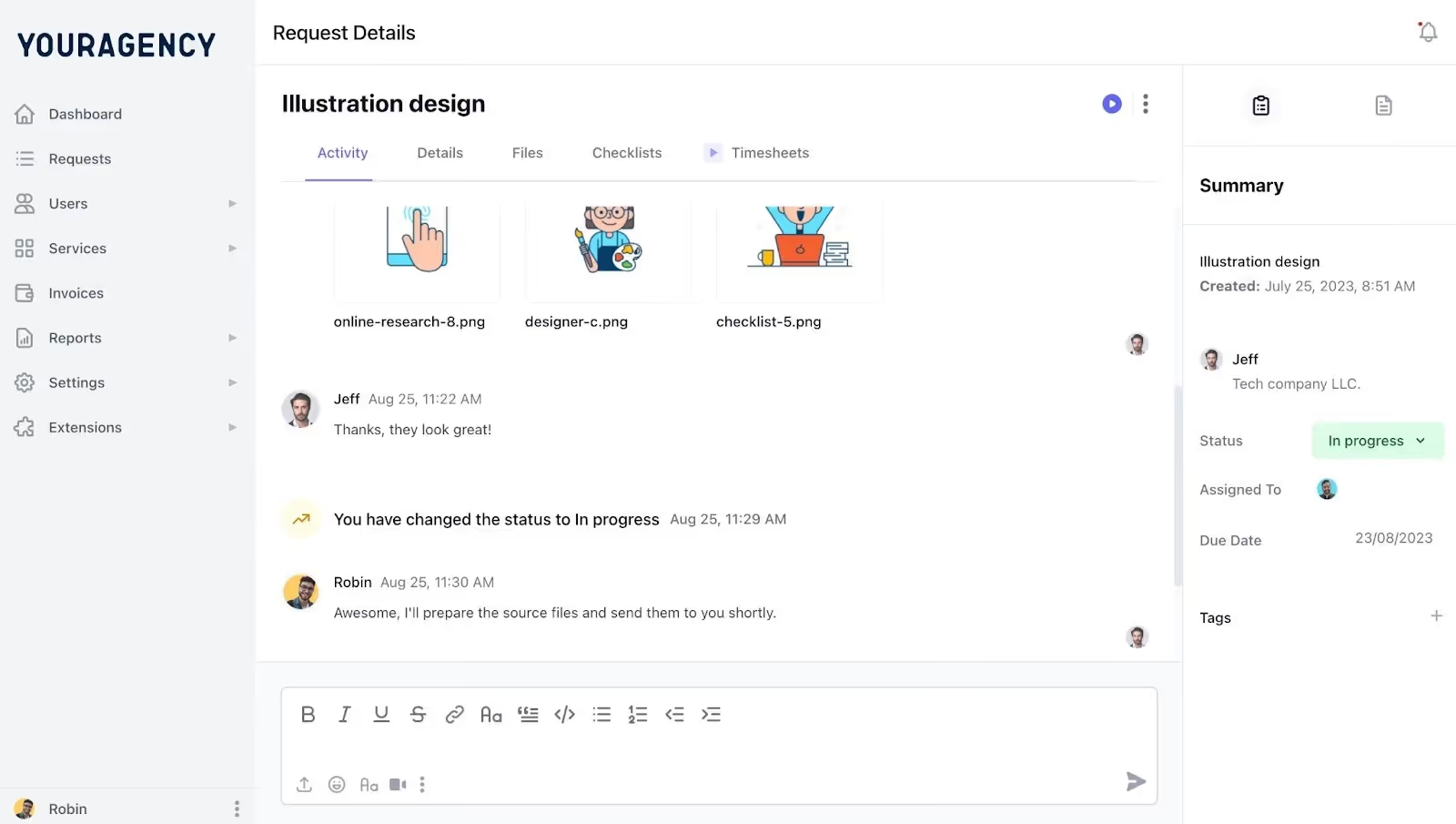
As shown in the image above, ManyRequests keeps agency commentary and client feedback in one place. No email threads, no missed context, no version confusion. Every conversation about a deliverable lives inside the request it belongs to.
- Next period plan. What is getting published next month, what keywords are being targeted, and what goals are you working toward? This turns the report from a backward-looking document into a forward-looking conversation.
To fill out this template accurately, you will need:
- Google Analytics or GA4 (for traffic and conversion data)
- Google Search Console (for keyword rankings and impressions)
- Your content calendar (for the list of published pieces)
- Your email platform analytics (Mailchimp, Klaviyo, HubSpot, or similar)
- Any agreed KPIs from the client's onboarding brief or last month's goals
Tips and Best Practices
Good content marketing reporting is specific, honest, and always tied to what the client is trying to achieve:
- Lead with the metric the client cares about most, not the one that looks best for the agency. If the client's primary goal is lead generation, open the executive summary with leads, even if traffic had a better month.
- Name the article, not just the metric. For instance, "Content performed well this month" is a shrug. "The piece we published on [topic] brought in 820 sessions in its first 10 days and is already ranking on page two" is a reason to keep the retainer. Vague results do not convince clients; specific numbers do.
- Track the same metrics every month. Swapping out which KPIs you report on based on what performed well is something clients eventually notice.
- Use quarter-over-quarter comparisons for content. Month-over-month is too short a window to show content marketing's impact. If the retainer has been running for more than three months, include a QoQ trend line. It makes the compounding nature of content visible in a way that single-month data never does.
- Send the report before the monthly check-in, not during it. Clients who have already read the report come into calls with better questions and fewer doubts.
- Keep the design clean. Content marketing reports are data-heavy. A cluttered layout makes even strong numbers hard to read.
Mistakes to Avoid on Your Content Marketing Report Template
These are the reporting habits that make clients question the value of content marketing, even when the work is genuinely good.
- Reporting activity instead of outcomes. Telling a client you delivered six landing pages this month is a timesheet entry, not a report. "Eight blog posts, 2,400 organic sessions, two contact form submissions", that is a result worth reporting. Clients paying a monthly retainer are not buying output. They are buying results. Report accordingly.
- Skipping the months where rankings dropped. Algorithm updates, seasonality, and competitive shifts all affect content performance. When rankings drop, and the report glosses over it with vague language, clients notice. Own the dip, explain the cause, and state what you are doing next. Transparency is what builds long-term retainer relationships.
- Using vanity metrics as the headline. Page views without context, social shares, or time-on-page without conversion data are metrics that look good but say nothing about business impact.
- Making the report impossible to skim. A content marketing director at a 50-person company is not reading your report cover to cover. They are scanning for the executive summary, checking the traffic number, and looking for anything that needs their attention. Structure the report for the reader who has four minutes, not four hours.
- No record of what was agreed. Without documented goals carried forward from the previous month, the client evaluates results against expectations you were never part of setting. Always open the report with last month's targets before showing this month's actuals.
- Treating every client's report the same. A SaaS company measuring content by trial sign-ups needs a different report than an e-commerce brand measuring it by organic revenue. Delete the sections that do not apply. Add the ones that do.
How to Use Our Free Template
- Download the template and save a copy on Google Docs.
- Swap in your agency logo, brand colors, and the client's details on the cover page.
- Work through each section using your analytics data, content calendar, and campaign results.
- Review everything first, then write the executive summary last before it goes out.
- Roll it out as your go-to reporting format for every content marketing client you manage
Conclusion
Thanks for reading through this. If your current content marketing reporting process involves a different format every month, metrics chosen based on what performed well, and a conclusion that says something like "not a bad month overall", this template fixes that.
Content marketing is a long game. The agencies that retain clients through the slow months are the ones whose reports make progress visible, even when it is incremental. A consistent template does that better than any one-off document you build under deadline pressure.
At some point, the reporting itself becomes the bottleneck. You are producing good content, clients are getting results, but every month, someone on your team is chasing down which report went to which client and whether the right version was sent.
ManyRequests solves that by giving every client their own portal where reports live, feedback happens, and nothing gets lost in an inbox. Start your 14-day free trial today.

.svg)