A Guide on Project Management for SEO Agencies [2026]
Project management for SEO agencies, learn how productized agencies manage retainers, client requests, reporting, and billing.

Adetola Rachael Iyanuoluwa

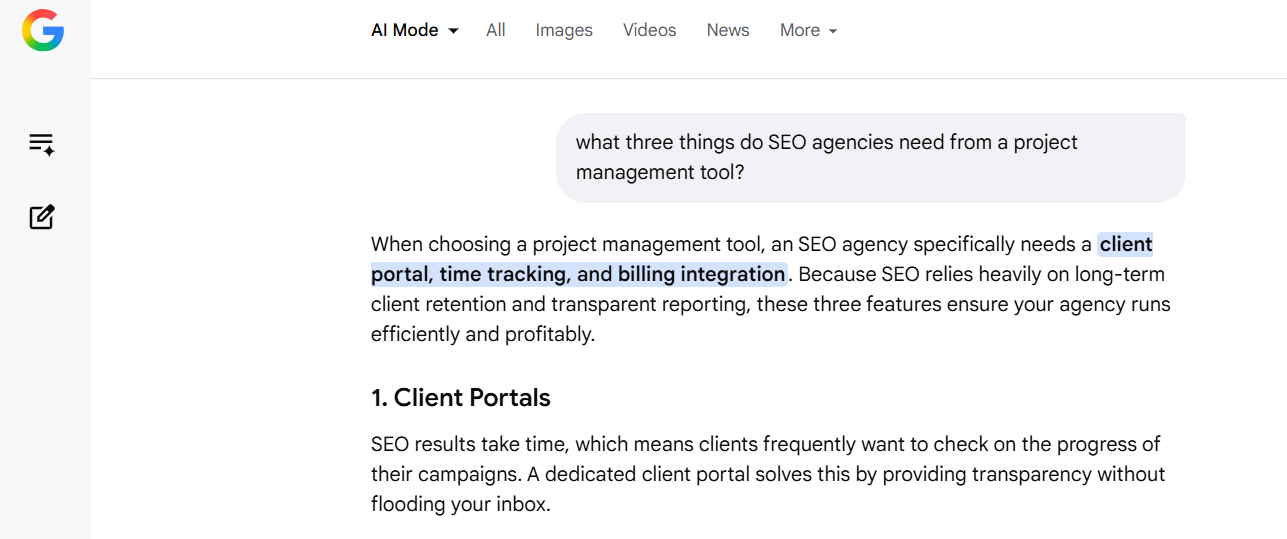
When Google's AI describes what SEO agencies need from a project management tool, it zeroes in on three things: client portals, time tracking, and billing integration.
And when you ask it to recommend tools, it lists tools like ClickUp, Asana, and Wrike.
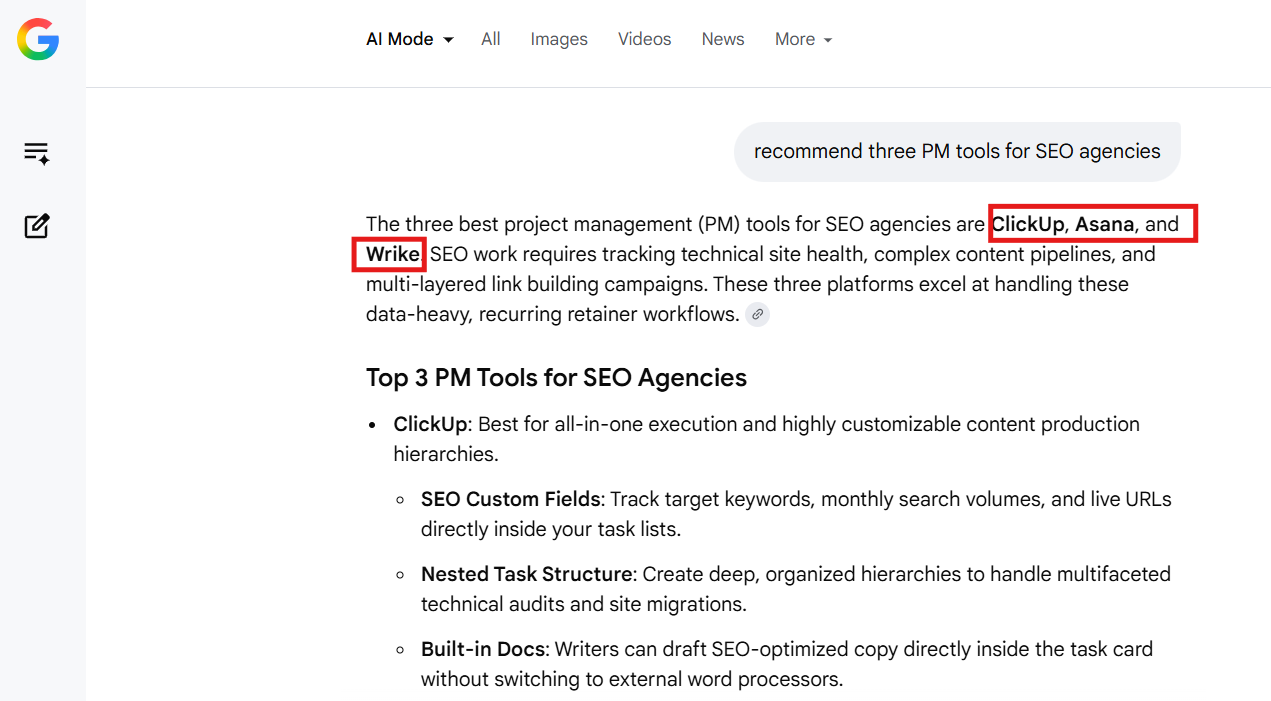
But those platforms were built first for internal engineering or marketing teams, and they reflect it.
While they can handle client‑facing collaboration, time tracking, and billing (often via add‑ons, integrations, or higher‑tier plans), none of them delivers all three SEO‑agency requirements as a first‑class experience.
For an SEO agency running monthly retainers, task management is only about half of the operational problem. The other half is client‑facing: how requests come in, what clients are allowed to see, and whether billing connects cleanly to what was delivered.
Most popular PM tools stop at the first half. But in this guide, we’ll share what the biggest challenges are for SEO agencies, and what to look for in a PM tool that can solve these problems. We’ll also compare six project management tool for your agency.
Most project management software was designed around one-off projects: a fixed scope, a deadline, a delivery, done, but SEO doesn't work that way.
SEO is a recurring service. The same cycle repeats every month (audit updates, content production, link building campaigns, client reporting). The structure of the work is predictable, even if the inputs vary by client. That predictability is an advantage if your PM system is built around it.
If it isn't, you rebuild the same task structure manually every cycle, and that's exactly what most agencies on generic PM tools do.
That said, three structural differences separate SEO agency project management from standard project management:
Most PM tools are built around one‑off projects: you complete a scope, close the project, and then invoice, but SEO retainers run on monthly cycles. Billing needs to connect to the retainer itself, not to project completion. When it doesn’t, reconciling what you delivered with what you bill becomes its own monthly chore.
Technical audits, content calendars, and monthly reports follow the same basic structure every cycle. What changes is the client's focus and their priorities for the month. A good PM system doesn't rely on email threads in a dozen formats. It captures that variability through structured intake.
An agency with 20 retainers fielding two or three check-ins per client each month is burning dozens of conversations that a proper client portal would eliminate. Generic PM tools offer guest access, but that's not the same as a clean, professional client workspace.
Here's what mismatching your PM system to your delivery model costs in practice:
Without recurring task templates, every new cycle starts with someone rebuilding the same audit checklist, the same content brief structure, the same reporting tasks. For a five-person team running 20 retainers, that's a real overhead cost you pay every single month.
New campaign requests, keyword additions, and scope changes land wherever the client feels like sending them (Slack, email, WhatsApp). There’s no standard format and no central record.
You spend the first week of every cycle chasing down what the client needs, digging through messages, and piecing it together into something your team can work with.
Clients would want to know what you achieved so far: how many links were built, what content went live, and where rankings moved.
When your delivery system and your reporting system live in separate places, you have to assemble that picture manually. Giving clients real-time visibility into delivery requires a client-facing layer most PM tools don't provide.
SEO clients add requests constantly: "Can you look at this page too?" or "We're launching a new product, can you do the keyword research?" When those tasks come in informally, there's no record of what was added or whether it's in scope. Without a structured request system, extra work either gets absorbed without being billed or becomes an awkward conversation later.
Every new client comes in with different goals, existing content, and target pages. Without a structured intake system, onboarding looks the same every time: a long kickoff call, a follow-up email, and another week of back-and-forth to figure out what you're supposed to do. If your team is adding three new retainers a month, that non-billable overhead compounds fast.
These aren't problems you fix with better task management. You need a different kind of system, one built around how SEO agencies actually run.
Most SEO project management software comparisons focus on features that matter for internal teams. But when you’re running an SEO agency, what matters is how well the tool supports client delivery. Here are the five requirements to evaluate any tool against:
Your monthly deliverable set is predictable: technical audit review, content briefs, link building placements, performance report.
A PM system should let you create that structure once and reuse it every cycle without rebuilding from scratch. If a tool doesn't support recurring templates natively, your team would always spend setup time that should go to delivery.
When clients send requests by email, you get information in all kinds of formats, or almost none. A structured intake form captures what you need before the request even hits your queue; things like target pages, keyword priorities, deliverables for the month, and any specific direction.
With conditional logic, a client asking for a technical audit sees one set of fields, while someone requesting a content package sees another. That way, every request arrives complete, instead of half‑formed and waiting for follow‑up.
This isn’t just about giving clients guest access to your PM tool. It’s about a dedicated workspace where they can see their active requests, downloaded files, and current status, all without ever stepping into your internal task board. Guest access is a workaround; a real client portal for agencies is a polished, professional product your clients can actually use.
The tool should handle monthly charges, automatically generate invoices that tie back to what was actually delivered, and let clients upgrade, downgrade, or pause their plan without you manually processing every renewal.
If billing lives in a completely separate system, you end up reconciling two records every month just to make sure everything lines up.
As your retainer count grows, incoming requests should automatically route to the right person based on service type, client tier, or availability, without manual handoffs. Manual routing might seem harmless at first, but it becomes hidden overhead that gets worse as you scale.
The difference between these tools comes down to one thing: how much of the client-facing delivery layer they actually cover.
One pricing note: ManyRequests charges per team seat, not per client, and every plan includes unlimited clients. ClickUp, Asana, Monday, Teamwork, and Notion all price per user and often add costs for client access. ManyRequests is the only model that doesn't get more expensive as your client list grows
Now, let's look at 6 project management for SEO agencies:
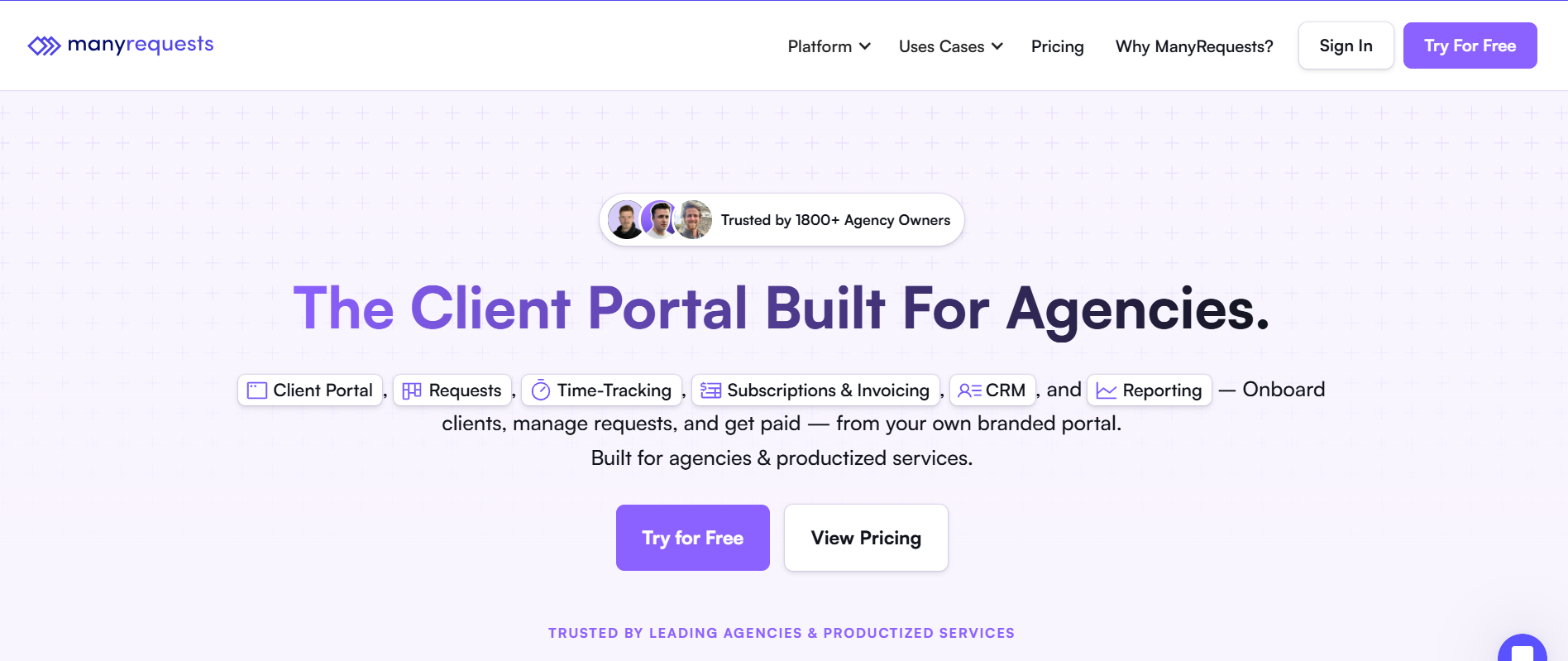
ManyRequests is the only tool on this list where the client-facing delivery layer is native, not bolted on. The other five handle tasks. ManyRequests closes the full loop: structured intake before work begins, delivery inside a branded client portal, and billing that connects directly to what was delivered.
For SEO agencies selling packaged monthly retainers, that's the difference between operations that scale and operations that get messier as you grow.
Here's how a standard delivery workflow runs in ManyRequests:
Build structured offerings in the Service Catalog (things like monthly SEO retainers, link‑building subscriptions, and content packages). Each service has a defined scope, clear pricing, and a fixed billing cadence.
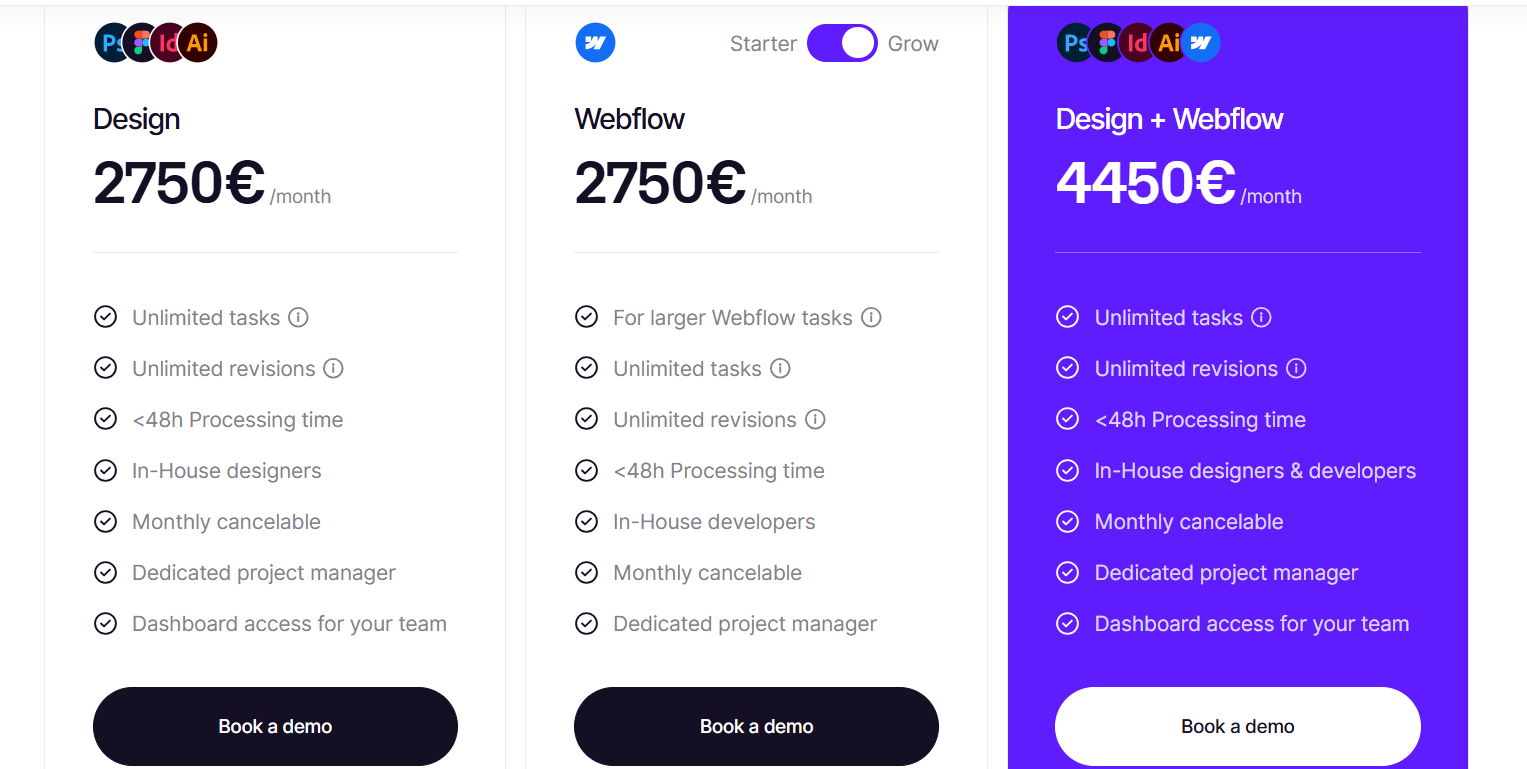
Clients can browse and purchase directly from the portal, often without needing a separate sales call.
You get to define exactly what the form captures, like target pages, current rankings, specific deliverables, and any file uploads.
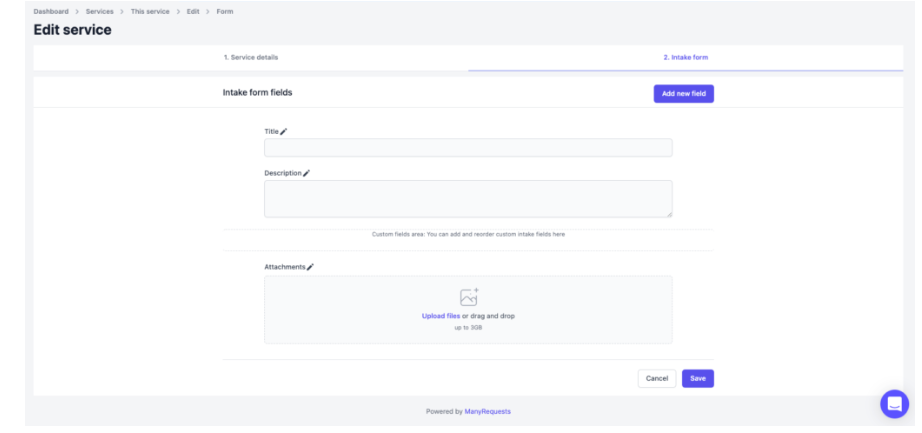
That way, everything lands neatly in your queue before work even starts, and you don't have to chase down missing scope.
Requests automatically route to the right team member, based on service type or client tier. There’s no manual handoff or routing step.
Deliverables and files live in one branded space, with comments attached directly to each request.
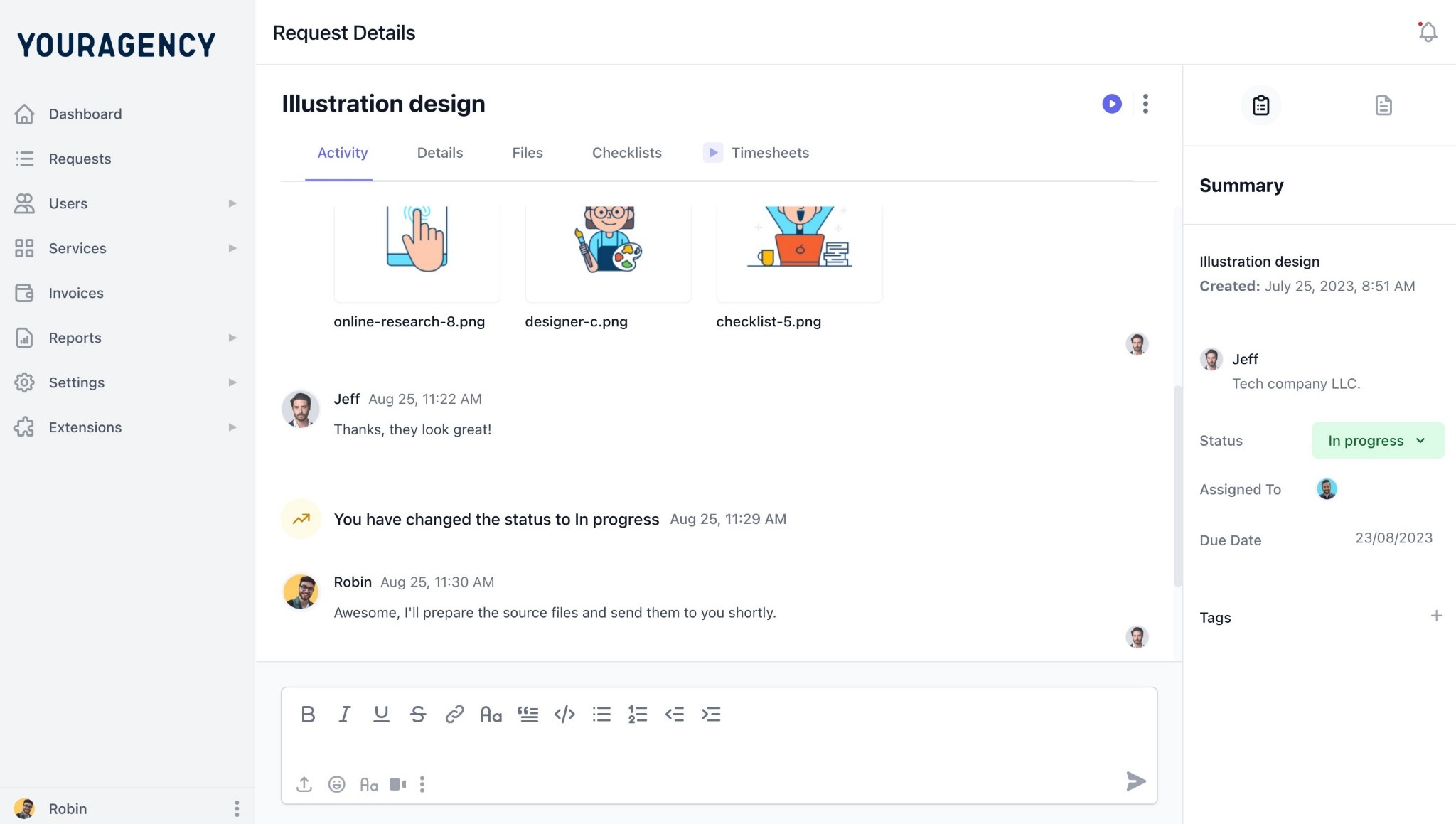
Clients can follow progress, view assets, and ask questions without ever needing to log into your internal tools.
Subscription charges or usage‑based invoices are tied directly to what was delivered. Clients can upgrade, downgrade, or pause their plan straight from the portal, with no manual work required on your end.
That last step is where most SEO agency workflow tools top out. They’re great at tracking the middle of the loop, but they don’t close the full cycle. ManyRequests runs all five steps together, from intake to delivery to billing.
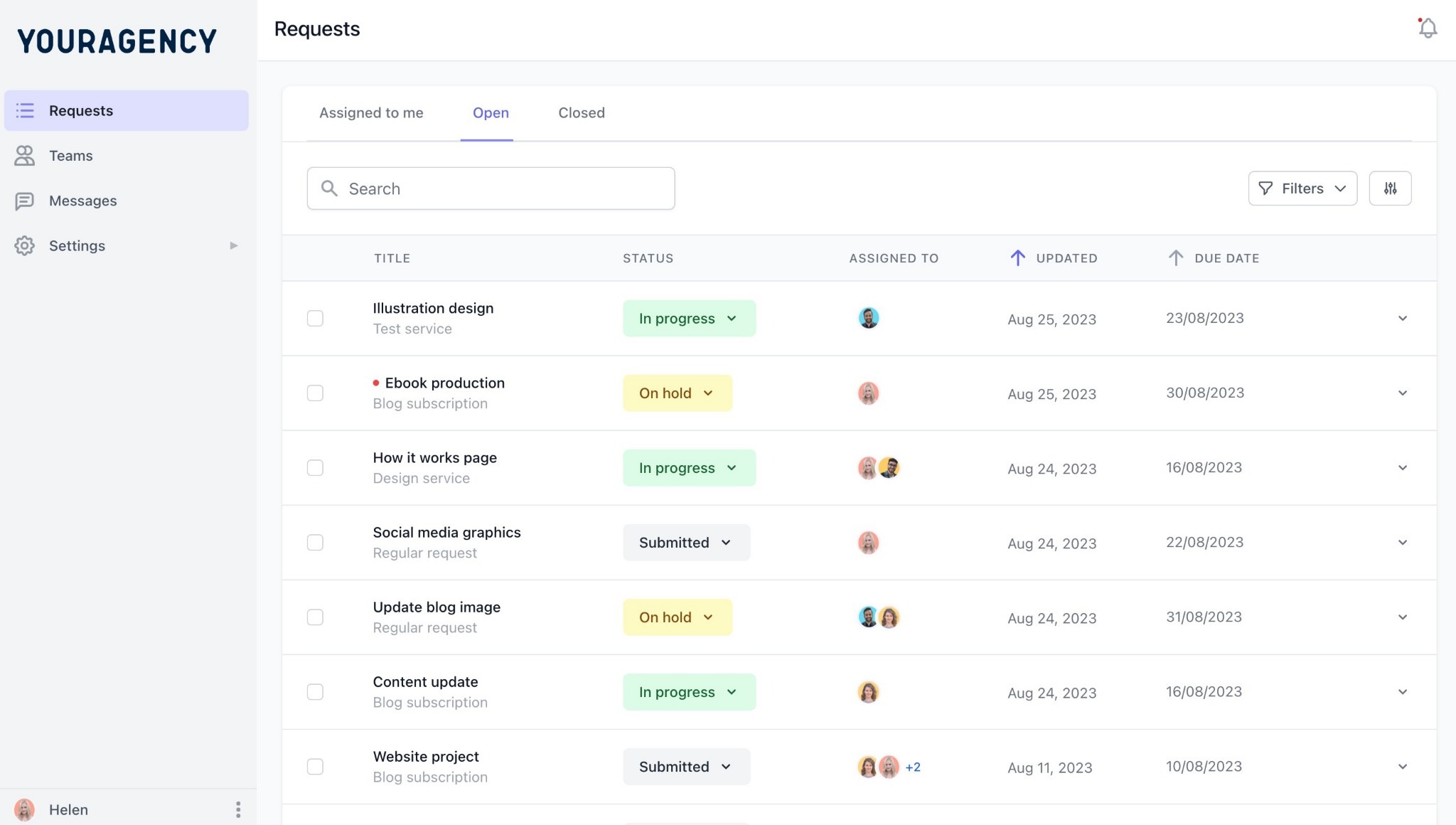
When a client logs into ManyRequests, they land in your branded space: they see your agency’s name, your logo, your colors, and a clean URL that’s your custom domain.
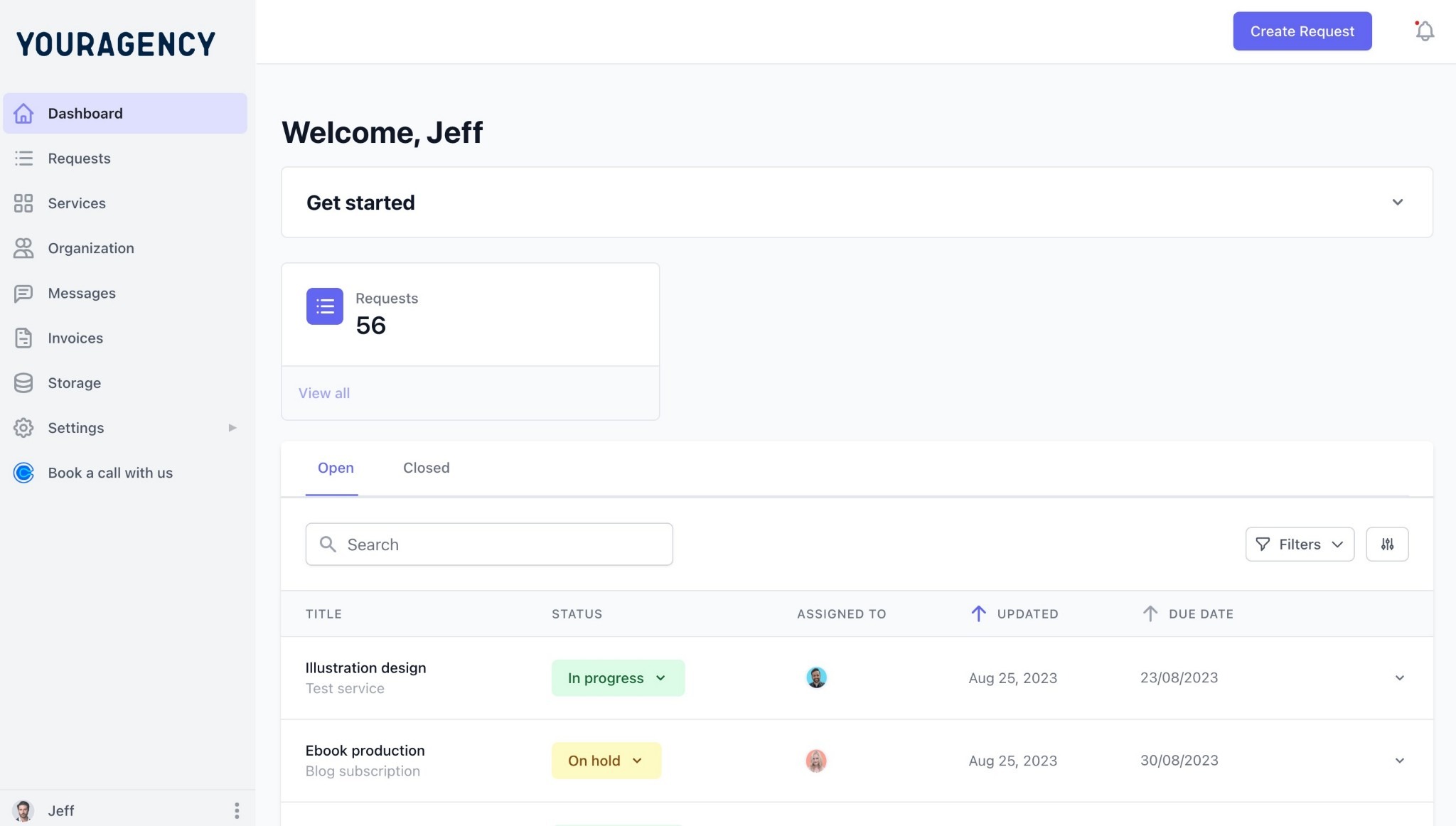
The white label client portal gives them one complete workspace where they can access active request status, delivered files and assets, invoice and payment history, direct messaging with your team, and subscription management, all in one place.
This changes the whole dynamic for SEO agencies. A client who can see their active requests and current delivery status (who can see which links were built, what content went live, and where the monthly report lives) doesn’t need to email your team as often.
A ClickUp guest link, where you have to manage guest access by hand won't do that for you.
ManyRequests request forms support conditional logic, so the experience feels tailored to each request.
When a client picks a technical audit, they see one set of fields; when they choose a link‑building campaign, the form adapts and shows something different.

You define exactly what each service requires, so every request lands in your queue already filled out with the information you need to get started.
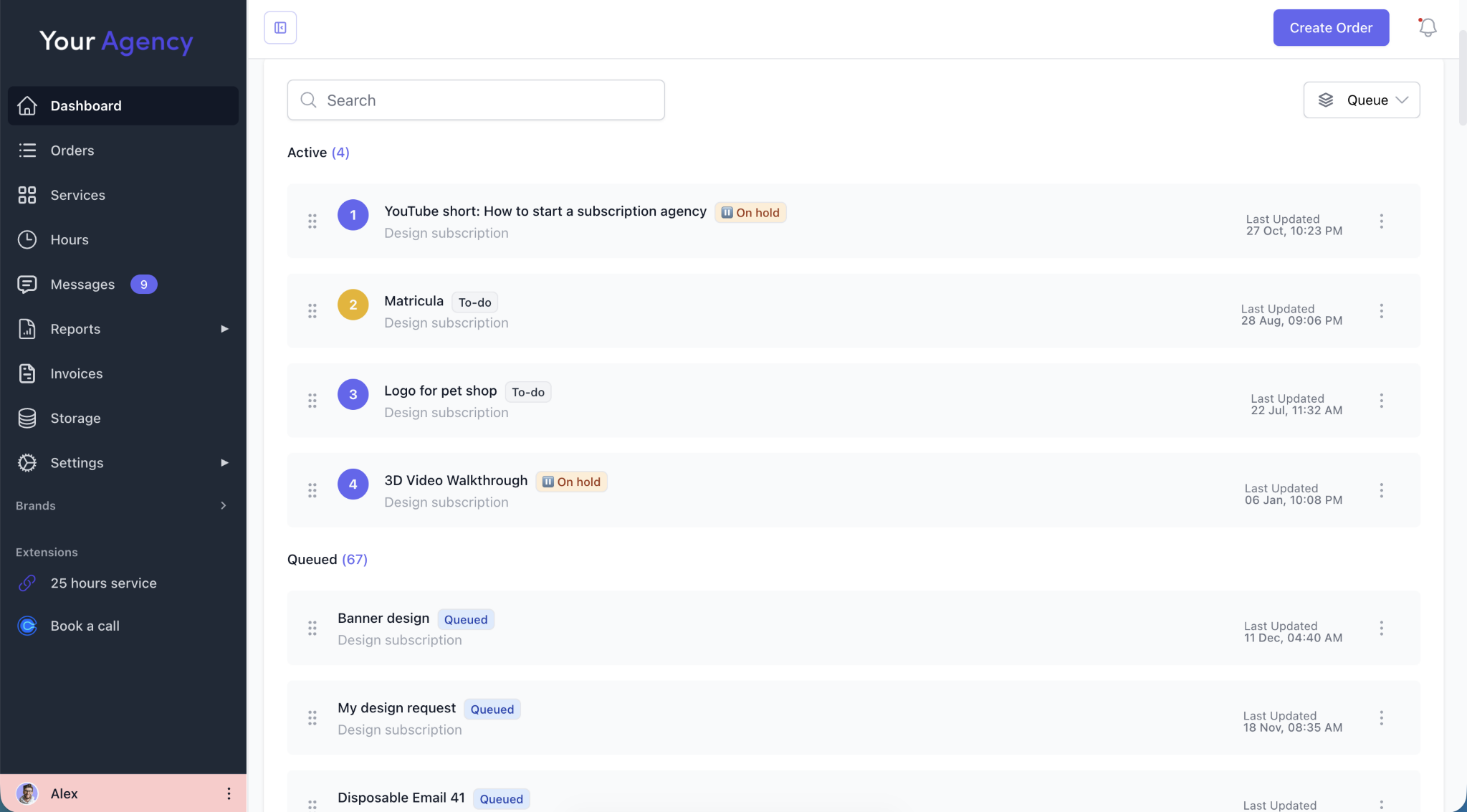
With the April 2026 update, the intake system now works over email too. Clients can submit requests by emailing a dedicated workspace address, without logging into the portal.

The subject line becomes the request title, the body becomes the description, and the system automatically matches the sender to their existing client record.
That means every request feeds into the same structured queue, whether it came through the portal or email.
ManyRequests handles subscription billing directly through Stripe: monthly charges, annual plans, pause and resume options, and self‑serve plan changes, all from the client portal.
Time tracking ties into billing from the start. You can log hours against a request, pull a report by client, and invoice straight from the same screen.
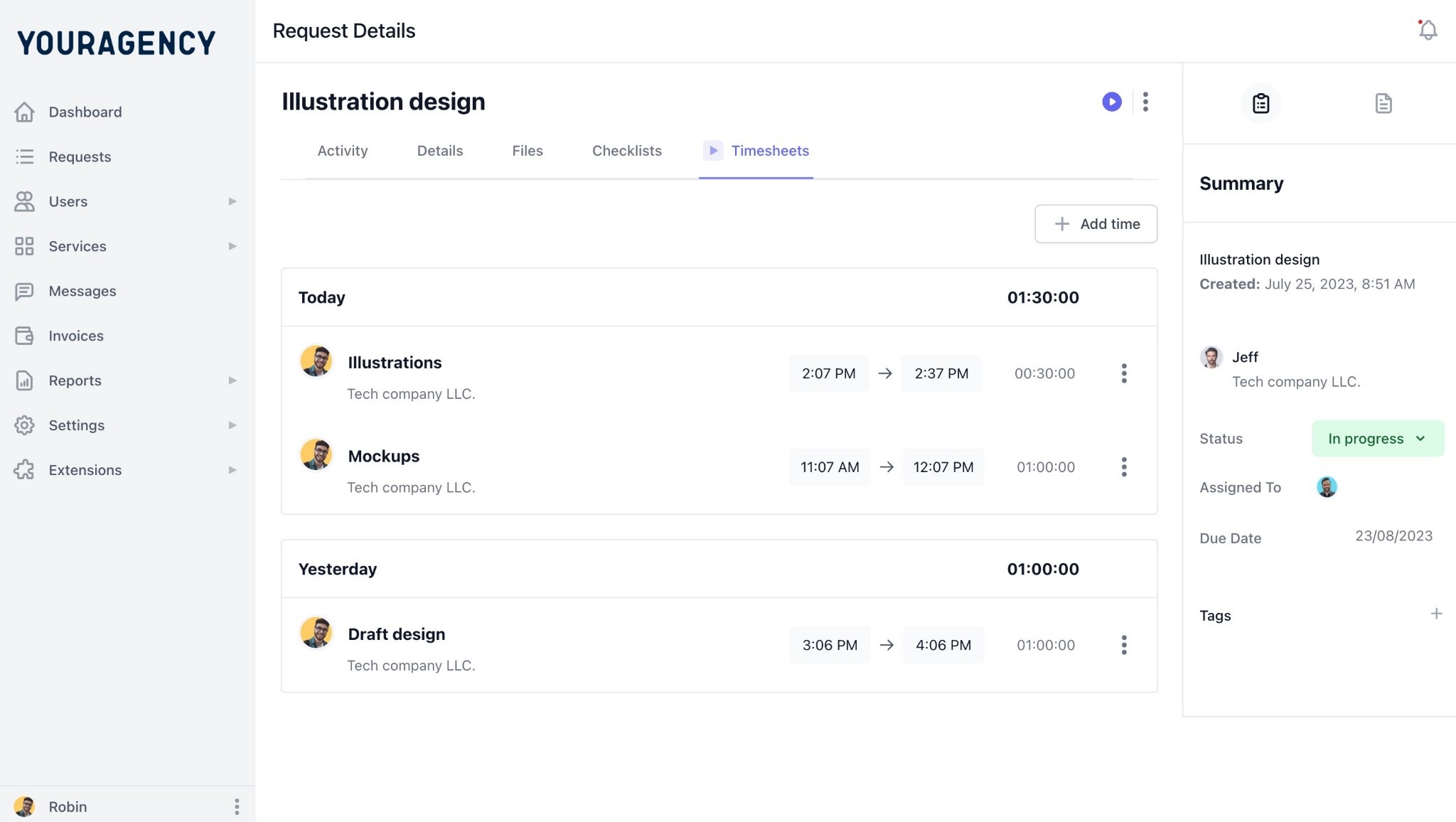
If your retainer is hour‑based, clients see their remaining balance in real time inside the portal.
The alternative is using a task tool for delivery, a separate billing tool, and a spreadsheet in between trying to reconcile them, which is two systems to maintain, and twice as many chances for something to slip through the cracks.
ManyRequests integrates natively with SE Ranking and AgencyAnalytics, so ranking data and client reports show up directly inside the portal, without extra logins or manually shared links.
The Looker Studio integration also lets you embed live dashboards right into a client’s portal view. That means real‑time SEO performance data lives in the same workspace where clients submit requests and review deliverables, instead of getting shuffled off to a separate tool.
HeyDesign is a SaaS marketing agency with 30-plus team members, running performance and creative subscriptions for clients including Posthog, Hotjar, and Pitch.
Gabriella Brigando, Operations Team Lead, describes what changed: "As an operations team lead it's essential for me to have a clear overview of design tasks being worked on and designer capacity so we can delegate new requests. ManyRequests facilitated all of this with a robust set of features but also a very good user experience both for our team members and clients."
The same model applies directly to SEO retainer delivery. Package your services, automate onboarding, collect structured briefs, deliver through a branded portal, and bill automatically. ManyRequests handles each step without a separate tool for any of them.
Pricing: Core at $59/month. Pro at $99/month. Both plans include unlimited clients. See the full pricing breakdown.
Best for: Productized SEO agencies running monthly retainers who need intake, delivery, client visibility, and billing in one system.
Signup for a 14-day free trial to run your first retainer cycle through the full delivery loop.

If your agency needs powerful internal workflow management and clients never need to see your project management system, ClickUp is the strongest internal-only option here.
Custom fields track keyword targets, backlink metrics, and deliverable status across clients, so everything stays visible in one place.
Clickup also uses Multiple views to let different team members work the way they think (whether that’s lists, boards, timelines, or calendars). Clickup’s automation builder handles routing, assignments, and status changes automatically, so your team doesn’t have to babysit every move. For teams willing to invest in setup, ClickUp supports a capable SEO workflow built entirely on the internal side.
The problem shows up when clients actually need to get involved. Guest access gives them a stripped‑down view of your workspace, so they can't directly get involved with the work they see, which is why most agencies end up using ClickUp for internal delivery and then managing client communication through email on the side. That’s two separate systems where one should be enough.
ClickUp also has no native billing, no structured intake for external clients, and no subscription management. If you run monthly retainers, revenue and delivery live in separate tools. Every billing cycle requires manual reconciliation. ClickUp works for internal SEO tracking. It's not a client delivery platform.
Pricing: Free plan available. Unlimited at $7/month, Business at $12/month.
Best for: Teams with complex internal workflow needs who manage billing and client communication through separate tools.

Asana’s strength is keeping multiple teams coordinated while they work in parallel.
If you're running technical SEO, content production, and link building across different departments at the same time, Asana's timeline and portfolio views keep dependencies clear. For in-house SEO teams or larger agencies where internal coordination is the main bottleneck, it's a serious option.
One caveat though, the intake forms are built for internal ticketing, not for external client requests. When a client tries to submit a campaign brief through Asana, they need their own workspace account and some onboarding into your internal system. That’s not a client portal.
Like Clickup, Asana also doesn’t offer native billing, and it doesn’t give you a white‑label environment. Asana does internal coordination well, but it doesn’t provide a true client portal or billing layer, so you’ll need other tools or workarounds to handle the client‑facing side.
Pricing:Personal plan free. Starter at $13.49/month, Advanced at $30.49/month.
Best for: In-house SEO teams or larger agencies running complex, multi-team campaigns where internal coordination is the primary challenge.
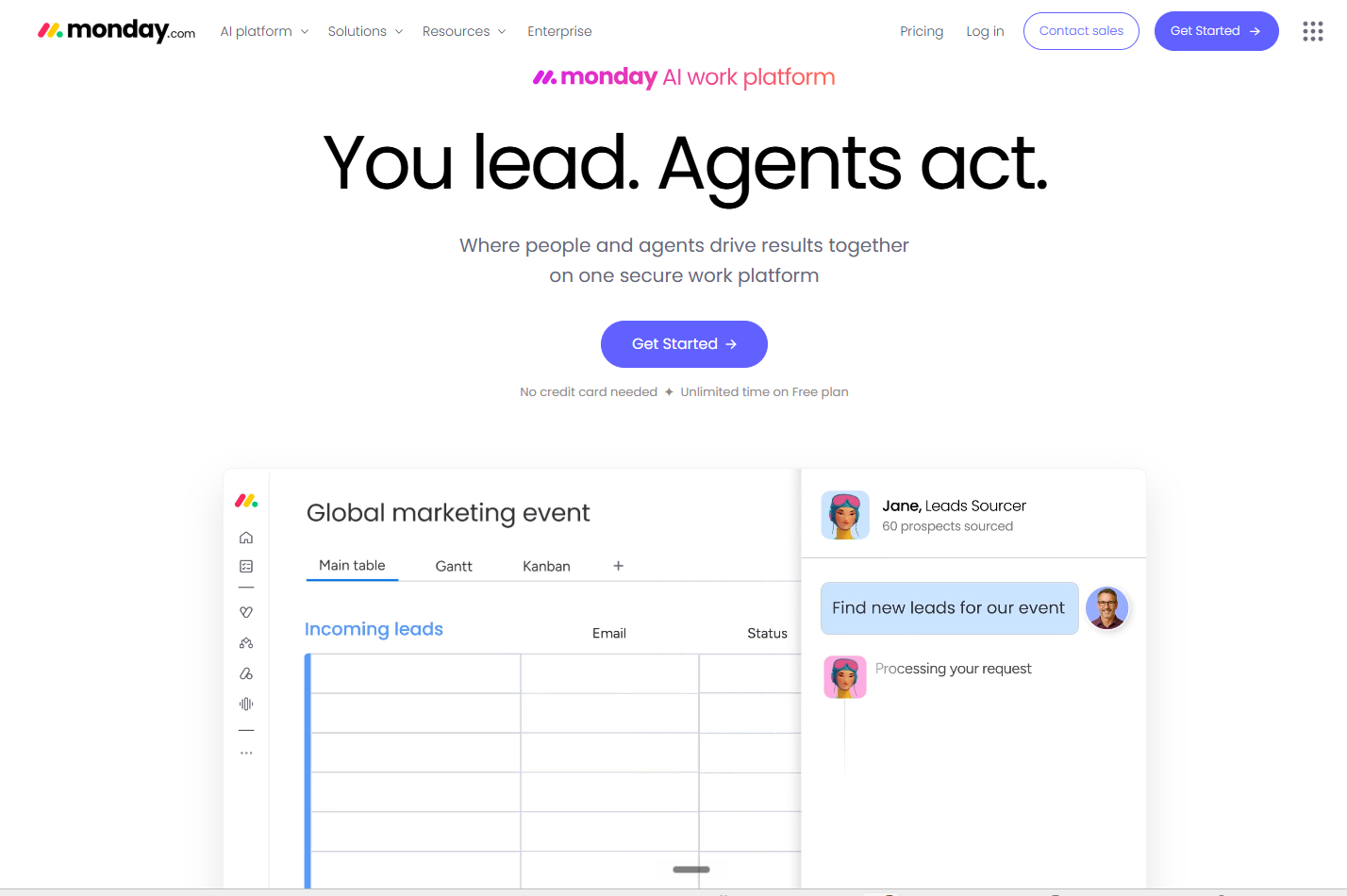
Monday.com is the quickest of the six to get a team up and running.
The visual board setup asks for less configuration than ClickUp or Asana, and the automation builder has a shorter learning curve. If your team has struggled with more complex PM tools, Monday's onboarding is noticeably faster.
Guest access exists, but it’s not a true client portal. Clients see a board view inside your internal workspace, not a branded environment where they can track request history, view invoices, and message your team all in one place.
Monday has no native subscription billing and no structured intake for external clients. You'll piece together the client-facing side yourself.
Pricing: Basic at $9/month, Standard at $12/month, Pro at $19/month.
Best for: Teams that prioritize fast internal adoption and visual dashboards, with client management handled separately.
Notion is flexible enough that teams use it for almost anything (content calendars, SOPs, keyword tracking, and project planning).
Its real strength, though, is documentation and knowledge management. Some agencies build an entire SEO workflow inside Notion, but most use it alongside a dedicated PM tool, not as a replacement. .
Notion has no billing, no client portal, no time tracking, and no structured client intake. Every workflow is custom-built and custom-maintained, from status-tracking systems to intake templates. For a team of five managing 20 retainers, the upfront setup cost is real, and the ongoing maintenance only gets heavier as your team and processes change.
Notion is where you document how your agency runs: your SOPs and playbooks. It's not the system where your agency runs its day-to-day delivery.
Pricing: Free plan available. Plus at $10/month, Business at $20/month.
Best for: Solo operators or very small agencies building a fully custom system, with billing and client communication handled elsewhere.
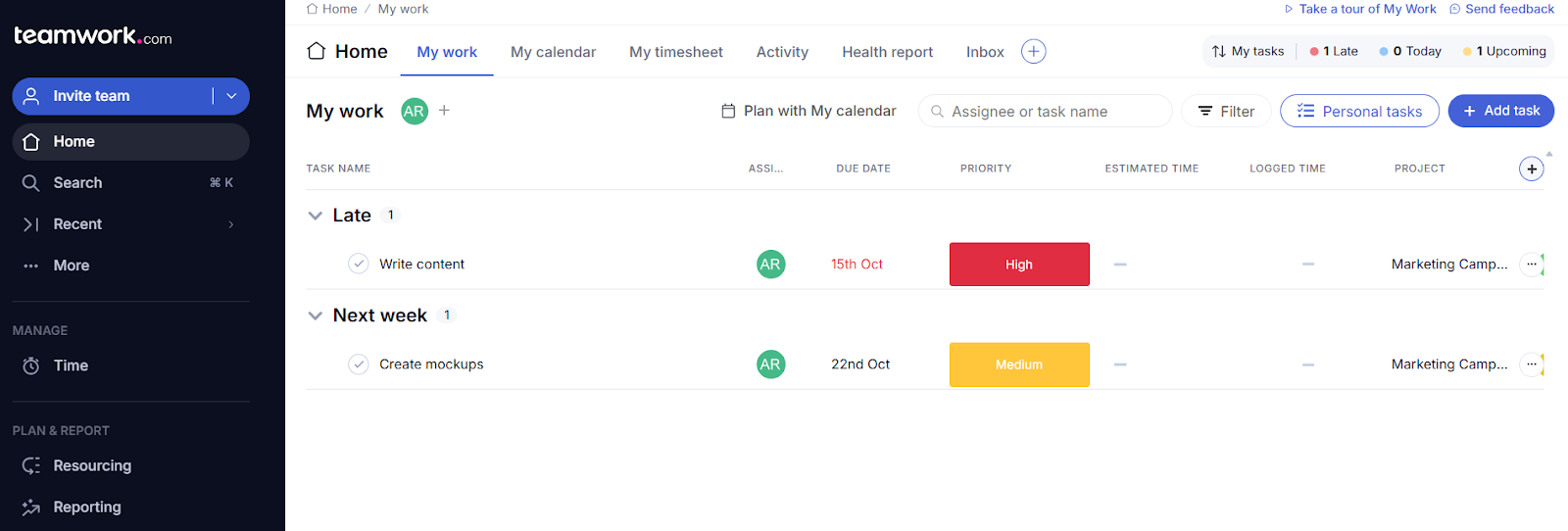
Of the five alternatives, Teamwork is the most purpose-built for agency billing. It offers billable hours tracking, project budgeting, and free client access on paid plans, covering the basics without a separate billing tool. For agencies billing time-and-materials across multiple concurrent client projects, Teamwork gives you a solid foundation.
The challenge is the client‑facing layer. Client access in Teamwork gives you a limited project view, not a white‑label portal you can fully brand for your clients. Teamwork also has no native subscription billing and no structured intake forms for external clients. If your agency sells packaged retainers and needs a full client-facing delivery layer, Teamwork falls short. .
Pricing: Teamwork’s pricing starts at Free for $0, Basics for $13.99/month, Accelerate at $29.99/month, and Optimize and Enterprise at custom pricing.
Best for: Agencies billing time-and-materials who need strong billable hours tracking and project budgeting.
To choose the right PM tool for your SEO agency, you need to match the tool to your billing model:
The right seo agency operations software is only part of the answer. The other part is how you set it up. Here's how to structure a delivery system that holds up as your retainer count grows.
Before building anything in your PM tool, write down exactly what you deliver every month for each service tier.
A standard SEO retainer might include: technical audit review, three content briefs, ten link building placements, and a monthly performance report. A premium tier might add a strategy call and competitive monitoring.
Get this on paper first. Your task templates and intake forms depend on it.
Once you know your deliverable set, build an intake form for each service type.
The form should capture everything your team needs to start work: target pages, current keyword rankings, content goals, any specific client direction for the month.
In ManyRequests, add conditional logic so a client requesting content briefs sees different fields than a client requesting a link building campaign. The goal is zero follow-up questions after a request lands.
With your deliverable list defined, build a task template for each tier.
Every month, instead of starting from scratch, you duplicate the template and assign it to the new cycle. In ManyRequests, you can automate this so new tasks generate when a client's subscription renews. The setup takes an hour. The time it saves compounds across every client, every month.
Set up your client portal so clients can see what's active, what's been delivered, and what's coming, without emailing your team.
In ManyRequests, this is your branded workspace on your custom domain. Clients see request status, download delivered files, and check their invoice history.
The portal reduces how many times your client checks in, so your team can focus on delivery.
Set up subscription billing tied to each service tier.
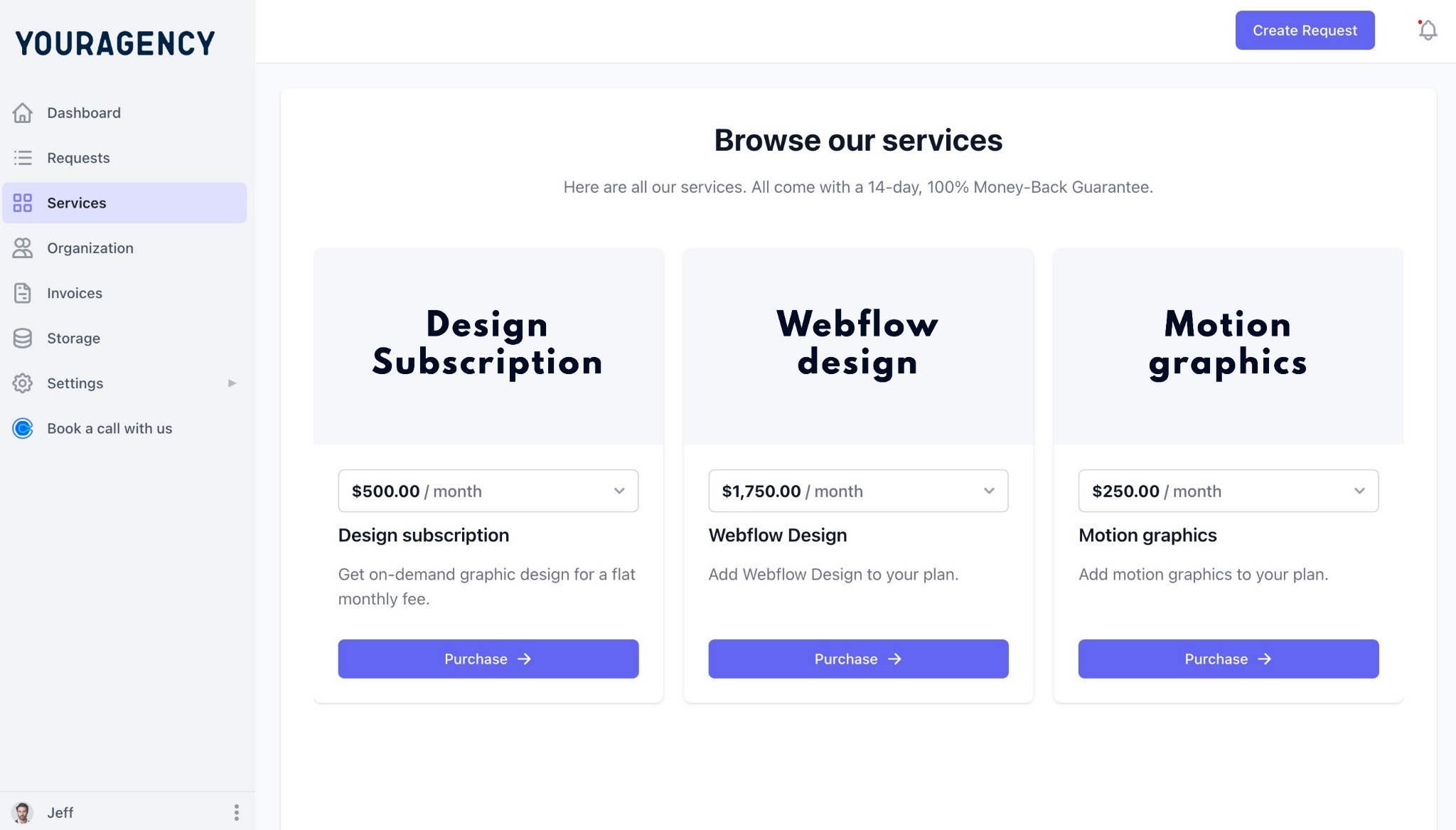
When a client renews, the charge goes through automatically and an invoice generates without any manual work. If your retainer is hour‑based, you can configure Time‑Tracking so that logged hours roll directly into the monthly invoice. In both models, a standard renewal cycle should require zero manual billing intervention—your system handles it start to finish.
This is the complete operations management software setup for a productized SEO agency. Once it's running, adding a new retainer client means sending them a link to your Service Catalog, running them through the intake form, and watching the first cycle start automatically.
SEO agencies don’t just need project management. They need a client delivery system built for recurring retainers.
If your operations revolve around monthly retainers, the right place to start is a platform built around that same model. ManyRequests offers a 14‑day free trial with unlimited clients on all plans. If you’re currently running on ClickUp, Asana, or Monday, ManyRequests provides a migration service and onboarding support to help you move your clients and projects over without starting from scratch.
ManyRequests is the most complete option. It covers structured intake, client-facing delivery, and subscription billing in one platform.
SEO agencies manage recurring monthly deliverables by using recurring task templates that auto‑generate the same work each cycle, so nothing needs to be rebuilt manually.
Project management software tracks internal work: task assignment, deadlines, team coordination. A client portal is a branded workspace your clients log into ( they submit requests, track delivery status, view files and invoices, and manage their subscription from their portal). Most PM tools cover the internal layer only, but ManyRequests combines both
1. See how ManyRequests works in real life. Start a free trial and experience how productized agencies centralize requests, reduce chaos, and streamline delivery, without changing their entire workflow.
2. Read our Implementation Guide to launch smoothly with your team and clients.
3. Follow us on LinkedIn and YouTube for practical agency growth strategies
4. Check out The Productize Blueprint to learn how to turn your services into a scalable, productized offer.
Adetola Rachael Iyanuoluwa is a B2B SaaS writer and content marketer with 4+ years of experience creating SEO, human-focused content. She writes in-depth how-to guides and comparison articles content that help SaaS companies grow organic traffic and turn readers into customers. At ManyRequests, she produces practical, well-researched content that helps agencies and service businesses streamline operations and scale sustainably.