8 Client Portal Features Every Agency Should Look For [2026]
Discover the 8 client portal features every agency should look for, from billing and onboarding to approvals, messaging, and white-label branding.

Adetola Rachael Iyanuoluwa
The average client portal was designed with project managers in mind.
They have internal timelines, team task boards, status updates that mean nothing to a client who just wants to know if their deliverable is ready.
If you have a productized agency, your client portal is the face of your service. It's where clients form their first impression of how professional you are, where they decide whether working with you is easy or chaotic, and where a lot of revenue either gets collected on time or doesn't.
So before you pick a tool, you need to know which client portal features can help your agency serve clients best and get paid easily, and which ones just look good on a pricing page.
Your client portal should let you communicate with clients, send invoices, receive payments, and deliver work without switching tools. These are eight features of a client portal that does just that:
White-label capabilities mean your clients log into a portal with your domain, see your branding, and interact with a system that feels like you built it specifically for them.
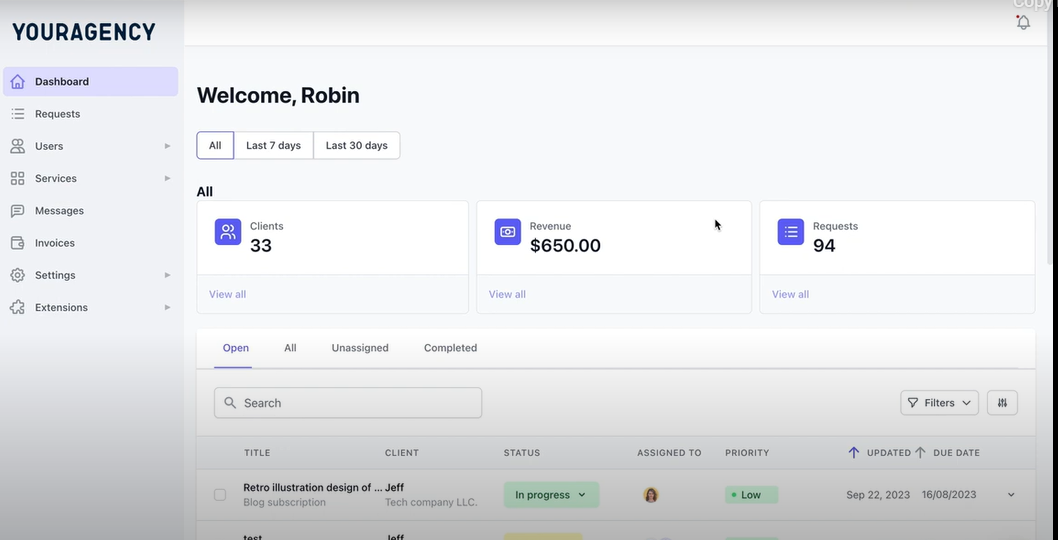
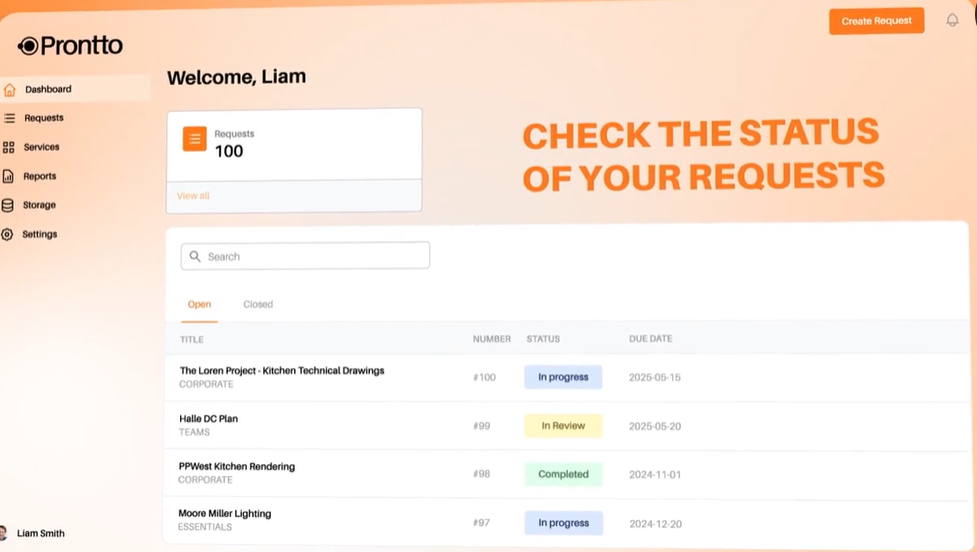
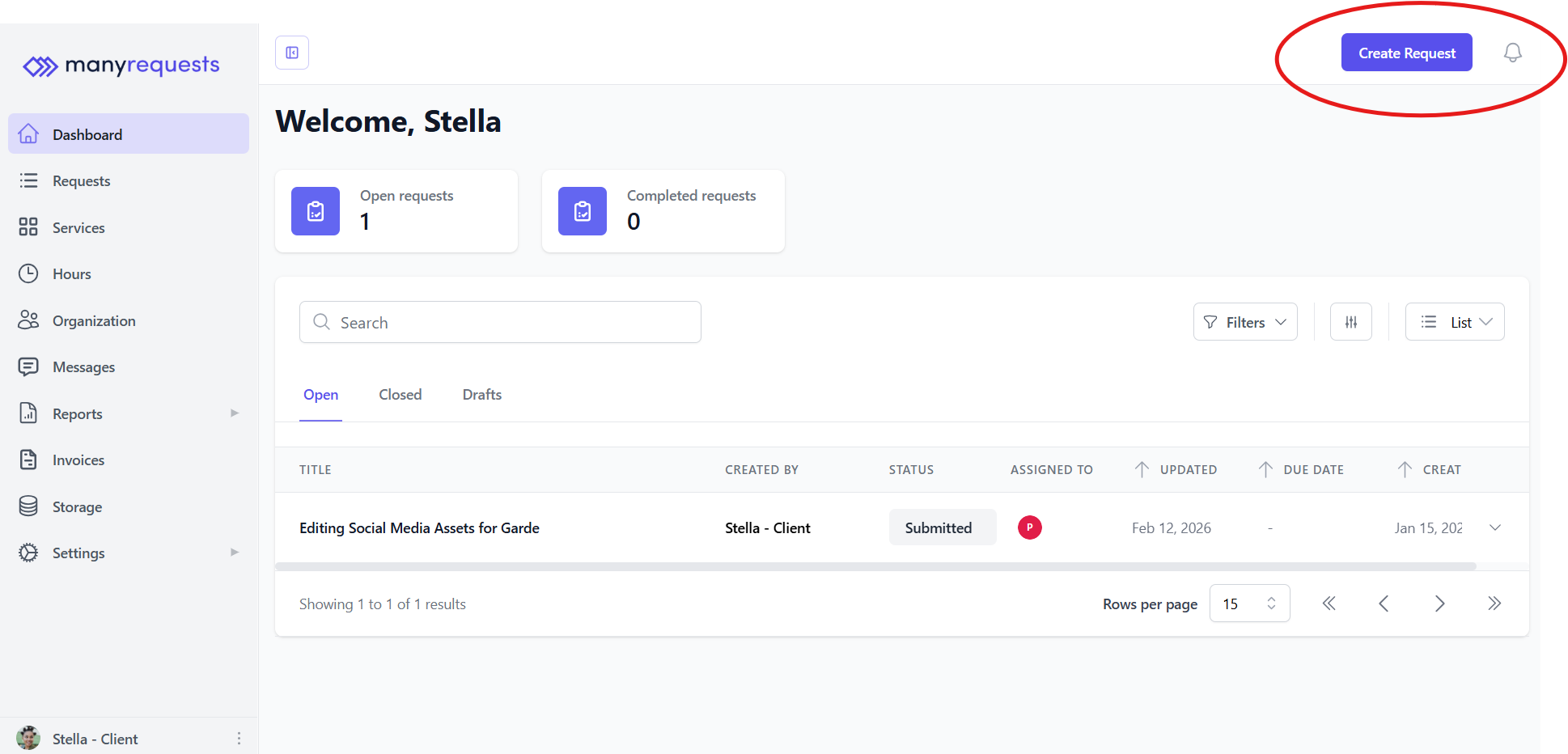
Prontto, one of ManyRequests’ clients, replaced every trace of ManyRequests' branding with their own custom logo, domain, notification emails, and favicon. Their clients log in and receive project updates without ManyRequests appearing anywhere in the experience.
They brought their client portal from this:
To this:
When you're evaluating a portal,
Here's what happens without a structured feedback process: You send a design. Your client opens it, has some thoughts, and replies with a few comments. You make the changes. They forward it to their director, who has different thoughts. And by the time the design is approved, your designer spent more time managing the conversation than doing the actual work.
A portal with proper file sharing and approval tools changes this.
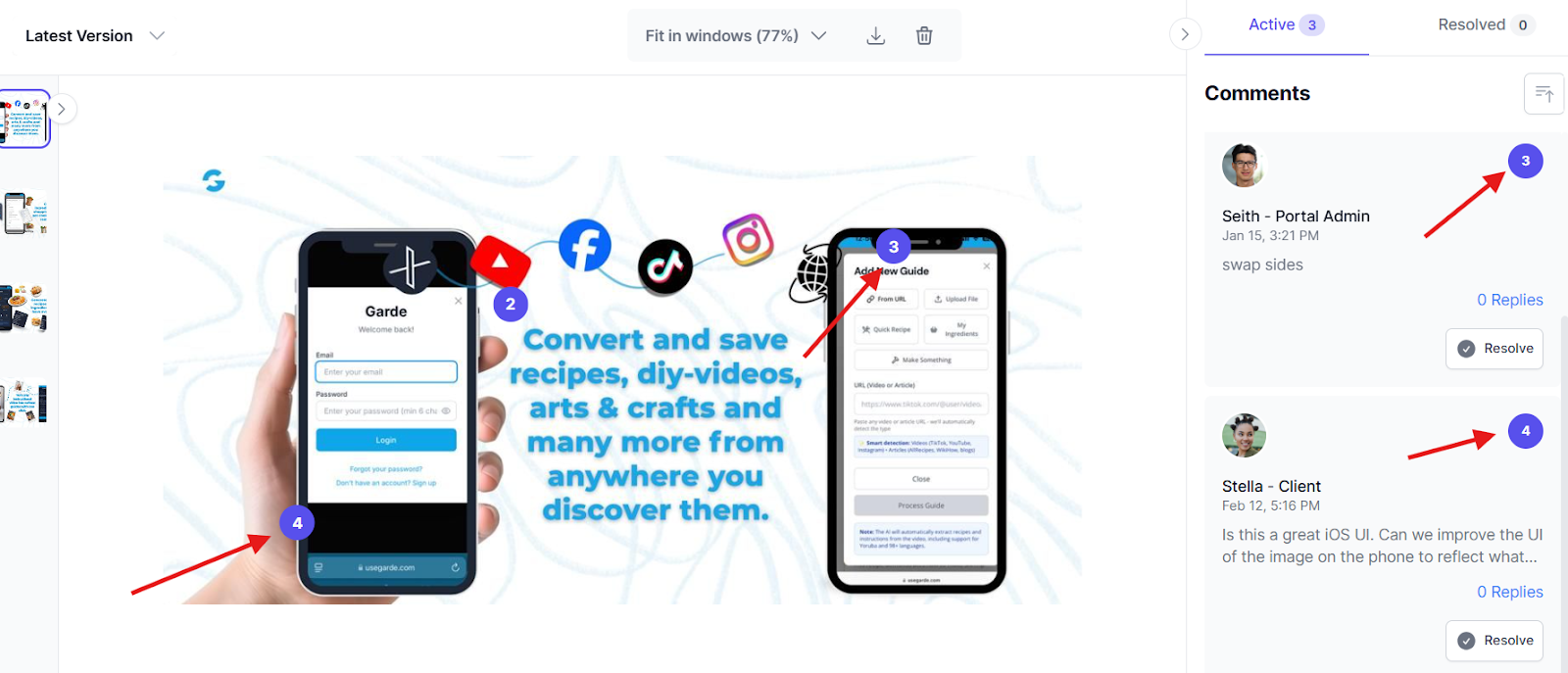
The portal should have a built-in annotation tool, that lets you send PDFs, images, and videos directly to the client, with integrations for tools like Figma and Adobe XD so your team can work without leaving the platform.
Clients can open the file from their portal, click on areas they want to comment on, and those comments attach to the annotation, like this:
Prioritize version history too. If a client asks to go back to an earlier direction, and they will, you can pull up any previous version of the document without searching Google Drive folders or asking your designer to check their downloads. It should all be in the same place as the rest of the project.
Project visibility takes the work of keeping clients informed from your team to the system.
When a client logs in and sees that their request moved from In Progress to Pending Feedback, they don't necessarily have to message you for an update again.
What visibility looks like varies by portal, but you should go for one that your clients can understand easily.
For example, a status that says "QA-2" or "Rev-B" may make sense to your team, but your client won't know what it means, even when it means their project is moving. You should go for a portal that uses plain language (In Progress, Pending Feedback, Completed).
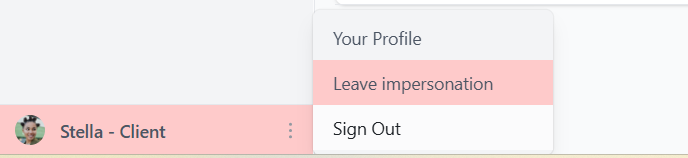
There's an impersonate feature that lets you walk through the portal in your client's shoes before they ever log in. You can see how they see task progress and what it looks like when they get updates.
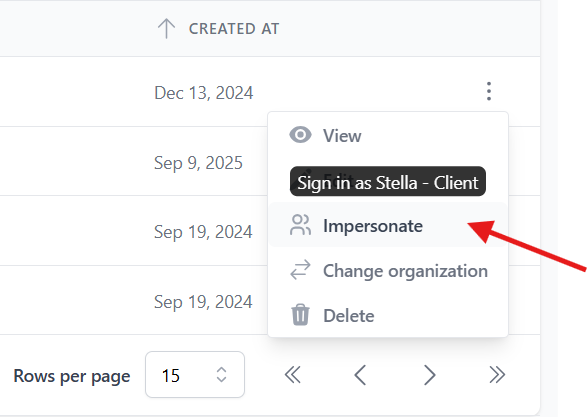
And when you're done, you can leave.
Billing is the part of agency operations that most owners have accepted as painful.
You finish the work, switch tools, create an invoice manually, send it, and wait. If the client doesn't pay on time, you follow up. If they dispute the amount, you go back through your project records to reconcile. And you do this every month for every client.
It’s okay when you're handling 2 or 3 clients, but if you have a lot of clients, this eventually becomes a part time job that someone on your team has to do alongside their own tasks.
The reason this happens is that most client portals focus on task management and file sharing, then point you toward QuickBooks or Stripe as a separate integration you manage yourself, which puts your delivery workflow in one place, and your revenue in another.
When billing is built in, the portal generates your invoice when the work is marked complete, notifies your client, and lets them pay through Stripe without leaving the platform. The client sees their invoice inside the same portal where they've been tracking their project, so they can pay without switching platforms.
Luka Mlakar, founder of Flowout, a productized design agency, ran into this problem while selling two different service types (recurring maintenance plans and hourly packages).
Their clients were constantly confused about what they'd purchased and how the project was coming along.
When Flowout moved billing into ManyRequests, it was easier for their clients to see their plan details, track their remaining hours, and access invoice history from the same portal where they submitted work.
If your client notices you respond to Slack faster than email, they'll message you on Slack. Eventually, you’d have to manage many clients on different platforms, and your team would have to track every project detail.
You can't fix this by asking clients to change their habits. You fix it by giving them one channel that's faster and easier than all the others.
So choose a portal that has a built-in messaging system tied to each request. When your client has a question, they can open the request, leave a message in the thread, and your team sees it in context, alongside the brief, the current file, and previous feedback.
This also matters when someone on your team is unavailable. If your lead account manager goes on leave and a teammate picks up their accounts, they can open any request and see the full conversation history without asking around.
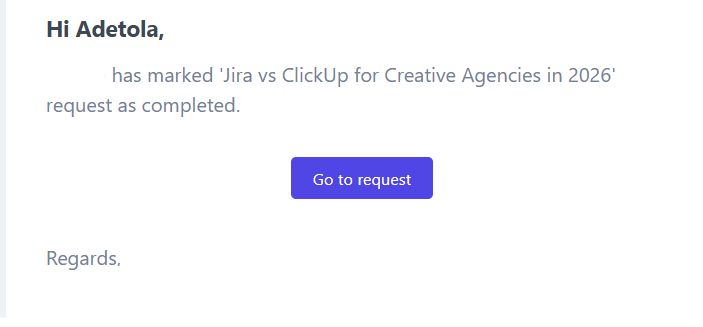
The portal notifies your client when a task moves from one status to another. They don't have to ask for updates, even when you don't remember to send one.
When you run a productized agency, the way clients buy from you is as important as the work you deliver.
If purchasing a new service, upgrading a plan, or adding a package requires a conversation with someone on your team, you've built a manual sales process into a relationship that should run on autopilot.
Here's how that plays out.
Say you run a design subscription, and a client wants to add a second seat, or upgrade to a higher tier. In a generic portal, someone on your team has to pause their work, write a proposal, send a new invoice, and wait for the client to confirm.
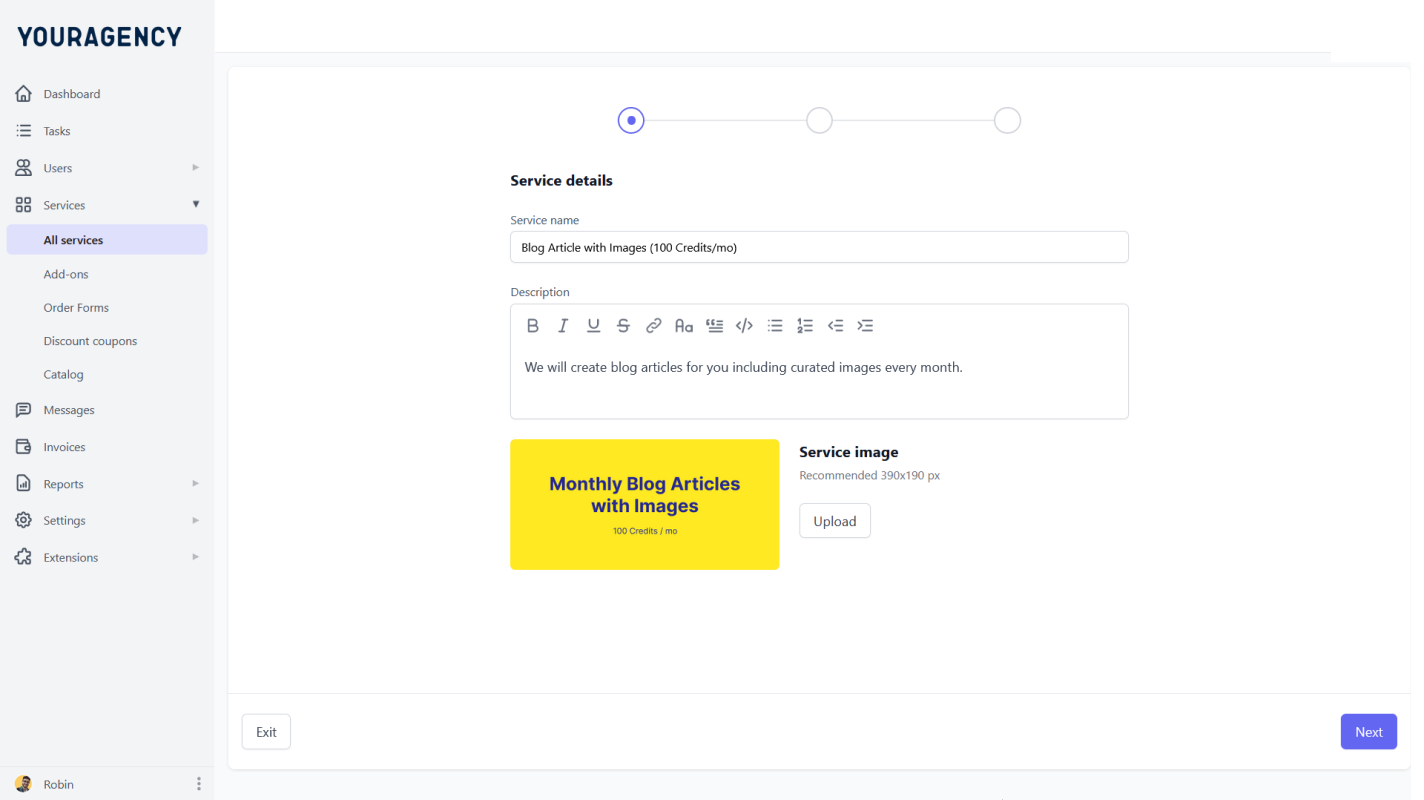
A service catalog, on the other hand, would show your packages in tiers including what it includes, so your clients can browse your packages, and compare each tier before they subscribe to any. They can do all of this without reaching out to your team.
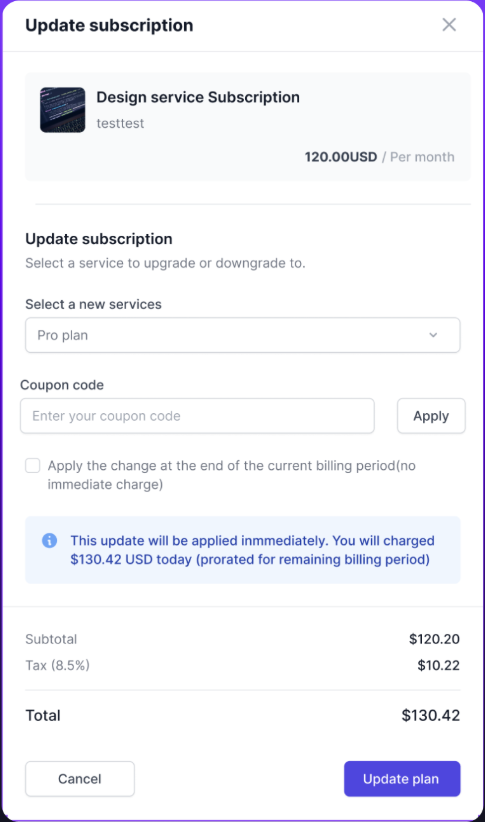
On ManyRequests, clients can see a clear breakdown of charges, including taxes and discounts, and review details before upgrading or downgrading.
Magier, a design subscription agency on ManyRequests, grew from a handful of clients to over 100 largely because their service catalog lets prospects browse, compare packages, and subscribe without a sales call. The portal should handle everything for you.
If your onboarding system is a manual process that your team has to create individual onboarding for every client, even when they are buying the same service, you should consider an automated system that does the work for you.
A well-designed client portal should automate your onboarding process. When a client subscribes to your service and logs into your portal, automated client onboarding moves them through a welcome sequence you built once.
They see an intro video explaining how your agency works, links to your process documentation, and instructions for submitting their first request. They get oriented without anyone on your team getting involved.
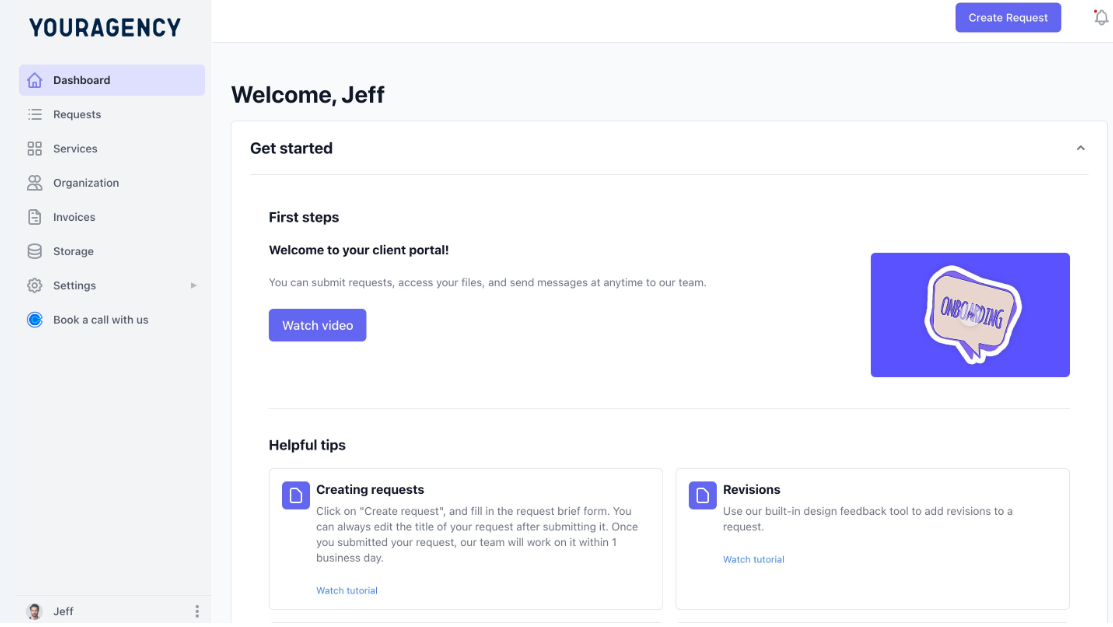
After the onboarding sequence, an intake form collects everything your team needs to start work, including the brief, assets, timeline, examples, and brand guidelines.
55Knots, one of ManyRequests’ clients, built their onboarding so cleanly that new clients move from signup to first request without a single back-and-forth email. The portal handles the welcome, the intake, and the task creation, and their team shows up to work that's already organized.
There's a version of client visibility that helps, and a version that backfires. The helpful version is when a client logs in, sees their project status, tracks their requests, and knows things are moving without emailing you.
The version that backfires is a client who can see which designer is assigned to their work, read your team's internal notes, or stumble into a conversation between you and your account manager.
Role-based access and team permissions let your clients see what they need to see, while your team sees everything.
For productized agencies specifically, you might have contractors who only work on certain client accounts, or a senior designer who should be able to see everything while a junior only sees their assigned tasks. Good permission controls let you set those distinctions by role.
Avoid portals where permissions are all-or-nothing, where:
The best portals give granular control over what each role can see and do, and those settings apply automatically every time someone new joins.
You also need control over what clients can and can't see. The best portals handle this through permission controls at the module level. You can turn off assignment visibility, hide team notes, and configure exactly what each client sees when they log in, and those settings apply automatically for every new client you onboard.
Some of the features you don't need in your client portals are:
The best approach is to evaluate a portal the way your agency will actually use it. These five questions are your what to look for in a client portal framework before you commit to anything.
Walk through your client's journey in the portal as if you were them.
If any of those steps require them to send a message to your team, the portal has a gap.
If you run a retainer agency, a portal that handles invoicing but not subscriptions is the wrong tool. Prioritize one that supports recurring billing and hourly packages if your agency sells time-based services. Before you get attached to a portal's interface, confirm that your specific billing model works natively, and you wouldn't need to add a third party to work around the restriction.
Custom domain, logo, brand colors, and complete white labelling should all be available on a standard plan. If full white-labeling is gated behind a premium tier, you’d still have to deal with the vendor’s branding until you pay more, and it's easy to miss this during a free trial when you're focused on features.
Most portals demo works well from the agency side. Then you see the client view and it's cluttered and built for someone who already understands how the tool works.
Ask to see the client-facing interface specifically. Better yet, go through it yourself as if you were a non-technical client logging in for the first time.
ManyRequests has an impersonate feature that lets you walk through the portal in your client's shoes before they log onto it.
Your clients should be able to see their project status, their files, and their invoices, but they don't need access to your internal notes, your team's capacity discussions, or the assignment details behind their tasks.
Check whether you can hide internal communication from clients by default, and whether you can control visibility at the module level. If those controls don't exist or they require manual configuration every time you onboard someone new, then that's a problem.
Reading a feature list is different from seeing how a portal works for a real agency. Here's what a typical workflow looks like for a productized design agency with 25 active retainer clients, all on monthly subscriptions.
A client, let's call him Josh, has a new project to kick off. He logs into your fully branded portal, opens the service catalog, picks the design package he needs, and pays for it without leaving the platform.
Once he checks out, he fills out the service request form (service type, format, description, due date) and submits. The portal automatically creates a task from that form, and you assign it to the right designer.
The designer picks up the task with the full brief already attached and starts work. When they're done, they upload the deliverable and move the status to Pending Feedback. The portal notifies Josh automatically.
Josh logs in, opens the file, and annotates directly on the design to flag a revision. His comment attaches to the exact area he marked. The designer opens it, sees the specific correction needed, fixes it, and resubmits. Josh approves, and the project is done.
That entire cycle (from checkout to approval) happened inside one system, without a single email or Slack message outside the portal. That's what the right client portal features look like in practice.
The agencies that manage 30 clients without burning out aren't working harder than the ones struggling with 10. They just built the right systems, and a big part of that system is a portal designed for how they actually work.
A portal built for productized agencies will handle intake, delivery, feedback, billing, and client communication without a lot of input from your team. It should also give your clients a professional experience that improves their communication and trust in your agency.
Run any portal you're evaluating through the five-question checklist before you commit. And if you want to see what it looks like when all of it works together, start a free 14-day trial of ManyRequests (no credit card needed), or book a call directly with the founder to discuss your agency needs.
A client portal needs five core features: white-label branding, structured request intake, project visibility with permission controls, built-in billing, and threaded messaging tied to specific requests. For productized agencies running recurring services, add a self-serve service catalog, automated onboarding, and role-based permissions to that list.
It depends on your business model. If you run a productized agency with recurring clients, ManyRequests covers the full delivery cycle (intake, project management, design feedback, billing, and client communication) in one platform.
Yes. Project management tools coordinate your internal team. A client portal handles client intake, communication, and billing. They do different jobs, and conflating them usually means your clients are navigating a tool built for your team, and not for them.
Pick a tool that fits your delivery model, configure your branding first, then build your service catalog and intake forms. Onboard one client as a test run before you migrate everyone. Most agencies set up ManyRequests in a few hours.
1. See how ManyRequests works in real life. Start a free trial and experience how productized agencies centralize requests, reduce chaos, and streamline delivery, without changing their entire workflow.
2. Read our Implementation Guide to launch smoothly with your team and clients.
3. Follow us on LinkedIn and YouTube for practical agency growth strategies
4. Check out The Productize Blueprint to learn how to turn your services into a scalable, productized offer.
Adetola Rachael Iyanuoluwa is a B2B SaaS writer and content marketer with 4+ years of experience creating SEO, human-focused content. She writes in-depth how-to guides and comparison articles content that help SaaS companies grow organic traffic and turn readers into customers. At ManyRequests, she produces practical, well-researched content that helps agencies and service businesses streamline operations and scale sustainably.

