We Reviewed 5 Best CRM for Productized Agencies in 2026
Find the best CRM for agencies. Compare tools built for client management, recurring services, and scaling productized agencies in 2026.

Adetola Rachael Iyanuoluwa

Productized agencies that still rely on Slack and email to manage clients, even after adopting a CRM, probably have a tool mismatch.
Most CRM software is built for sales teams. It tracks leads, moves deals through stages, and marks them as closed. But for a productized agency running retainers and subscriptions, that’s only the beginning of the client relationship. There’s no structured intake for recurring work, no client-facing portal, and no connection between what was sold and what gets delivered.
So the deal closes, and everything that follows becomes manual.
A user on Reddit complained about how traditional CRMs took so much time, but were still inefficient.
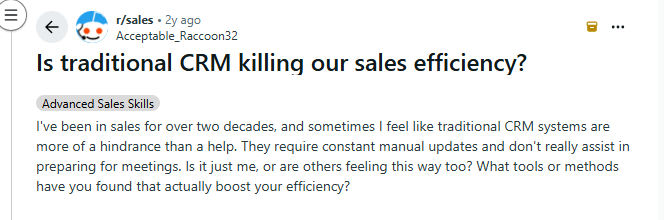
“I've been in sales for over two decades, and sometimes I feel like traditional CRM systems are more of a hindrance than a help. They require constant manual updates and don't really assist in preparing for meetings. Is it just me, or are others feeling this way too?”
The right CRM for a productized agency connects sales, delivery, and billing into a single system, so the client relationship continues after the contract is signed.
This article looks at five tools that approach that problem from different angles, including traditional CRMs that handle the pipeline and platforms designed to manage the full lifecycle from first payment to renewal.
A productized agency has a different client relationship problem than a consulting firm or a sales team. You're not closing a deal and moving on. You're delivering the same service, to the same clients, every month. That changes what a CRM actually needs to do.
Here are the five things a CRM has to get right for a productized agency:
You still need to track leads and move proposals forward, but it's a simpler process for productized agencies, compared to the traditional sales team's. You're selling a fixed service at a fixed price, so what matters is knowing where each prospect stands and following up at the right time, and a CRM tool can handle that without spreadsheets.
New clients must complete briefs, share assets, and accept timelines. A repeatable onboarding flow ensures every new client goes through the same intake process, so nothing gets missed and your team can start delivery on time.
The CRM should show who’s on which plan, what each plan includes, billing cadence, and renewal dates. If that information is scattered across tools, you would always have to chase it down before a billing date.
It should be able to track what your team promised and what they delivered. When there's no place to see the original agreement alongside active work, clients can push for more, because they know you really don't have a way to support your rejection, and that's how scope creep sets in.
Clients ask questions and they make decisions in chats. If a dispute or escalation comes up, having the full conversation in one place makes it much easier to sort out what happened and keep the relationship on track.
That said, a CRM could offer some of these, and still not be the best fit for your agency.
Most CRMs stop working for you the moment a client signs. They were built for sales teams whose job ends at the closed deal. But that's where the actual work starts for a productized agency.
Here's five ways traditional CRMs won't work for a productized agency:
Traditional CRMs keep the client invisible. Your team can open a contact record, but the client can’t. They also can’t log in to check progress or submit a new request without sending a message.
So instead of a clean workflow, you get a stream of emails and Slack pings that someone then has to copy back into the CRM. It’s extra admin work and it allows for things to slip through the cracks.
A productized agency delivers the same type of work repeatedly, so every new request should start with a complete brief, submitted through a consistent intake form. Most CRMs don't have this. Requests come in however the client wants to send them, which means your team spends time chasing information before work can even begin.
You track relationships in your CRM, but revenue lives elsewhere. To bill a retainer you open a billing system, create the invoice, and reconcile it against delivered work.
With ten retainer clients, that adds hours of admin every billing cycle. When a client pauses, upgrades, or changes scope, you have to update the same information in multiple systems.
Productized agencies run the same workflows repeatedly: your team onboards a subscriber, processes a monthly request, and handles revisions. Those should work out of the box. You shouldn’t have to build fragile custom automations in a tool that wasn't designed for them. Yes, most CRMs can be bent into shape, but the setup takes time and breaks easily.
You don’t need one tool to do everything — but you do need to know where your CRM stops. Some tools focus on pipeline, others extend into delivery and billing. These are five CRM tools that productized agencies use, depending on how they structure that split:
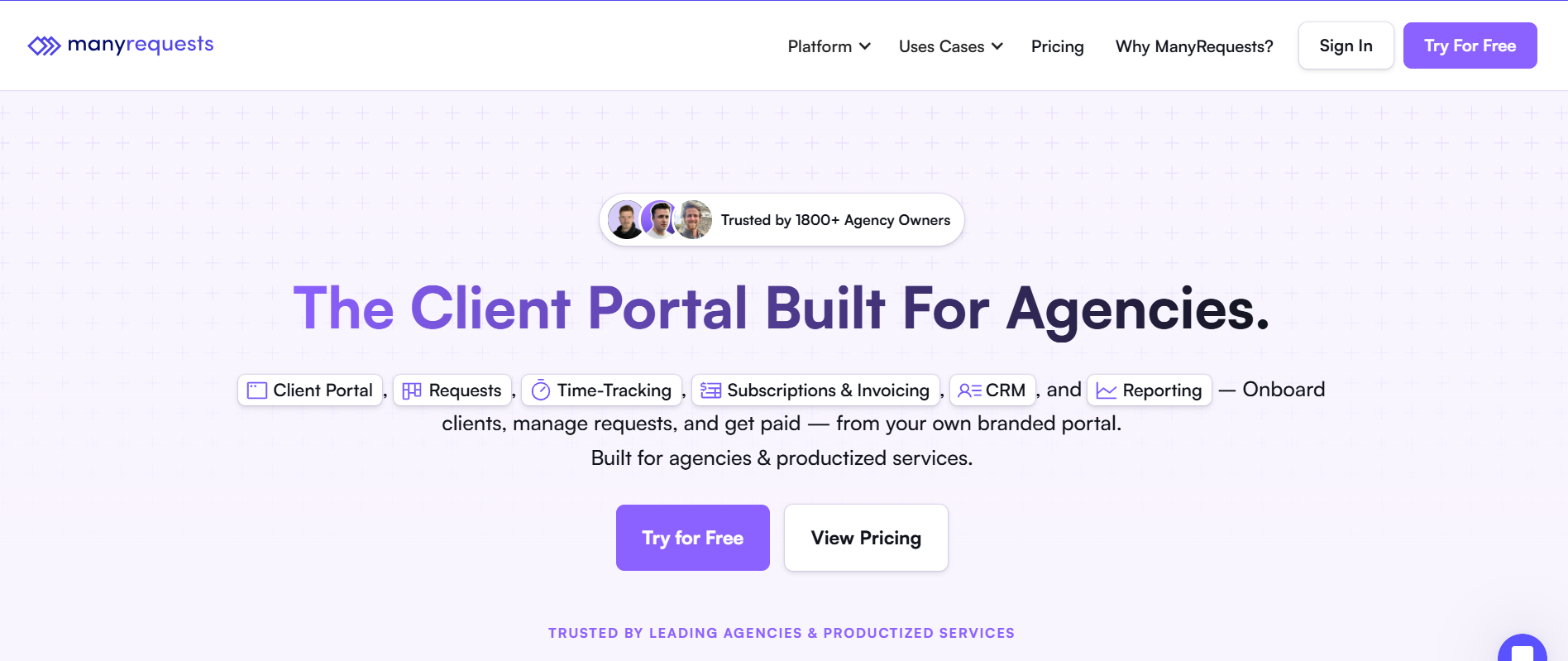
Best for: Productized agencies that want one system for client relationships, request delivery, and billing.
Most tools on this list cover the CRM side of the job: pipeline, contact records, communication history. ManyRequests covers that too, but it also covers what happens after the deal closes. This includes request intake, delivery tracking, client communication, billing, and reporting all live in the same platform.
For a productized agency running retainers and subscriptions, that's the difference between a tool that helps you sell and a tool that helps you run the business.
Here's how it works in practice.
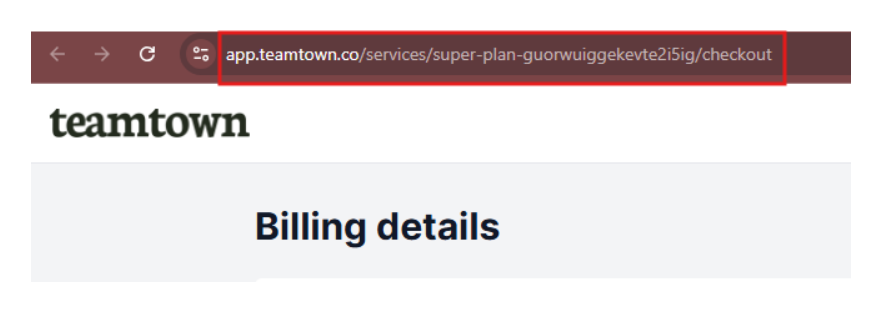
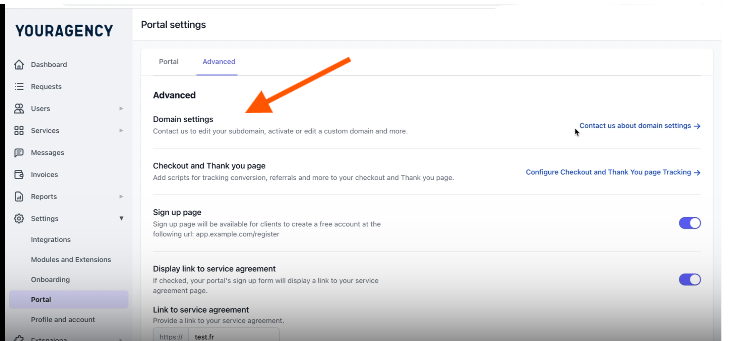
When a client signs with your agency, they get access to a branded portal at your custom domain.
You can customize this client portal to your agency taste, including changing the colors, favicon, logo, and even the Powered by logo.
From this completely customized portal, your clients can submit requests, track active projects, review deliverables, and pay invoices without sending you a single email.
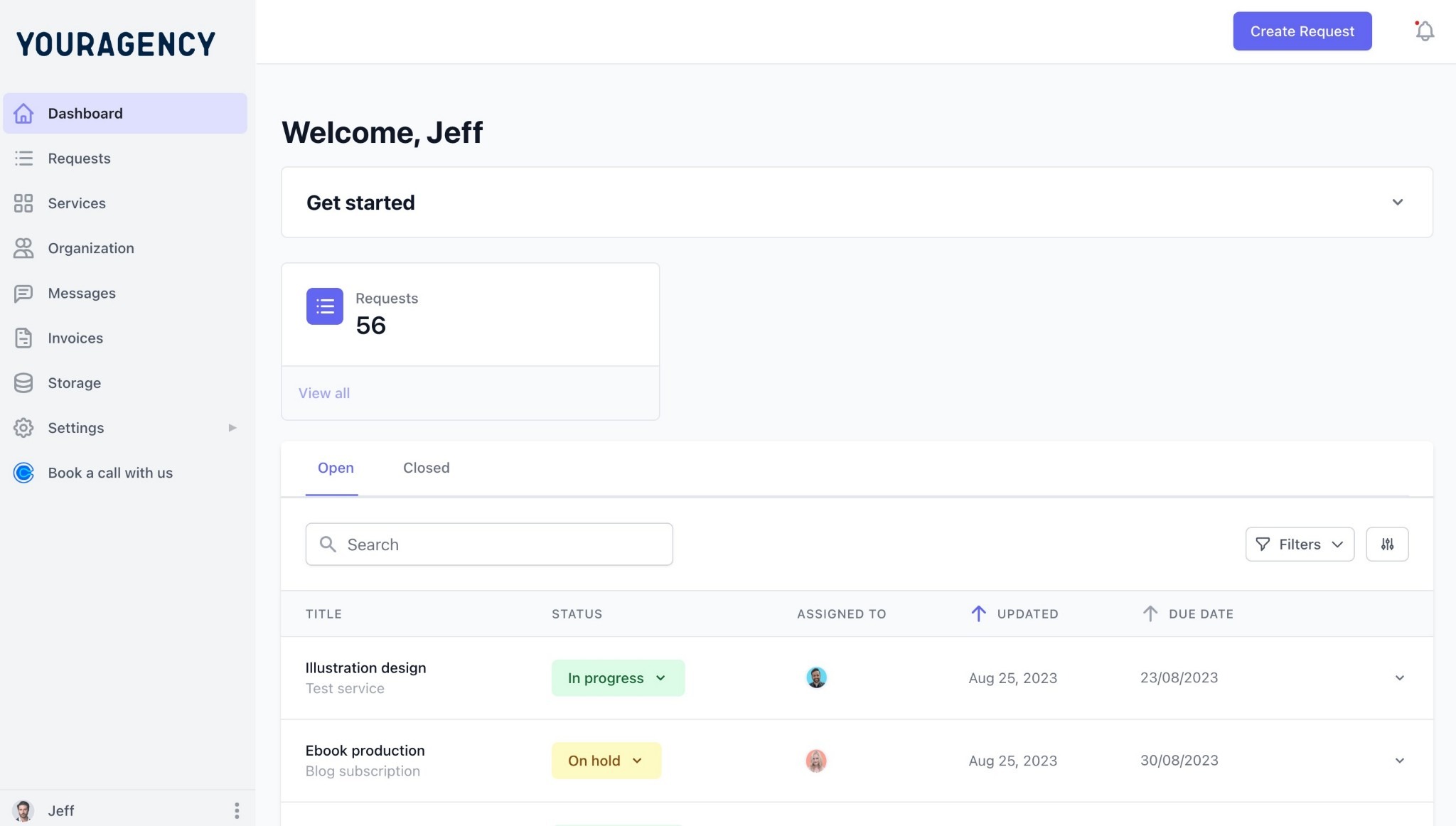
This is where the CRM function differs from a standard sales tool.
In HubSpot or Pipedrive, the client record exists for your team only. In ManyRequests, the client has their own live view of the relationship.
Agencies like Flowout and SquidPixels, with over 17,000 design requests on the platform, use ManyRequests Client Portal as the primary touchpoint for every client interaction.
Productized agencies sell fixed services. ManyRequests lets you build a Service Catalog that clients can browse and buy directly from your portal.
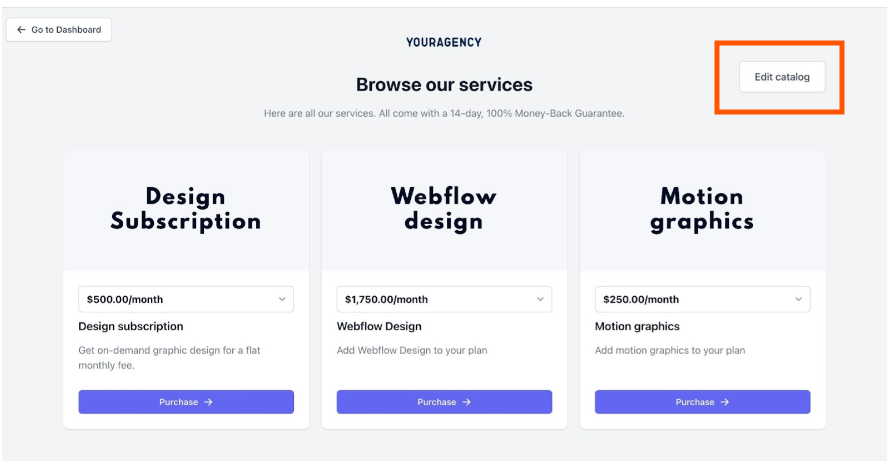
When a client selects a service, ManyRequests shows them a service request form, that's you’ve customized based on the services clients pick. The service request form asks all the necessary questions you need to know about the project, including website goals, brand guidelines, and competitor examples.
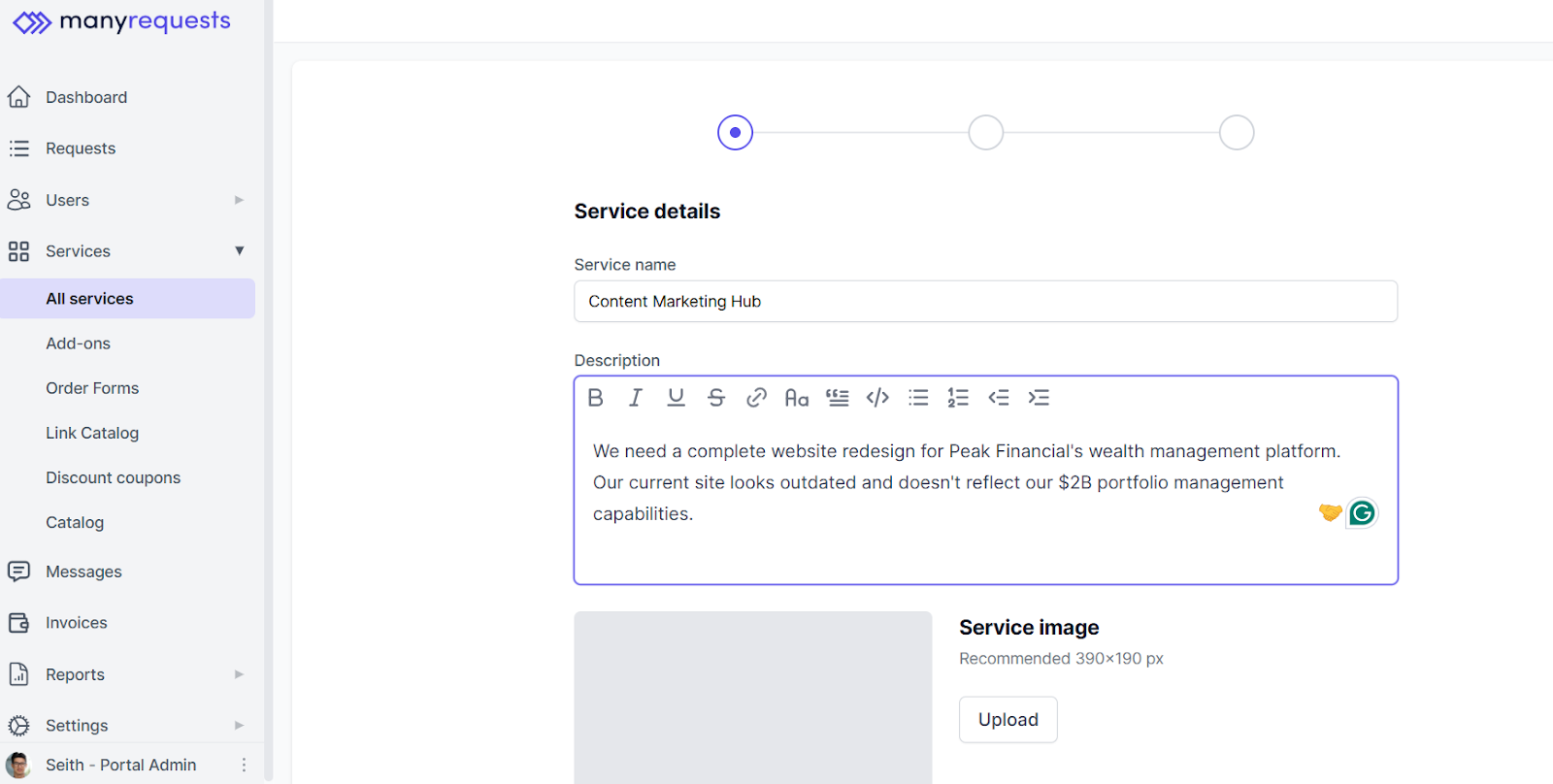
When the client submits the form, ManyRequests automatically converts it into a task in your dashboard.
From the dashboard, you can see your team’s availability and capacity, and assign work to who's available. The team member you assign the work to, comes online, logs their hours, and get straight into work.
ManyRequests takes your client to the checkout page after they pick a service to pay before you start work.
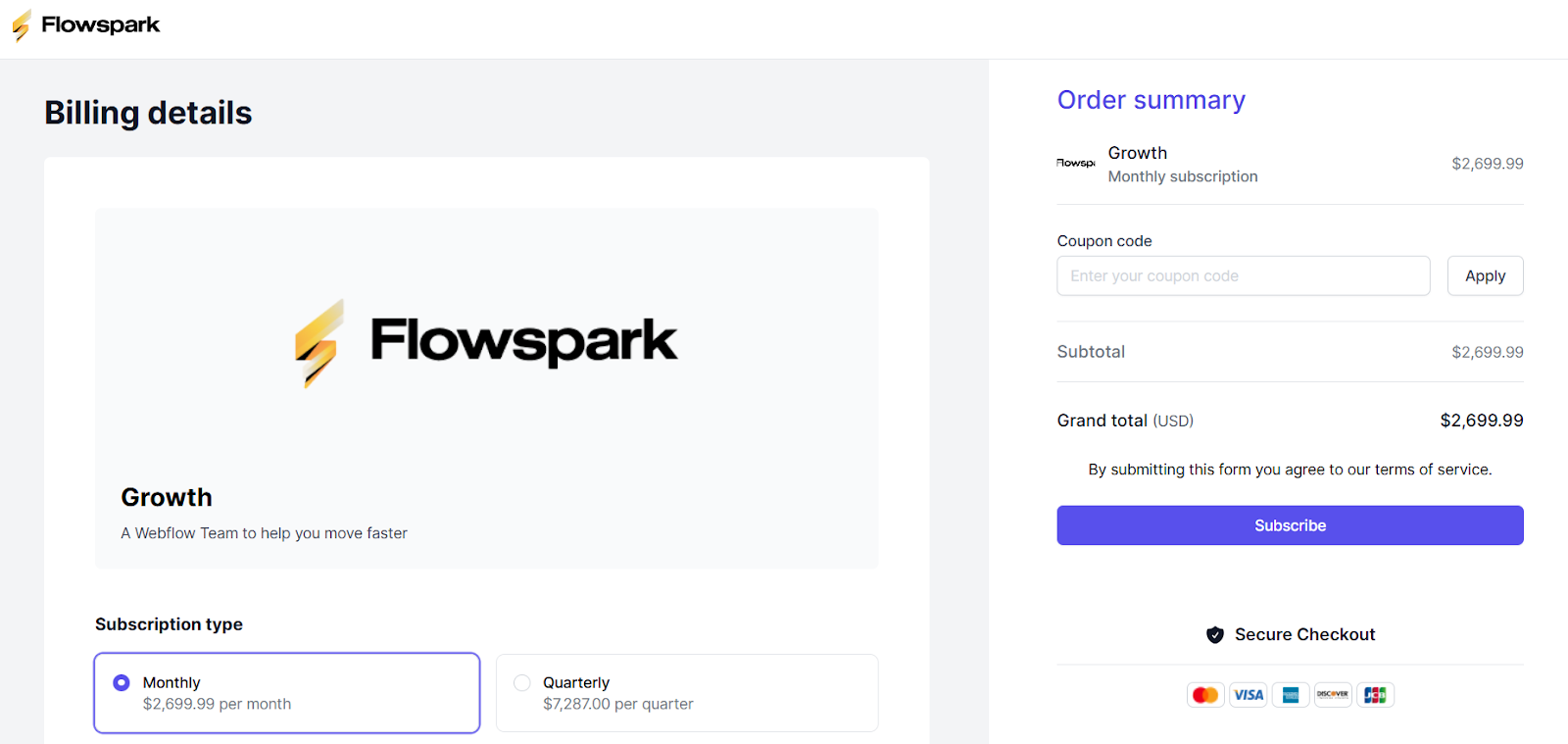
But in cases where you provide hourly billing or per-request pricing and one time payment, ManyRequests has a billing feature that helps you document and send invoices to your client straight from the platform.
For example, when your team member completes the projects, and logs all their hours, the system converts the time tracked into a billable amount.
ManyRequests generates the invoice directly from your team’s logged hours and defined rates, and sends it to your client in the client portal.
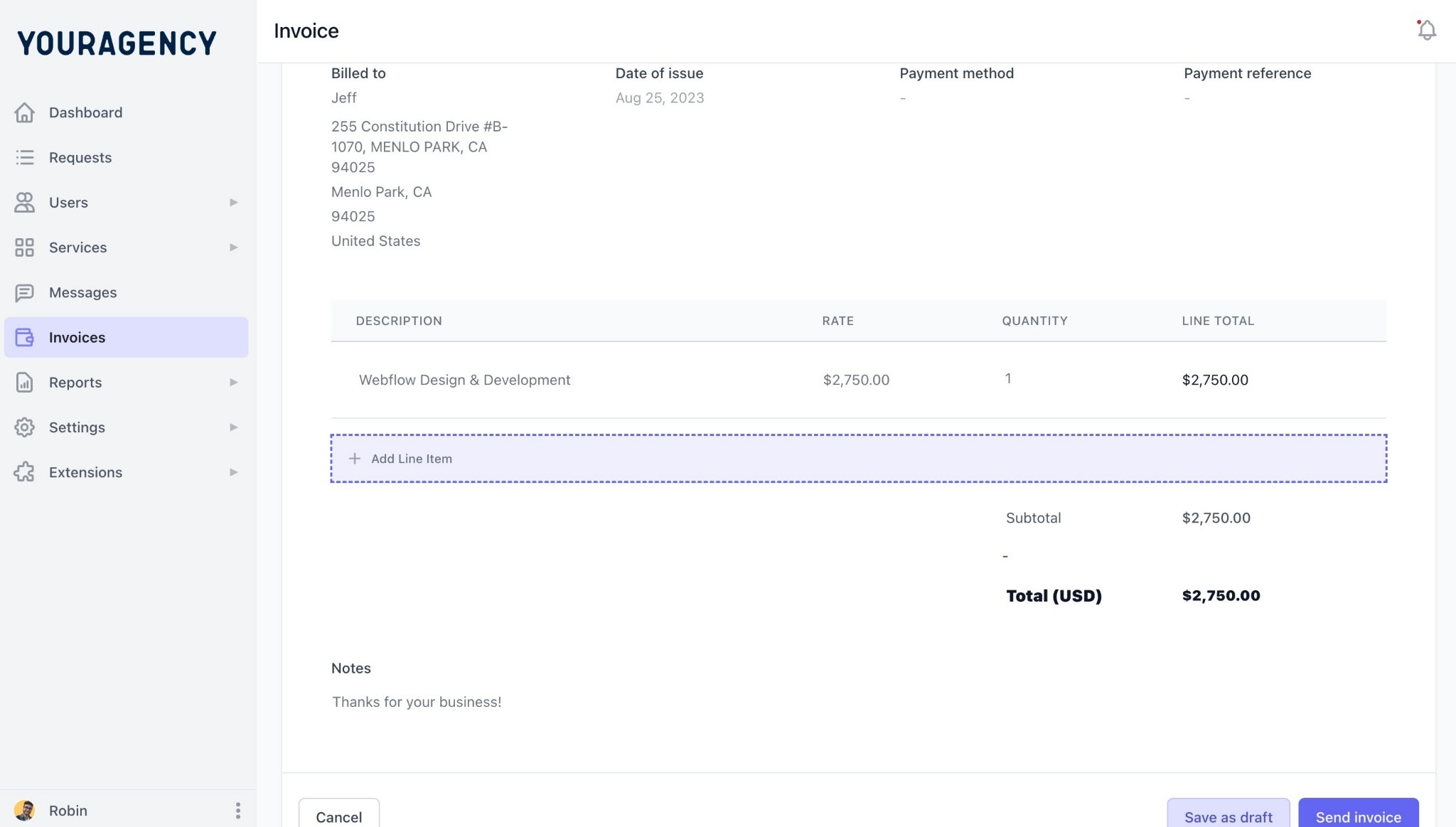
The system also integrates with Stripe, so clients can process your payment directly from the portal.
Every client in ManyRequests has a consolidated profile and history, including their active projects, billing history, messages, notes, and service subscriptions in one place.
Your team can search across client records, add internal notes, and see which clients haven't logged in recently, which is a useful signal for accounts at risk of churning.
ManyRequests has an Internal comments feature that lets you add notes that the client won't see, handoff context, account flags, anything your team needs to stay aligned without looping in the client.
All plans include unlimited clients.
Sign up for a 14-day free trial with ManyRequests. You can set up your Service Catalog, onboard a client, and run a full billing cycle before you commit.
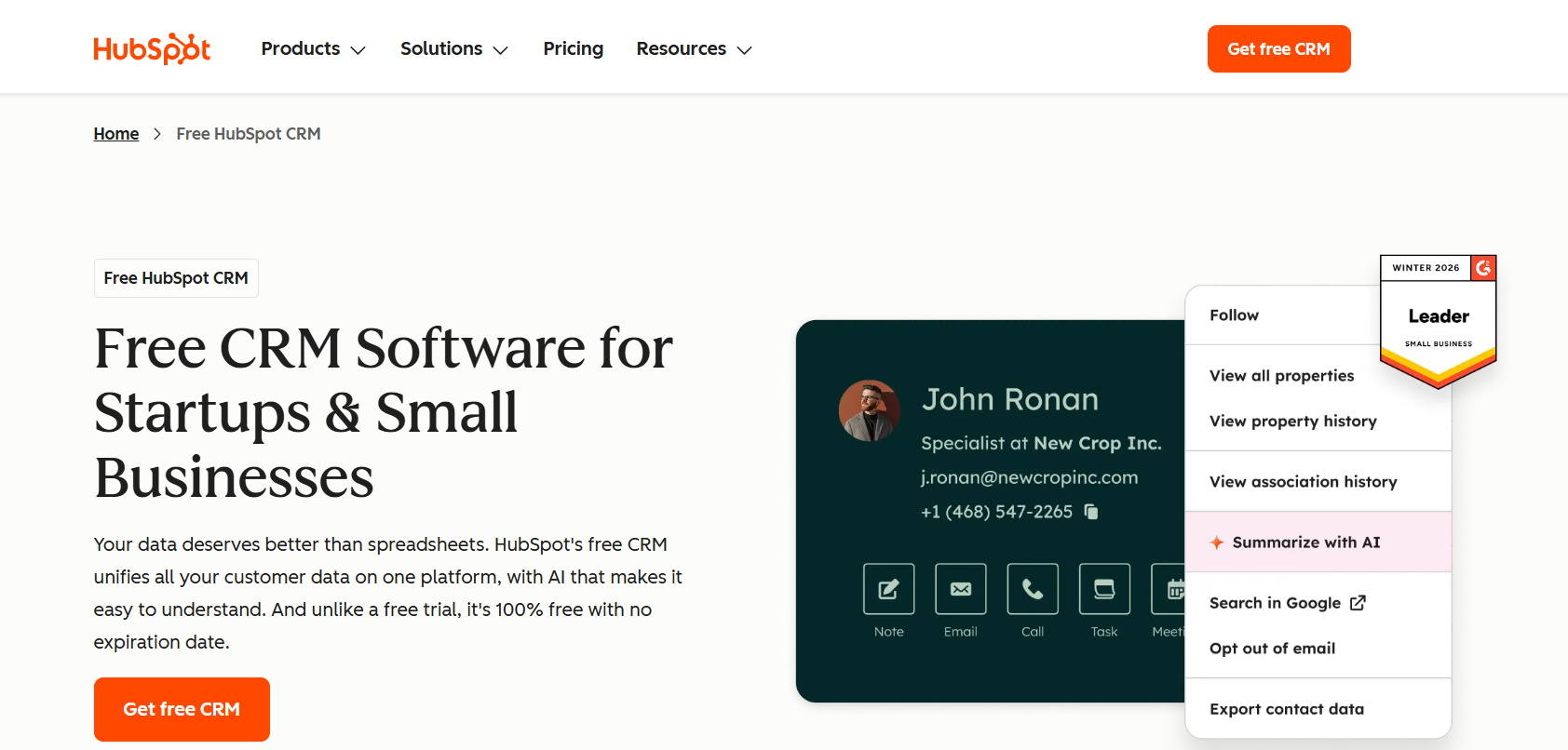
HubSpot is one of the most capable sales CRMs available. If your agency has a sales team working leads through a pipeline, HubSpot gives them everything they need: contact management, deal tracking, email sequences, meeting scheduling, and detailed reporting on where prospects drop off.
For agencies where new business is a real operation (not just inbound inquiries) that depth is genuinely useful.
The problem starts after the deal closes.
HubSpot has no general client portal for ongoing work. Once a prospect becomes a client, they remain a contact record your team manages internally. There's no branded space for them to log in, submit requests, or track active work. Everything still happens over email. Your team logs those interactions back into HubSpot manually, or they don't, and the record becomes incomplete.
There's also no native billing tied to delivery. HubSpot has payment features, but they're built around sales collecting a deposit or charging for a one-time service.
You’ll need to integrate with accounting tools like Stripe or QuickBooks, to track billable hours, and generate invoices from completed work.
For a productized agency running recurring services, HubSpot works best as the front end of a two-tool setup: HubSpot for sales, ManyRequests for delivery. That combination covers the full client lifecycle, but it means maintaining two systems, two sets of client records, and a manual handoff between them every time a deal closes.
If your agency is small and most clients come through referrals rather than a managed pipeline, HubSpot is more of a tool than you need. Its free plan is genuinely generous, but the features that make it powerful (sequences, reporting, automation) are in a paid tier that add up quickly as your team grows.
Limitations: HubSpot is built for sales teams. It tracks the relationship up to the signed contract and does that well. But it doesn't work for what comes next, including request intake, delivery tracking, subscription billing, or client-facing visibility into active work.
Pricing
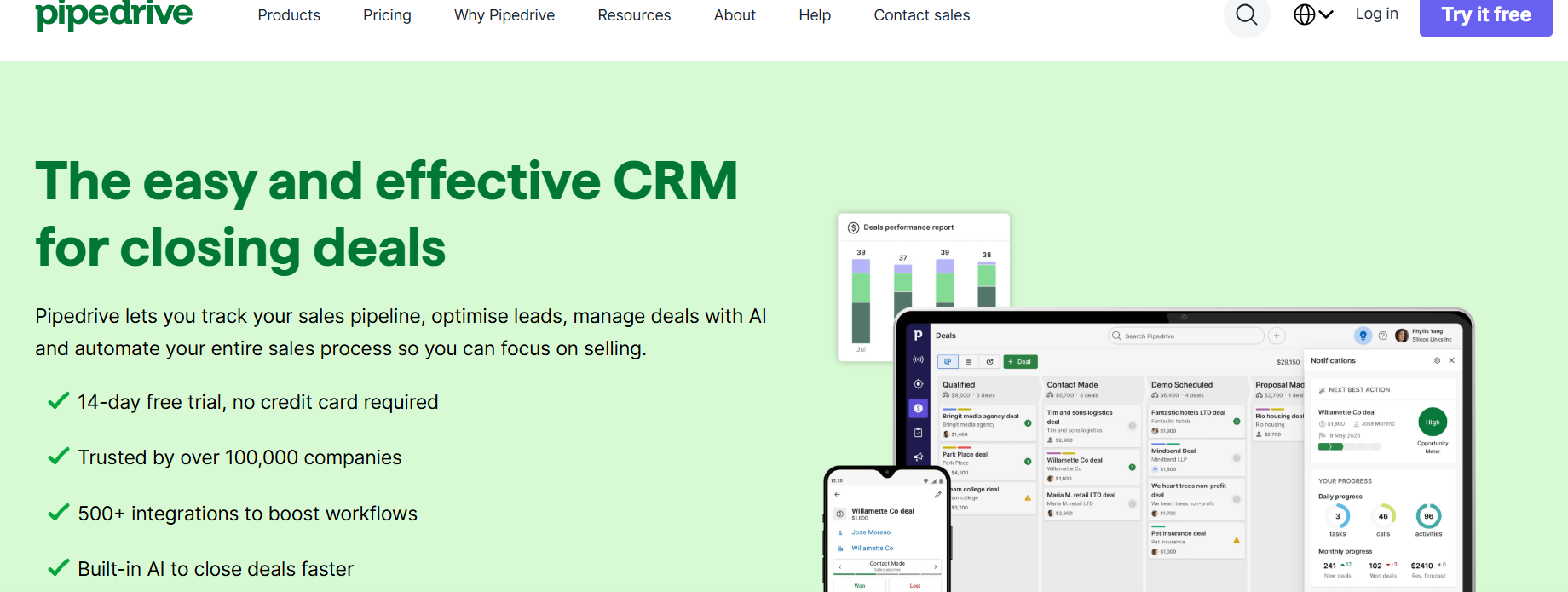
Pipedrive makes managing a sales pipeline genuinely easy. The interface is visual and intuitive, deals move through stages with minimal friction, and the reporting gives you a clear picture of where new business stands at any point. For an agency owner who's also the primary salesperson, that simplicity matters.
Where Pipedrive pulls ahead of HubSpot for smaller agencies is pricing structure. HubSpot charges per seat, which gets expensive fast as your team grows. And while Pipedrive does too, the core features are available at lower tiers without being locked behind enterprise plans.
But Pipedrive is a sales tool, and it stays in that lane. There's no client portal, no request intake, no delivery tracking, and no subscription billing. Once a deal moves to closed, the client lives in your contacts list and the relationship management moves back to email and Slack. For a productized agency running retainers, that means Pipedrive covers roughly the first 10% of the client relationship and nothing after.
Like HubSpot, Pipedrive works best as the sales front end of a two-tool setup for productized agencies. It handles the pipeline cleanly. But for a productized agency where most of the operational complexity happens after the sale, you'll need a delivery platform alongside it to cover the full crm for agencies job.
Limitation: Pipedrive's automation and reporting features, which are where the real operational value lives, are locked behind the Lite plan and above.
Dubsado is a popular choice for freelancers and one-person service businesses, and it earns that reputation. It combines proposals, contracts, invoices, client questionnaires, and a basic client portal into one tool at a flat monthly price.
For a solo designer or consultant managing a handful of clients, that combination covers a lot of ground without requiring multiple subscriptions.
The flat pricing is also genuinely attractive. Unlike HubSpot or Pipedrive, Dubsado doesn't charge per seat. One subscription covers your whole operation, which makes the cost predictable regardless of how many clients you're managing.
The limitations show up quickly when a team enters the picture. Dubsado has no meaningful workload management. You can add team members, but there's no way to see who's handling what, balance assignments across your team, or track delivery performance at a team level. If you're a solo provider, that's fine, but it creates a lot of blind spots for a productized agency with three or more people delivering work.
Subscription and retainer management in Dubsado are underdeveloped. While it handles one‑off project billing well, running recurring monthly services across multiple clients quickly becomes unwieldy as your client base grows. There’s no true service catalog, no structured request intake for recurring work, and no centralized delivery queue your team can pull from.
Dubsado works well for agencies in the early stages, with one or two team members and clients who want a polished, pro‑tier experience without a complex client portal. But once you’re managing a full team and delivering recurring services at scale, it tends to slow you down more than it supports you.
Assembly (Formerly Copilot) is closer to ManyRequests on this list than other sales CRMs we’ve mentioned. The system is built around the client portal experience rather than a sales pipeline, which makes it a more natural fit for service agencies managing ongoing client relationships.
The core offering is solid. Clients get a branded portal where they can exchange messages, access files, sign contracts, submit forms, and view invoices. Your team manages everything from a central dashboard.
The CRM features are lighter than a dedicated sales tool but it's sufficient enough for managing existing client relationships. You can track client details, communication history, and billing status across accounts.
Where Assembly differs from a pure sales CRM is that it's oriented toward the active client relationship rather than the pipeline leading up to it.
The limitations show when delivery gets complex. Assembly has no native project management or delivery queue. Your clients can send their requests in through forms, but Assembly doesn't provide a structured system for assigning work or managing workload.
This matters if you're a productized agency that delivers recurring services to multiple clients at the same time.
Customization is also more limited than ManyRequests. Assembly offers white-label branding on higher plans, but the portal structure is largely fixed. You work within Assembly's framework rather than building your own.
For agencies that want their client portal to reflect a specific brand experience, it's a constraint.
Pricing is also per internal user, which adds up as your team grows. Client seats are free, but every team member managing client work counts toward your monthly cost. Assembly's lowest tier is $59, for one team member and 50 clients, which is the same amount ManyRequests charges for unlimited clients. The more you scale, the more you have to upgrade your tiers and spend more money.
The table below evaluates each tool against what a productized agency actually needs from a CRM for agencies: not just pipeline and contact management, but the delivery infrastructure that follows the sale.
Agencies with productized services need a system that keeps working after the deal closes (think request intake, delivery tracking, subscription billing, and a client portal that gives visibility without adding to your team’s workload).
Many productized agencies end up using HubSpot or Pipedrive for sales, Dubsado for onboarding, and another tool for delivery. Assembly covers the client portal, but not the full delivery workflow. If you’re running a team and delivering recurring services, ManyRequests is built to manage the entire client relationship in one place. Sign up for a 14- day free trial to see how it works.
The best CRM for marketing agencies depends on what part of the client relationship you need to manage. If your priority is pipeline and lead management, HubSpot is the strongest option. If you need to manage the full client lifecycle (from signed contract through recurring delivery and billing) ManyRequests is built for that.
Yes, but not necessarily a traditional one. A standard sales CRM tracks leads and closes deals. A productized agency's biggest operational challenge is delivering recurring services consistently, and managing billing with retainer clients. That requires a system that's also oriented around delivery. ManyRequests functions as a CRM for the post-sale relationship, including client records, communication history, request tracking, and billing.
For most productized agencies, yes. ManyRequests covers the core CRM functions a productized agency needs: client records, communication history, billing status, and account health signals like login recency. If your new business comes primarily through referrals, inbound inquiries, or your website, ManyRequests handles the full client relationship from first payment to renewal without a separate CRM.
1. See how ManyRequests works in real life. Start a free trial and experience how productized agencies centralize requests, reduce chaos, and streamline delivery, without changing their entire workflow.
2. Read our Implementation Guide to launch smoothly with your team and clients.
3. Follow us on LinkedIn and YouTube for practical agency growth strategies
4. Check out The Productize Blueprint to learn how to turn your services into a scalable, productized offer.
Adetola Rachael Iyanuoluwa is a B2B SaaS writer and content marketer with 4+ years of experience creating SEO, human-focused content. She writes in-depth how-to guides and comparison articles content that help SaaS companies grow organic traffic and turn readers into customers. At ManyRequests, she produces practical, well-researched content that helps agencies and service businesses streamline operations and scale sustainably.

