The Productize

- Productized agencies need project management software that connects client requests, service limits, billing, and delivery, not just internal tasks.
- ManyRequests is best suited to productized and retainer agencies that want requests, subscriptions, client portals, billing, and time tracking in one place.
- Teamwork is a strong choice for project-based agencies that need budgets, billable time tracking, and profitability controls.
- Productive stands out for resource planning, team capacity, and agency profitability.
- ClickUp, Asana, and monday.com offer more customizable workflows, but agencies may need to configure and maintain more of the client delivery process themselves.
- The best agency project management software should help you manage request intake, ownership, capacity, client collaboration, service limits, and invoicing.
If you’re searching for agency project management software, you’re probably trying to find a place to work directly with clients without taking projects via email and Slack. There are several options on the SERP, and they all look attractive until you realize they weren’t designed for productized services.
For context, if you’re a productized agency, you’ll need agency project management software with a client portal to onboard clients so you can work 1:1, since they’ll provide recurring tasks every 24 or 48 hours. You’ll also want to manage their subscriptions, track hourly projects, manage all tasks, see an overview of which projects or services contribute more to your profits, and automatically send invoices.
But if you manage big, one-off projects, you’re probably not looking for a client portal, and you won’t mind writing your invoices because you don’t have a consistent payment structure with your clients.
For these different needs, you need different types of agency project management software. In this article, we’ll focus on tools for productized agencies so you can make the best decision to help centralize your work and reduce administrative overhead.
6 Agency Project Management Software Compared
Strapped for time? I compared how each tool handles client requests, access, and multiple payment modes, so you can see where/how they differ:
| Tool | Best For | Client Portal or Access | Request Intake | Billing and Retainers Structure |
|---|---|---|---|---|
| ManyRequests | Productized agencies selling recurring services | White-label portal for requests, deliverables, and invoices | Service-specific briefs linked to purchased services; forms turn submission into tasks | Allows subscription billing through Stripe; supports hourly and credit-based packages. |
| Teamwork | Agencies billing by project or time | Client accounts with access to selected projects | Forms capture and route work requests | Retainer budgets and invoices built from logged time; accounting integrations. |
| Productive | Agencies prioritizing margins and team utilization | Client accounts with controlled project and budget access | Forms with automations; public forms require Ultimate | Built-in invoicing; recurring budgets can generate invoice drafts. |
| ClickUp | Agencies building custom delivery workflows | Guests access selected tasks and folders | Forms turn submissions into tasks | Connect billing tools such as Harvest; configure delivery and billing separately. |
| Asana | Agencies coordinating work across teams | Guests access shared tasks and projects | Forms create tasks with briefs and attachments | Client invoicing through integrations such as TaskBill. |
| monday.com | Agencies organizing work through custom boards | Guests collaborate on shareable boards | WorkForms turn submissions into board items | Connect accounting tools such as QuickBooks to sync invoice data. |
For productized agencies, ManyRequests connects purchased services to client requests and subscriptions. Teamwork and Productive can be a good fit for agencies working with strict client budgets so they can show how they spent it, while ClickUp, Asana, and monday.com allow you to create customizable workflows for management tasks. Here’s how those tools compare:
6 Things to Check in Agency Project Management Software
- Can it capture complete client requests? Check whether you can bring requests into the system and collect a detailed brief upfront so your team can start work as soon as it’s created.
- Can it show what needs to be done and who owns what? Look for a tool that provides clear statuses, priorities, deadlines, and assignees so everyone knows what to work on next.
- Can it show capacity before you assign work? Check whether you can see your team’s workloads and availability, so you avoid overloading teammates or promising unrealistic deadlines.
- Can clients review work without seeing internal discussions? Check whether you can give clients access to project progress, files, feedback, and approvals so they collaborate with you more easily.
- Can it manage the way you sell services? Check whether it supports your productized agency pricing model and tracks package limits, hours, or credits, so your team knows what each client is entitled to.
- Can it turn delivered work into accurate invoices? Check whether you can automatically create invoices using completed tasks and tracked time so you don’t have to write them manually.
With that in mind, here are the agency project management tools worth looking at.
Best 6 Agency Project Management Tools for Productized Agencies
1. ManyRequests: Best for Productized and Retainer Agencies
ManyRequests is agency management software that helps you deliver the services your clients buy without manually coordinating every request and renewal. It connects each client’s package to their requests and bills, so you can keep work within the agreed limits while clients track progress through your branded portal.
For example, if a client buys a package of hours (or credits), you can see exactly how much they’ve used while managing their requests.
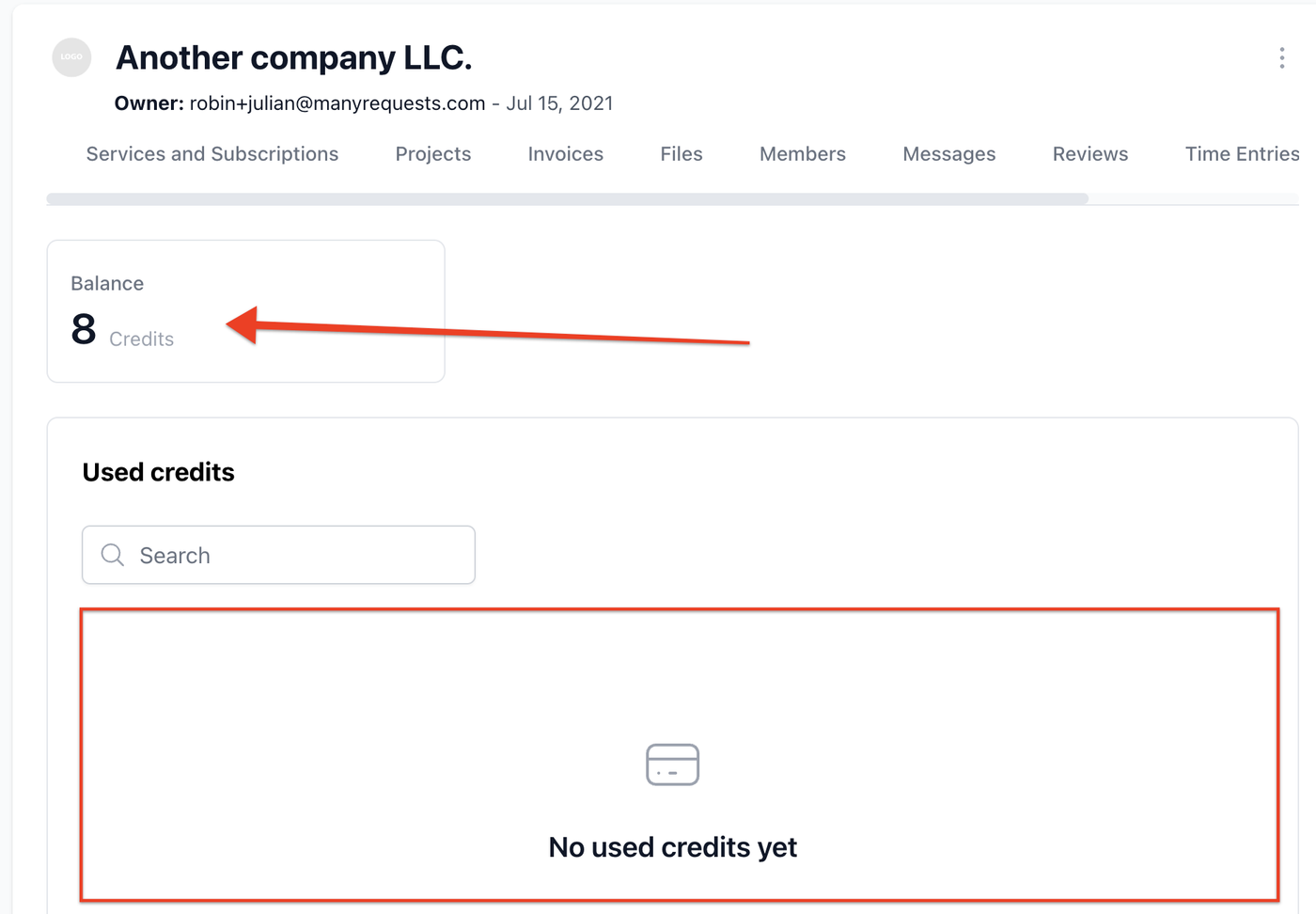
They can also check their remaining balance and buy more hours through the portal, without going through your account manager. Flowout uses this setup and has scaled to $1M ARR while selling hourly Webflow services to clients such as Sequoia, Jasper.ai, and more. Here’s how ManyRequests works:
Key features of ManyRequests
1. Give Clients a Portal to Submit Work and Check Progress
You can give clients a branded portal where they submit requests and follow their tasks. They can also download their files and invoices without having to ask your team to resend them, because they can see everything in a dashboard like the one below.
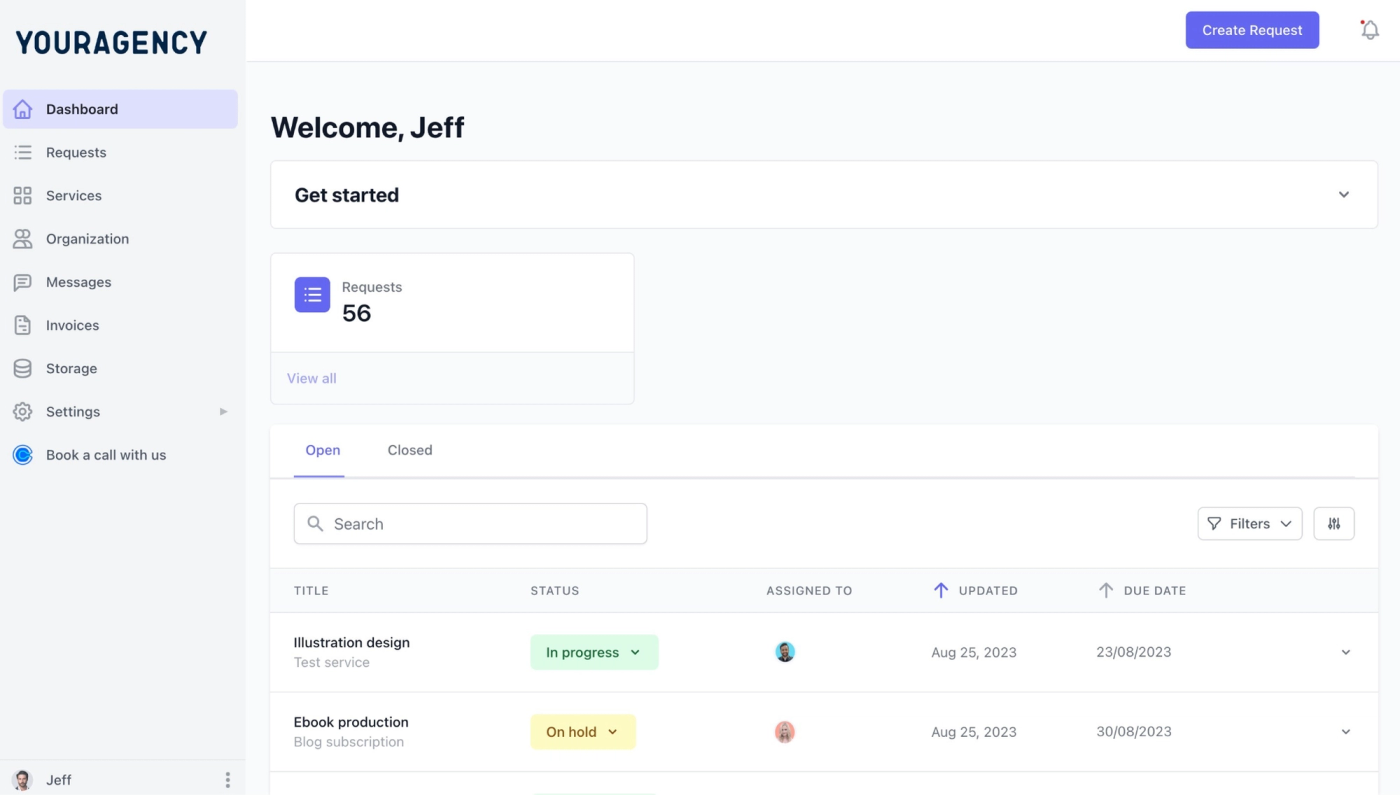
For example, when a client wants to know whether a design is ready, they can open the request and check its status. You don’t have to interrupt your designer or ask your account manager to send an update. Check this video to see what their full experience looks like:
If you have clients who would rather email to submit a new task, ManyRequests provides your team with a dedicated email address for requests. We use the subject as the request title and the body as its description. We also bring in attachments and match the sender to your existing client account, so the request reaches your portal under the appropriate client without you having to copy anything over.
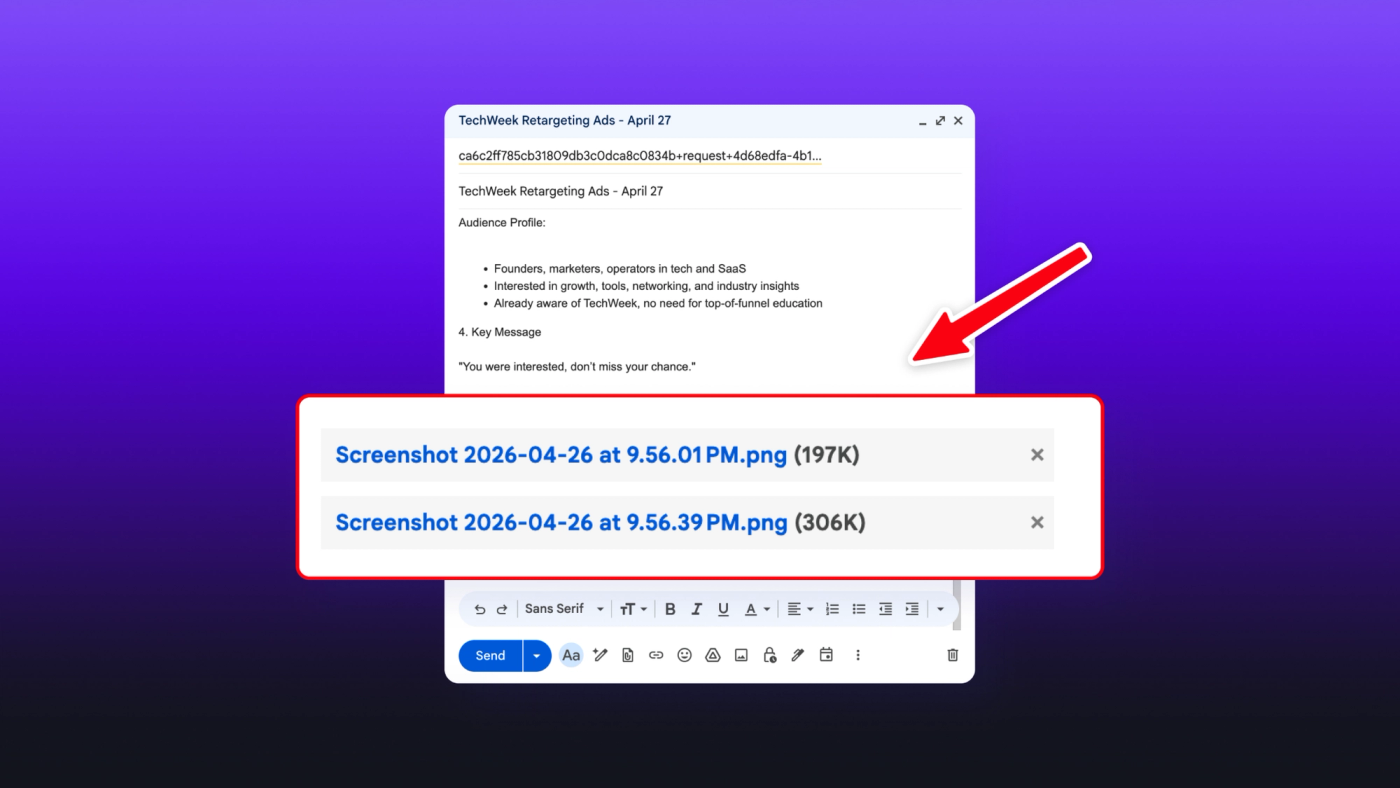
This way, you don’t have to change the way you already work. Clients can use the dashboard to collaborate with you more, or stick to email if they prefer.
2. See What Your Team Is Working on and What Comes Next
Once a client submits a request, your team can manage it through Kanban, list, or queue views. You can use Kanban to follow work through its stages, then switch to the list view when reviewing requests across clients.
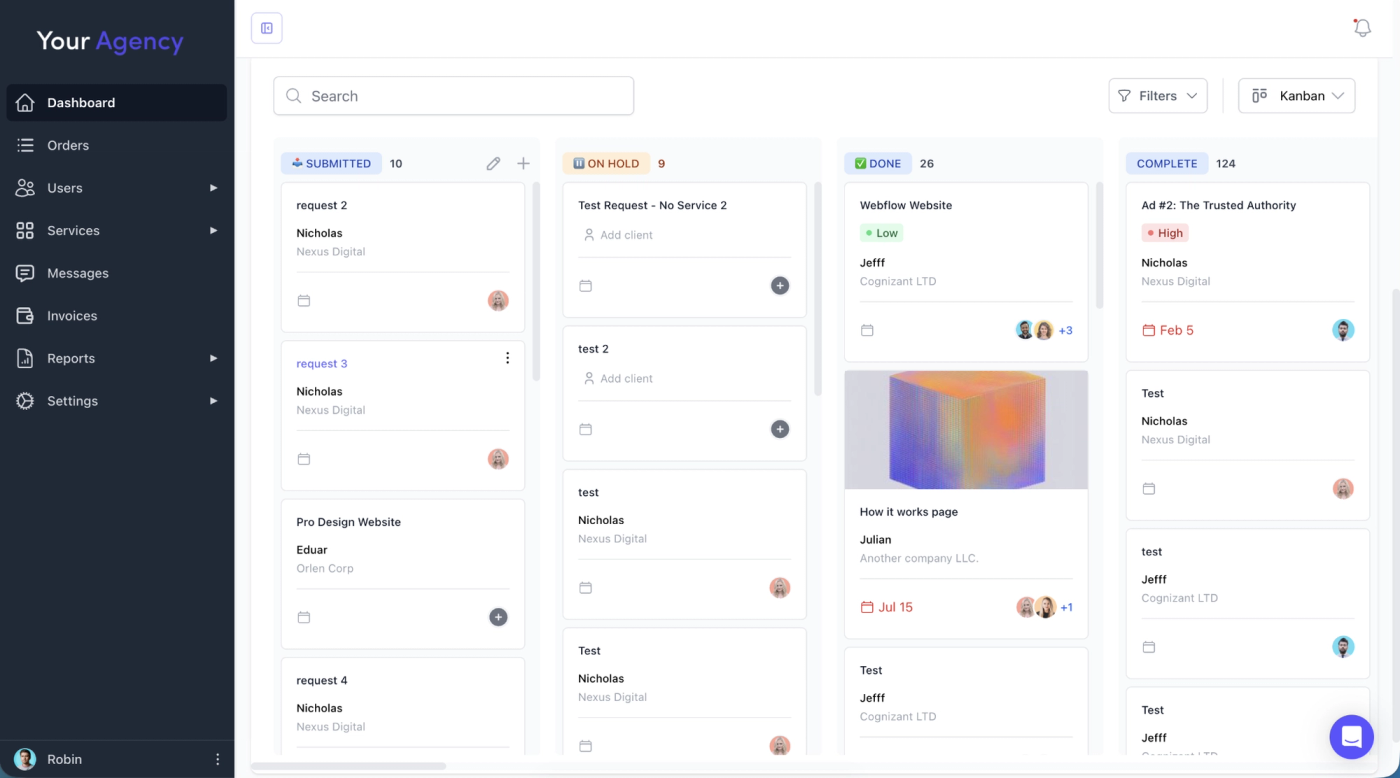
The queue view (as seen below) comes in handy if you sell unlimited requests but work on one at a time. A client might submit a landing page and an email design together. You can keep the second request on hold while your team finishes the first, without making an immediate commitment to either.
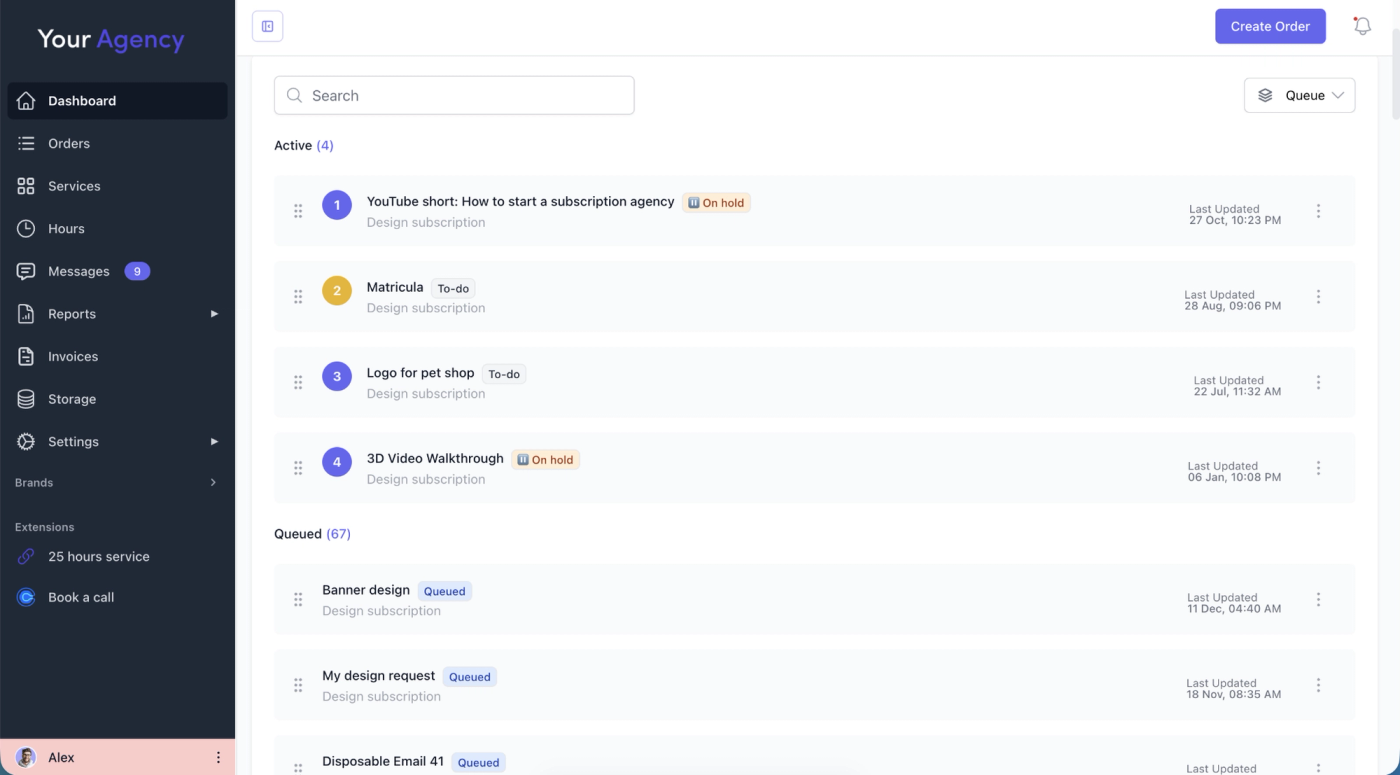
You can also set active-request limits for each service, along with the number of requests included each month. That way, the delivery limits in your terms and conditions are automatically applied in ManyRequests, so you don't have to manually remind clients to avoid scope creep.
You can also configure automatic assignment, so new requests are automatically assigned to specific team members without waiting on you.
3. Give New Clients Their Next Step Immediately After Payment
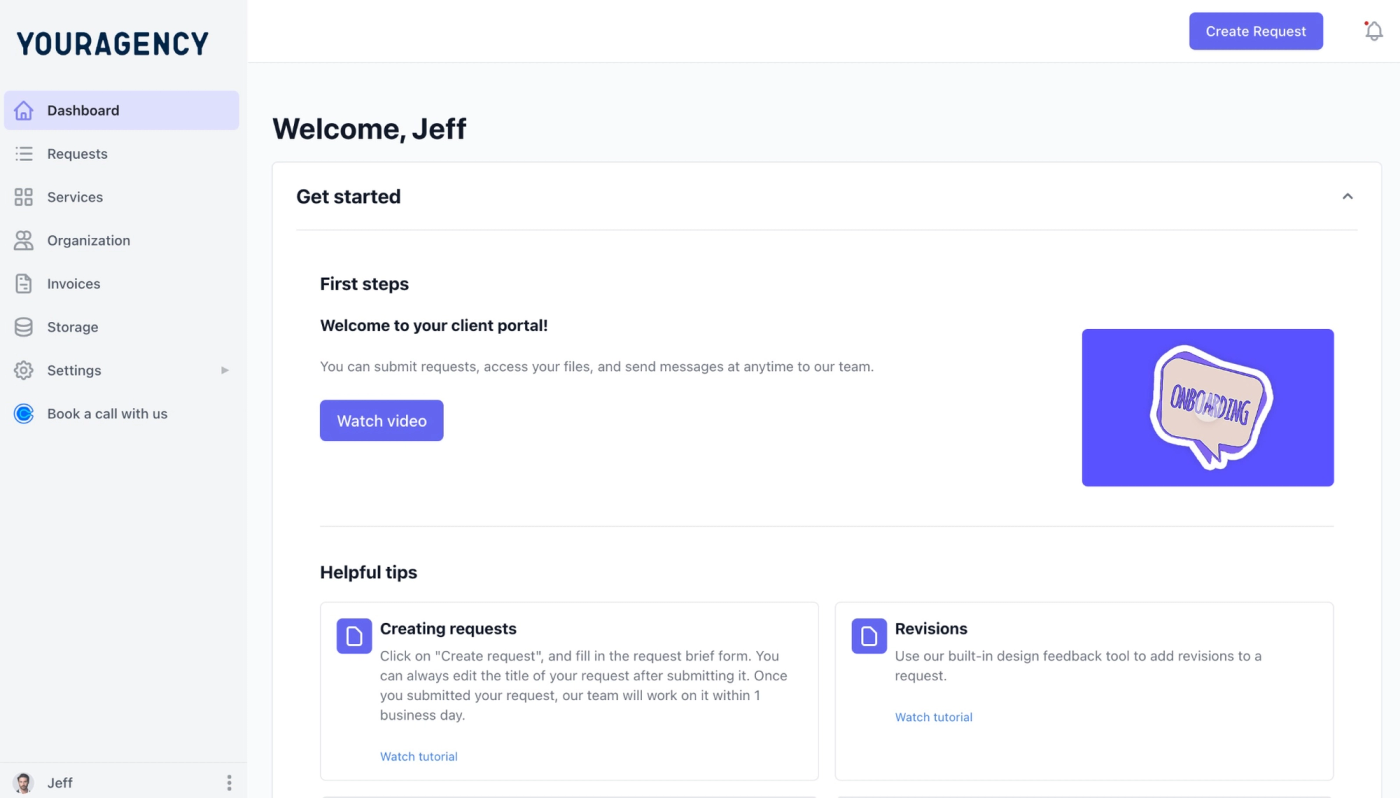
If you’re a productized agency, your clients likely book you without an onboarding call. When a client pays from your website or any other checkout page, ManyRequests automatically creates an account for them. They receive an email to sign in to their portal and submit their first request without having to wait for you to set them up manually.
To make this seamless, you can create an onboarding screen for their first login like the one below. Use it to explain how to submit tasks and when to expect a response. This way, they have a clear understanding of your agency’s process without needing a call.
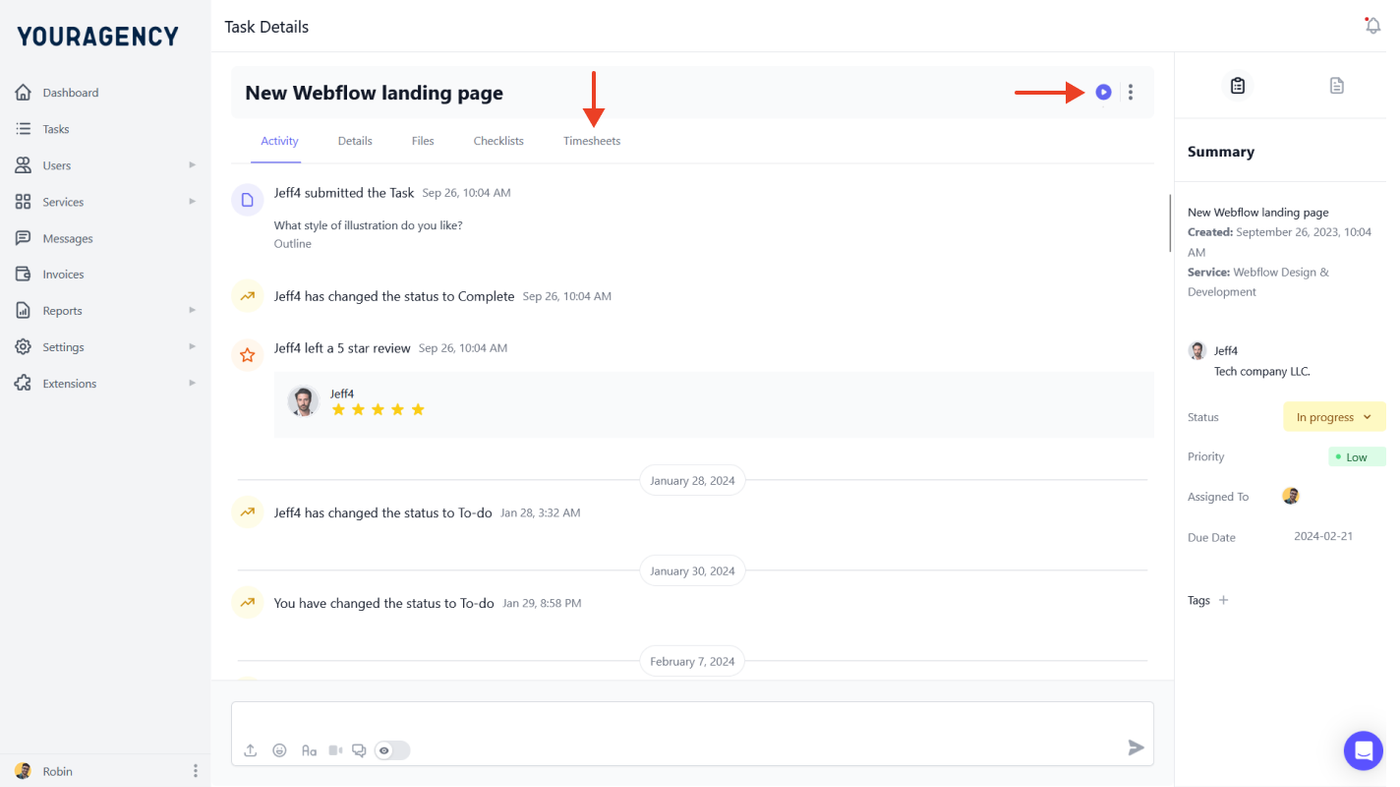
4. Automate Subscription Billing and Track the Time You Spend
ManyRequests lets you connect Stripe so clients on a subscription are automatically billed every month. We send invoices and payment reminders automatically, so you don’t have to write invoices every month or use another platform to manage invoices.
Clients can check their usage and download invoices from the portal. You can also limit new requests when a user has no active subscription or has used their available hours or credits. Clients who prefer project-based pricing are also automatically invoiced when a task is marked as complete.
And if your team tracks time on each request, ManyRequests has a built-in start and stop timer so you can watch their hours and use that to either pay them or show your clients the hours you spend on their tasks.
5. Keep Feedback Attached to the Task
If a design client asks you to “change the heading,” your designer still needs to know which heading they mean.
With ManyRequests, the client can annotate the design itself. Your team can click on any comment, see what the client has to say about it, and understand what they have to do. Here’s what that granular annotated feedback structure looks like:
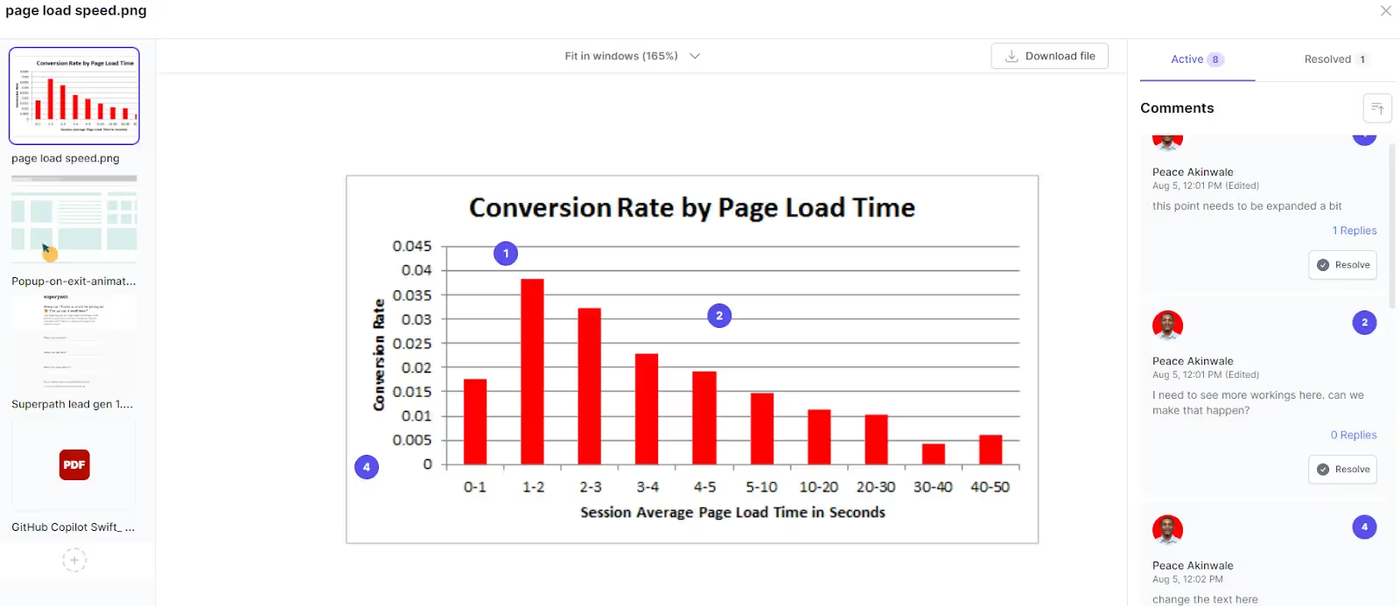
This way, you won’t have to translate an email into a vague list of changes or go back and forth with the client to understand what they’re asking for before the designer can get started. DesignGuru, an on-demand design team, uses this workflow to collect feedback on delivered designs. Clients leave annotations, and designers resolve them in the same place.
Speaking about how ManyRequests helps agencies like theirs, James Alberts, Co-Founder of DesignGuru, who has worked with over 100 clients, says they love the “dedicated client portal. It makes it simple to manage all our clients' deisgn jobs in one place.”
6. Check Capacity Before Promising a Deadline
On the Pro tier, you can use the workload view to compare allocated hours with each team member’s availability. You can estimate how long a request will take and split that time among the people (or teams) working on it.
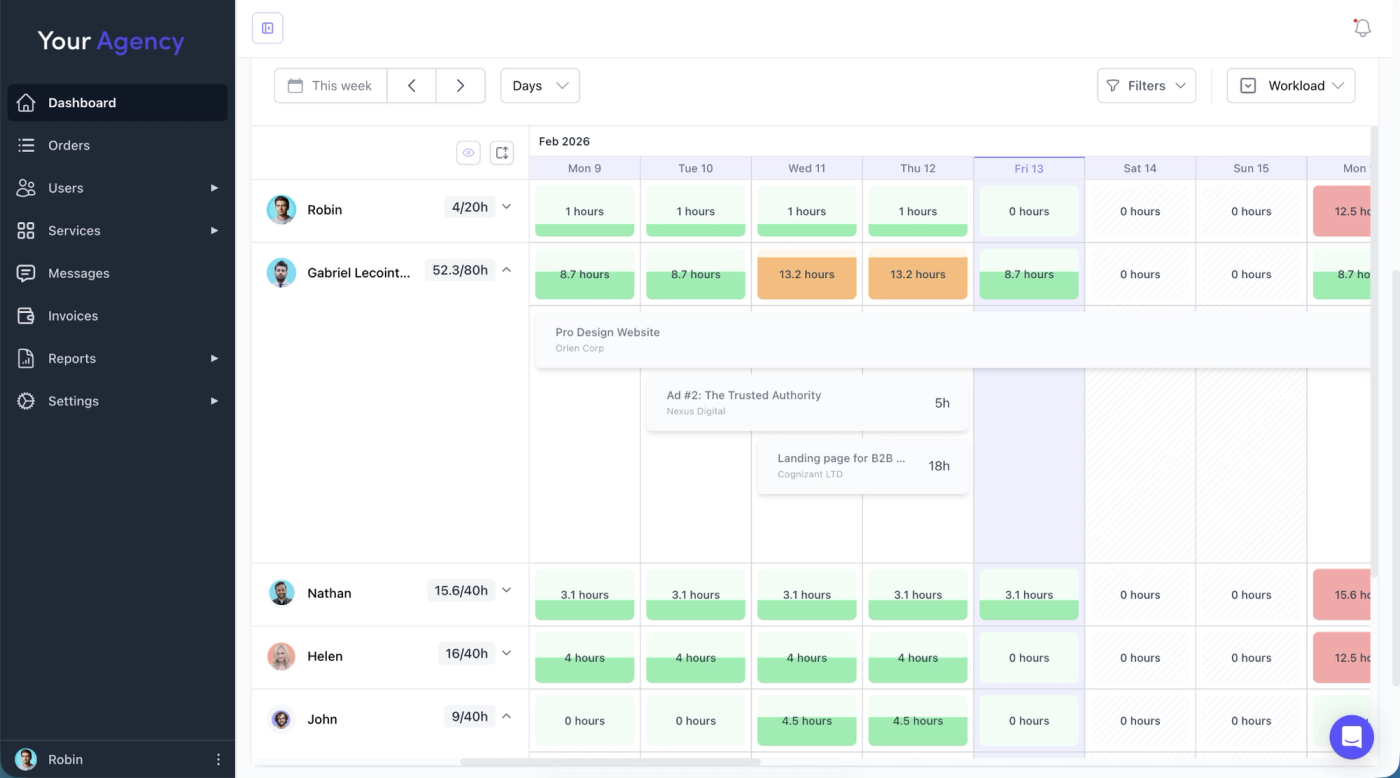
For example, if a request needs four dedicated hours, you can check who has capacity before promising that your team can deliver. If the client changes the priority, you can move the work to another date or reassign it to someone with available capacity.
This helps you plan and allocate tasks more effectively.
Pros of ManyRequests
- You can check a client’s remaining hours or credits while managing their requests, making it easier to spot work that needs an additional payment.
- Clients can submit requests through the portal or a dedicated email address without your team having to copy details between tools.
- You can connect checkout to account creation, so new clients can get started without waiting for a manual invitation.
- Active-request limits help you offer unlimited submissions without committing your team to start everything at once.
- Clients can leave feedback directly on designs, so your team knows exactly what needs changing.
- Automated subscription invoices and payment reminders reduce the billing admin you repeat each month.
- All plans include unlimited clients, so giving another client portal access doesn’t add a paid team seat.
Cons of ManyRequests
- Email intake skips attachments larger than 25 MB: Clients sending large design files or video footage will need to send them as links instead, which you can then save to a client’s Files section in the portal.
- For clients who ask for refunds, you must issue the refund through Stripe or your payment provider, then update ManyRequests separately because the refund doesn’t automatically sync back.
- Features like workload management and removing the ManyRequests badge require the Pro plan.
Pricing
- Core costs $39/month, or $27/month billed annually, with two team seats included. Additional seats cost $10/user/month, or $8/user/month with annual billing.
- Pro costs $99/month, or $69/month billed annually, with five team seats included. Additional seats cost $14/user/month, or $12/user/month on annual billing. Pro adds workload management, Slack, webhooks and custom integrations. Scale ($799/month) adds unlimited seats and removes ManyRequests branding.
- Enterprise adds a custom contract, invoicing and custom development, with custom pricing.
You can use the 14-day free trial to build one service and test the client journey from checkout to delivery before moving your existing clients.
2. Teamwork: for Project-Based Client Service Agencies
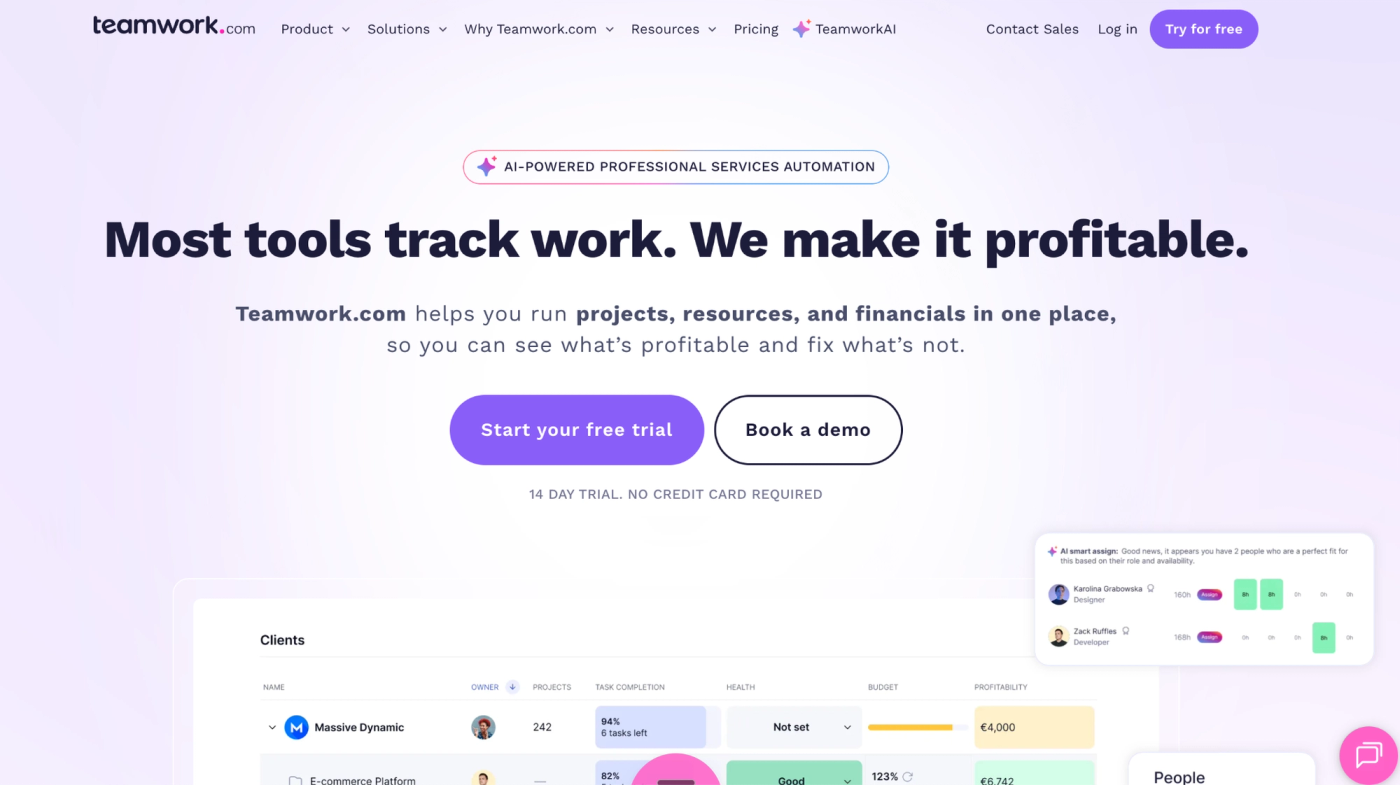
Teamwork is agency project management software that helps you keep client projects on schedule and track profitability.
You can collect requests through forms and turn them into tasks with dependencies. As your team delivers, you can track billable hours against the project budget and build invoices from logged time. Clients can join their projects to review work without seeing your internal financial reports.
That makes it a useful fit if you run defined projects or retainers. For example, you can check whether revisions are using up the remaining budget before committing more team time.
Key Features
- Client users and permission controls
- Intake forms
- Gantt and project views
- Time tracking
- Workload and capacity planning
- Retainer and budget management
- Invoicing and profitability reporting
Teamwork Pros
- Built specifically around client projects, with delivery and financial controls in the same platform.
- Billable and non-billable time tracking helps you see which projects consume your team’s hours.
- Budget and profitability reporting helps you spot projects that are costing more to deliver than planned.
- Clients can collaborate through free client-user licenses, subject to access restrictions.
- Task dependencies and resource planning help you coordinate projects where one person’s work must finish before another can start.
Teamwork Cons
- Clients can join only five active projects, which can become restrictive when you run several engagements for the same client.
- You can automatically create invoices from tracked work, but Teamwork doesn’t help collect payments.
- The full agency workflow costs more: Intake forms and retainers require Accelerate or above, while financial budgets and profitability insights require Optimize or above.
Pricing
- Basics starts at $9.99/user/month billed annually or $13.99/user/month. It includes project views and billable time tracking.
- Accelerate costs $24.99/user/month billed annually or $29.99/user/month. It adds smart forms, workload and capacity planning, retainers, time budgets, and invoicing from logged time.
- Optimize and Enterprise have custom pricing and include financial budgets and profitability insights, while Enterprise adds additional security and support options.
3. Productive: Best for Resource Planning and Agency Profitability
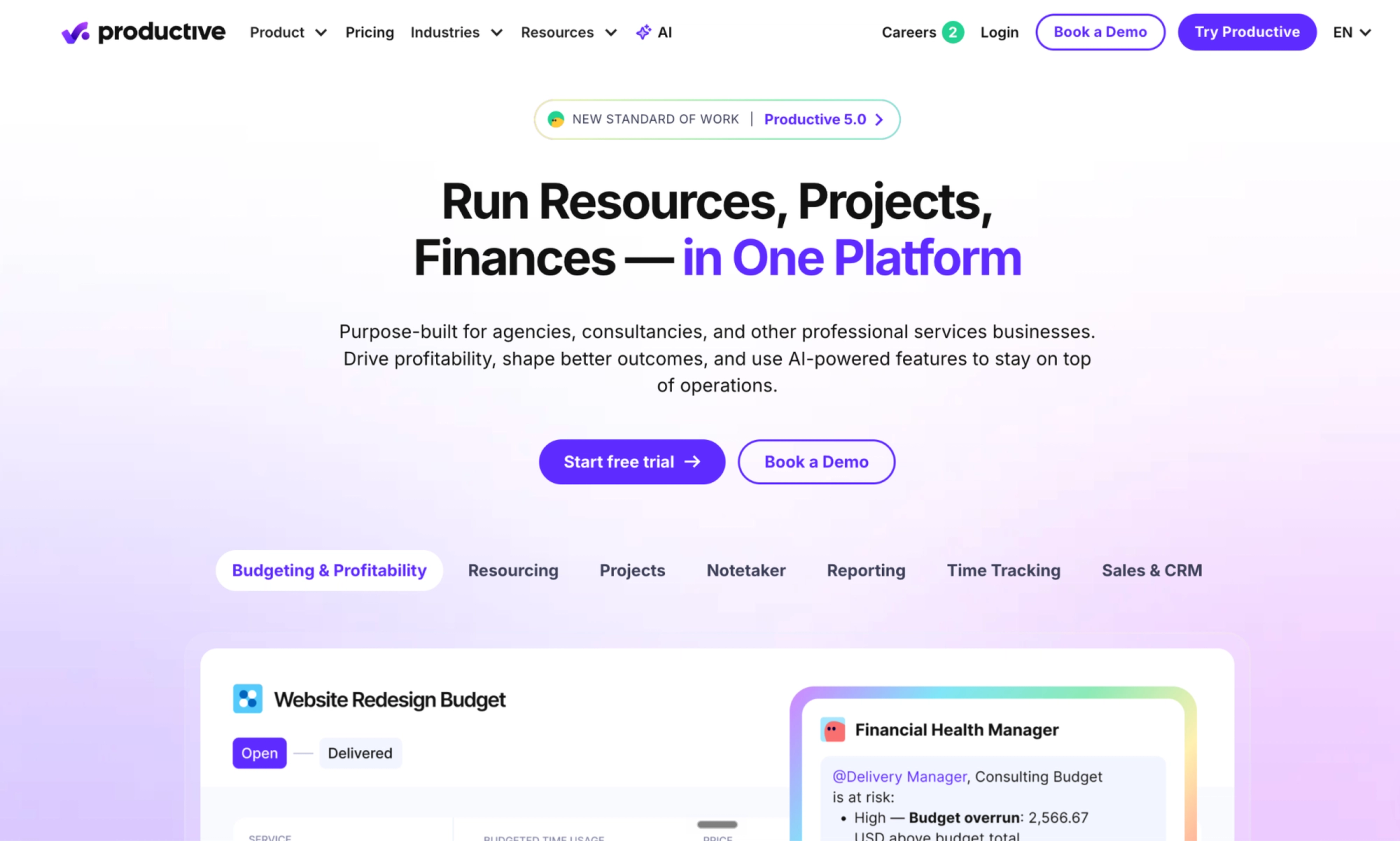
Productive is agency management software that helps you plan who will deliver client work and see whether it is profitable.
In the Resource Planner, you can compare project bookings with your team’s availability, then track delivery costs against the budget. For example, before accepting another retainer, you can check whether your team has capacity. Once work starts, you can see whether the hours spent are eating into your margin.
You can also add clients to your projects for free so they can collaborate on tasks and documents. This lets you keep them in the loop while you work on their tasks.
Key Features
- Project and task management
- Resource Planner
- Time tracking
- Budgets and profitability reporting
- Recurring budgets and invoice drafts
- Client access and permissions
- Request forms and automations
Productive Pros
- Budgets connect delivery costs to revenue, helping you see which projects are losing margin.
- Resource planning shows bookings across projects, so you can check availability before committing people to new work.
- Client accounts are free, so bringing clients into project discussions doesn’t add paid seats.
- Recurring budgets let you repeat retainer periods without rebuilding the budget each month.
- Automatic invoice drafts reduce the preparation needed for recurring billing.
Productive Cons
- Clients need a Productive login to submit forms unless you pay for Ultimate, adding a sign-in step to request intake.
- Clients who can comment can also edit task details, so you can’t collect feedback while keeping deadlines and assignments under your team’s control.
- Automatic invoice drafts still need to be finalized and sent, so monthly retainer billing still requires someone on your team to act.
- Freelancers require full-price seats, so bringing in extra help increases your software bill and delivery costs.
Pricing
- Essential costs $10/user/month, billed annually, or $10/user/month.
- Professional costs $25/user/month, billed annually, or $29/user/month.
- Ultimate uses custom pricing.
4. ClickUp: Best for Customizable Agency Workflows
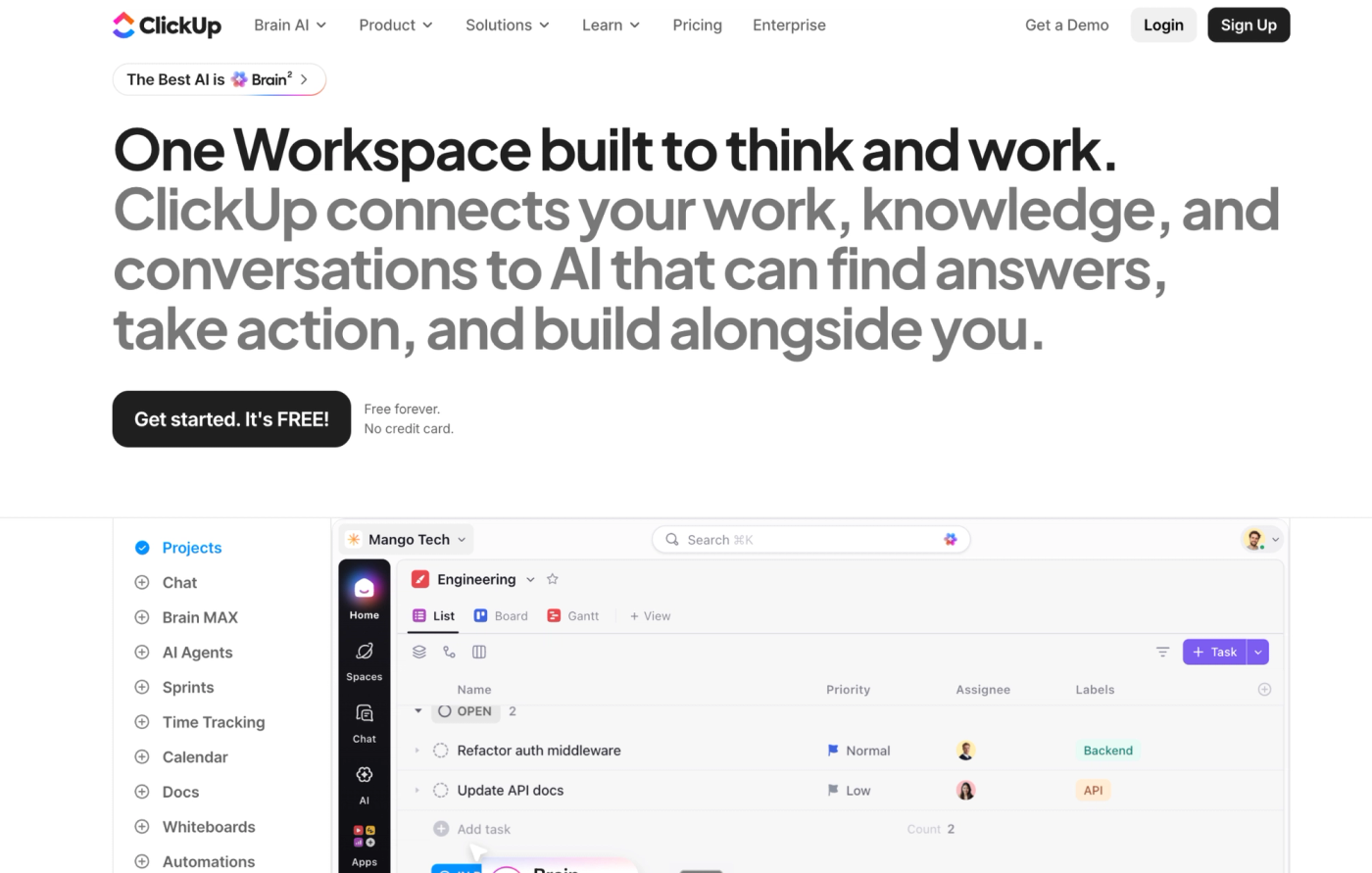
ClickUp is work management software that lets you build your agency’s delivery process around how your team works. By that, I mean you can organize work by client or department and create custom statuses for each workflow. For example, your design team could move requests through creative review and client approval, while your development team follows a separate testing process.
You can use forms to turn incoming requests into tasks, and use built-in automations to handle assignments and handoffs. You can also track time against the work and invite clients to selected tasks or folders. The flexibility with ClickUp is why agencies love it. You can adapt the setup as your services change, but someone on your team needs to maintain it and navigate its overwhelming user interface, as most reviewers say.
Key Features
- Forms for request intake
- Custom fields and statuses for task progress
- Automations for internal workflows
- Native time tracking
- Resource and workload management
- Gantt and multiple project views
- Dashboards and guest access
ClickUp Pros
- Custom statuses and fields let you organize work around the information each team needs.
- Forms turn submissions into tasks, reducing the work of copying client briefs into your project manager.
- List and board views let account managers and delivery teams review the same work in different ways.
- Native time tracking keeps hours attached to tasks, so you can see how long individual requests take.
- Guest permissions let clients comment on shared work without giving them access to your entire workspace.
ClickUp Cons
These are the trade-offs I’d weigh before building your agency’s workflow in ClickUp. These include:
- You need to configure and maintain the workflow yourself, so someone must keep statuses and automation rules consistent as your team grows.
- Clients who need commenting or editing access count toward your permission-controlled guest allowance. Once it’s used up, additional guests can cost the same as team members. Read more on their guest billing page.
- Unlimited includes 1,000 automation actions per month. Exceeding the allowance pauses automations, so assignments and handoffs may need manual attention.
- The Workload view has limited trial usage on the Unlimited tier, so ongoing capacity planning requires the Business tier or higher.
Pricing
- Unlimited costs $7/month when billed annually, or $10/month. It includes unlimited forms and custom fields, alongside Gantt charts, native time tracking, and permission-controlled guests.
- Business costs $12/user/month when billed annually, or $19/month. It adds unlimited dashboards with advanced cards, portfolio workload management, and 5,000 automation actions per month.
- Enterprise uses custom pricing. It provides advanced permissions and governance, along with custom branding and more automation.
5. Asana: for Project and Cross-Team Coordination
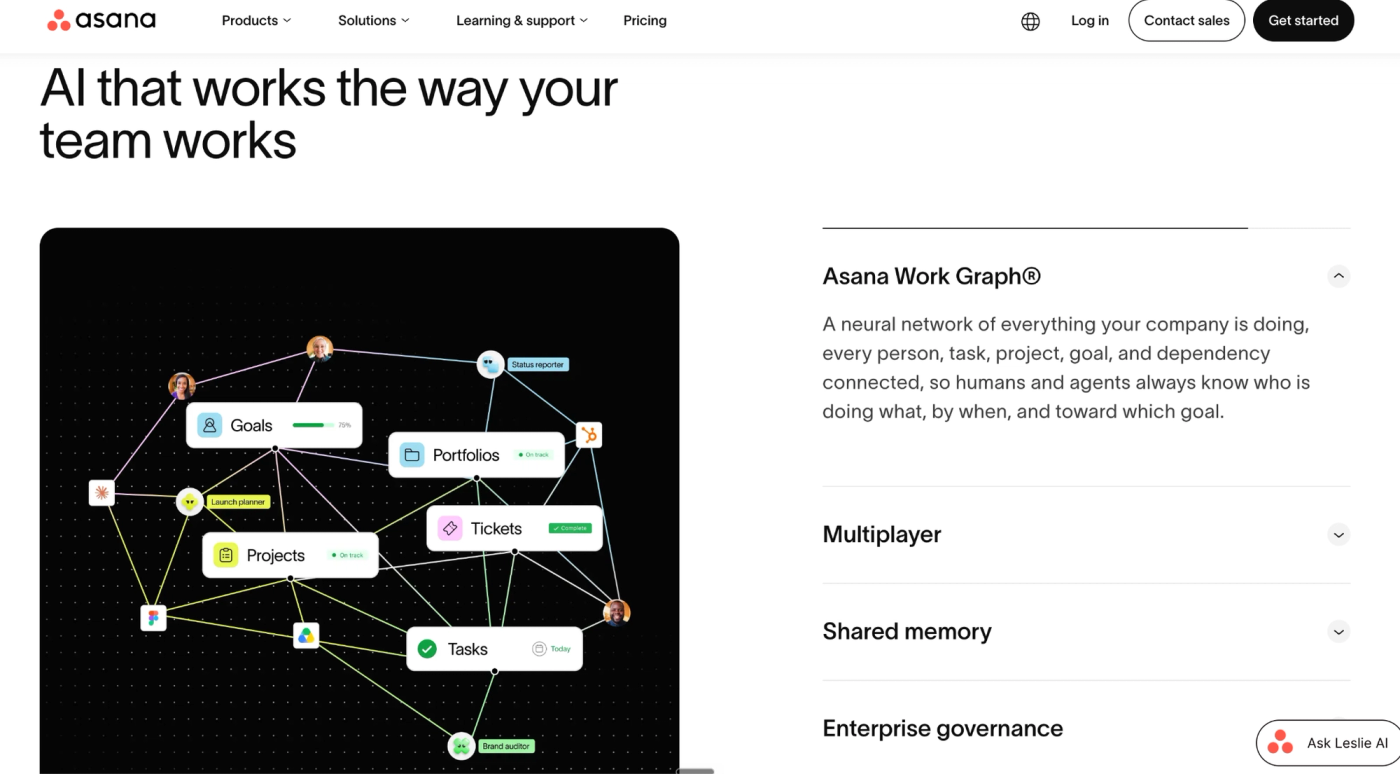
Asana is work-management software that helps you assign clear ownership and coordinate client work across teams. You can collect requests through forms and turn them into tasks with deadlines. For example, a website project might need copy approved before design starts. Task dependencies make that handoff visible, so your designer knows what they’re waiting for and your account manager can follow progress.
You can also invite clients to shared projects as guests, while your team uses reporting dashboards to track delivery. With the Advanced tier, you can access portfolios and workload views to coordinate several projects across your entire team.
Key Features
- Forms to collect requests as tasks
- Tasks and subtasks to break work into steps.
- Timeline and Gantt views.
- Automations to assign tasks and update statuses.
- Reporting dashboards to show progress and overdue work.
- Portfolios and workload management on Advanced.
Asana Pros
- Task ownership and dependencies make it clear who needs to act before the next stage can start.
- Forms create tasks from submissions, keeping the client’s brief and attachments with the work.
- The Starter plan includes unlimited automation actions, so routine assignments and status updates don’t stop after you exhaust the monthly action allowance.
- External guests don’t count toward paid organization seats, so clients can collaborate without increasing your team-seat bill.
- Portfolios on Advanced bring related projects together, helping account managers spot delays across client engagements.
Asana Cons
- Conditional forms that change questions based on a client’s answers require the Advanced tier.
- Advanced’s workload view covers projects within one portfolio, so work outside that portfolio won’t appear in the same capacity check.
- Project budgets and timesheet approvals require a separate paid add-on, increasing the cost of tracking delivery against your client fees.
- Individual attachments are limited to 100 MB, so large design files or video footage need to be shared through another process.
Pricing
- Starter costs $10.99/user/month when billed annually, or $13.49 per user per month when billed monthly. It includes forms, custom fields, reporting dashboards, and unlimited automations.
- Advanced costs $24.99/user/month when billed annually, or $30.49 per user per month when billed monthly. It adds portfolios, portfolio workload, approvals, proofing, and native time tracking.
- Enterprise and Enterprise+ use custom pricing.
- The Timesheets and Budgets add-on costs $5.99/user/month billed annually, on top of your subscription.
6. monday.com: for Visual and Configurable Project Workflows
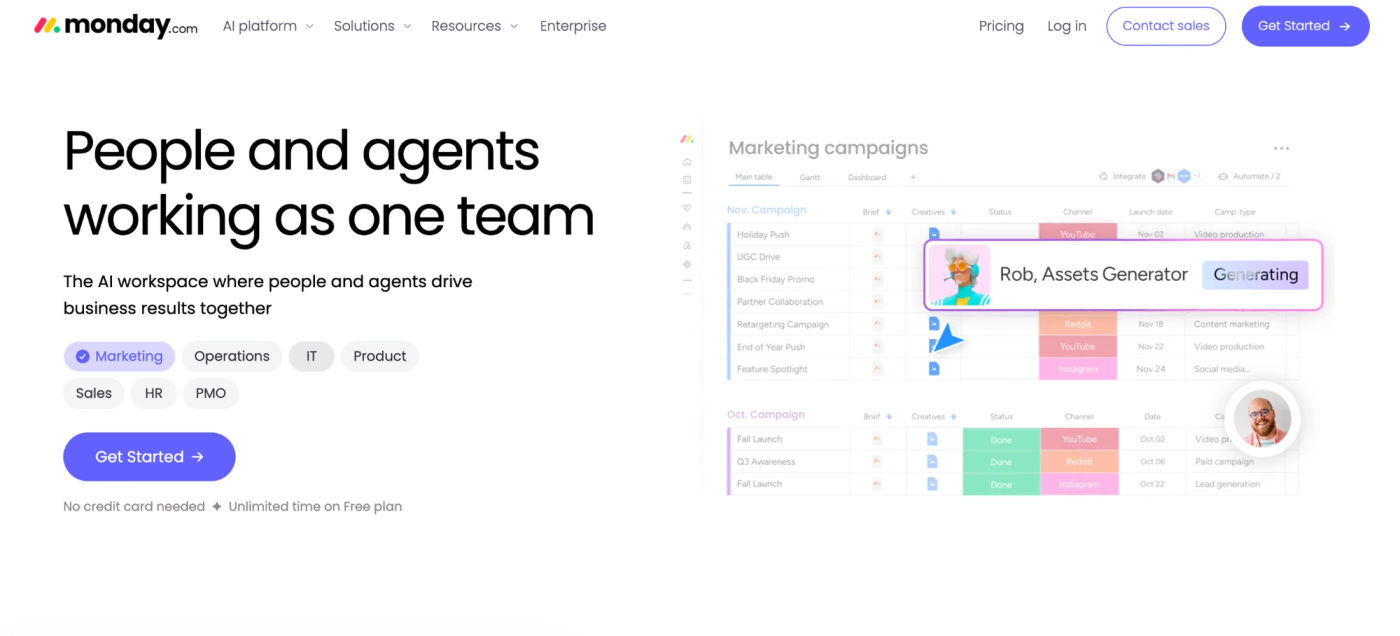
monday.com is work-management software that lets you build visual workflows around how your agency delivers client work. You can give creative production and account management their own boards, with different stages for each process. For example, your design board could show which requests need a brief and which are waiting for client approval, while the account management board could track clients still onboarding and accounts due for a renewal conversation.
You can create a WorkForm to ask clients for the details your team needs, then share the link. Each submission becomes a new task on your chosen board, so you don’t have to copy the brief over. Clients don’t need a monday.com account to fill it out.
You can also set rules for handoffs. For example, when a designer changes a task’s status to “Ready for review,” monday.com can notify your account manager. This flexibility lets you build different processes for each service you offer. But you’ll need to choose the stages and set up the rules before your team can follow them.
Key Features
- WorkForms turn briefs into board items.
- Customizable boards help organize work by delivery stage.
- Automations help update tasks and notify teammates.
- Timeline and Gantt views.
- Dashboard view to bring project updates together.
- Workload feature to compare assignments with team capacity.
- Time tracking.
monday Pros
- You can give each service its own workflow, so design requests and marketing campaign projects don’t need identical stages.
- Clients can submit WorkForms without an account, removing a sign-in step from intake.
- Automations can notify teammates when a status changes, reducing the need for manual handoff messages.
- Guests only access boards you invite them to, so clients can follow delivery without seeing unrelated work.
- The Workload widget can combine multiple boards, helping you spot people overloaded across client projects.
monday Cons
- You need to configure and maintain each workflow, so inconsistent statuses or rules can make handoffs harder to follow.
- The Standard plan includes 250 automation actions per month, so frequent reminders and task updates can quickly use up the allowance.
- On Standard, every four guests count as one billed seat, so inviting more client contacts can increase your subscription cost.
- Workload requires Pro or Enterprise, so you’ll need a higher plan to check team capacity before assigning requests.
Pricing
- Basic starts at $9/user/month billed annually or $12/user/month. It includes unlimited items and free viewers, but excludes guest access and automations.
- Standard starts at $12/user/month billed annually or $14/user/month. It adds guest access, Timeline and Gantt views, and 250 automation actions per month.
- Pro starts at $19 per user/month when billed annually, or $24/user/month. It adds time tracking, private boards, and 25,000 automation actions per month.
- Enterprise uses custom pricing.
Which Agency Project Management Software Should You Choose?
For a productized agency, completing a request is only part of the job. You also need to know what the client bought, how much work their package allows, and when their next payment is due.
That’s where ManyRequests makes sense. Your clients can buy a service and submit requests through your branded portal. Your team can work on those tasks in the same software, and you can manage everything with ease. You can also charge recurring payments without a separate renewal process. In Maximilian Fleitmann’s words, co-founder of magier, ManyRequests “handles our customer service workflows from top to bottom and is fundamental to our daily operations.”
You can still choose Teamwork or Productive if detailed project finances and resource forecasting are more important to you. Or consider ClickUp, Asana, and monday.com if you prefer customizable workflows. But if you sell repeatable services, ManyRequests brings the daily work of running that business together, with less for you to configure and connect.
Start your 14-day ManyRequests trial with one service you already sell. Set up its pricing, invite a client, and take their first request through to delivery. You’ll have a working example of how your agency could run before moving the rest of your clients.
We also provide a migration service to make the switch and setup easy for you. Book an onboarding call here. Talk soon.